NetMagenGet a quote

NetMagen Vision for iPhone

Every camera. Every moment. In your hand.

One app, two ways in: watch the IP cameras on your home Wi-Fi directly, with no account at all — or open your NetMagen Vision recorder from anywhere, with its live view, its timeline, its clips and its Vision AI.

Coming to the App Store

The iPhone app signs in with the same email and password as your NetMagen account. Create it today and you're ready on day one.

Create your account
See how it works

iPhone · English interface

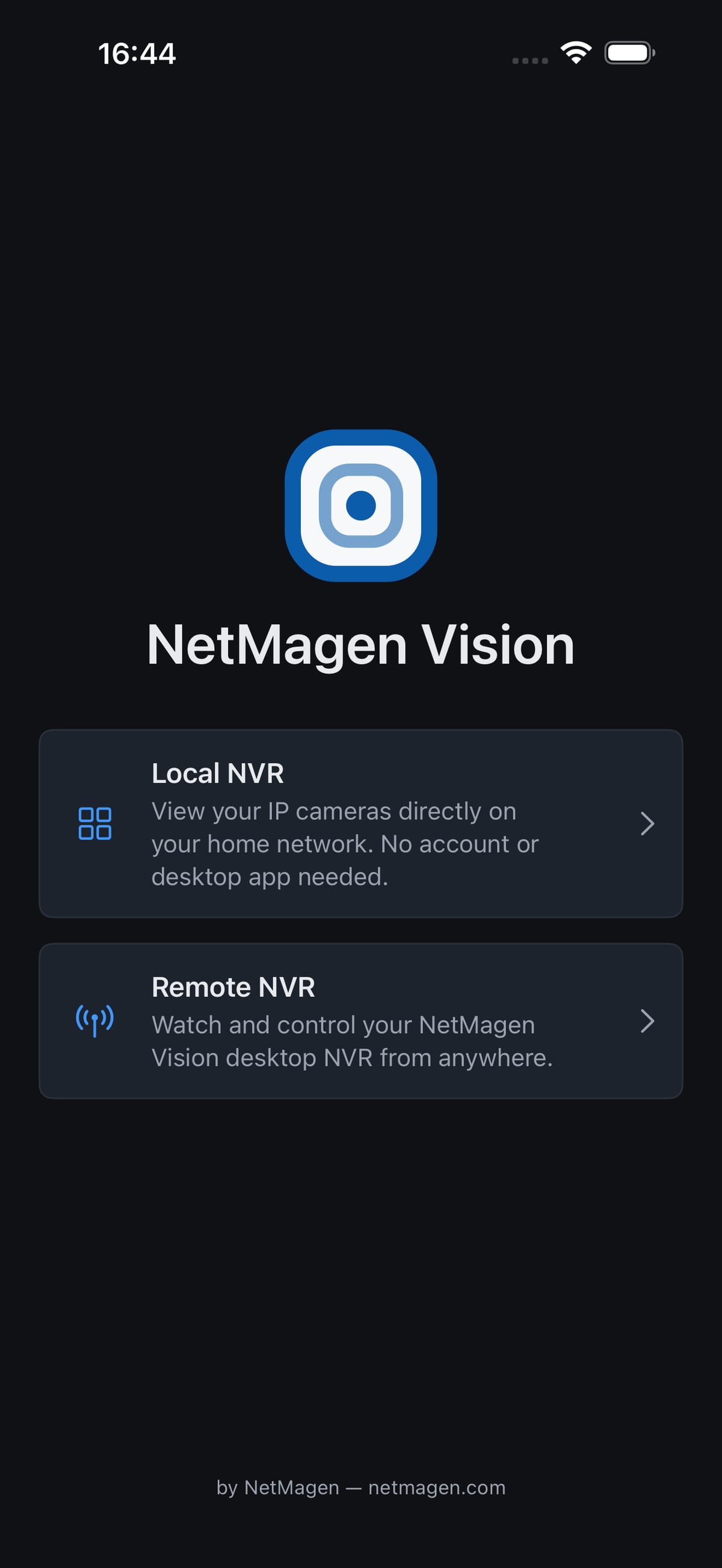
The app's first screen: the NetMagen Vision mark and two cards, Local NVR and Remote NVR.

Two modes

Pick the door that fits the moment

At home, the app talks to your cameras directly. Away, it talks to your recorder through the NetMagen relay. You choose on the app's first screen.

Local NVR

Your cameras, directly

View your IP cameras directly on your home network. No account or desktop app needed.

Your Wi-Fi
Your iPhone
Your cameras
  • An iPhone on the same Wi-Fi as the cameras
  • Cameras with an RTSP stream — ONVIF fills in the details
  • Nothing else: no account, no server, no internet

Remote NVR

Your recorder, from anywhere

Watch your NetMagen Vision desktop NVR from anywhere — live view, the archive and Vision AI, through the NetMagen relay.

Your iPhone
NetMagen relay
Your home network
Your PC
  • NetMagen Vision running on your Windows PC
  • A NetMagen account with Remote Access
  • Any connection — the relay does the rest, nothing to set up on your router

What it does

The whole recorder, sized for one hand

Real screens from the app, shown on demo cameras.

Local NVR: your cameras in seconds, no sign-up

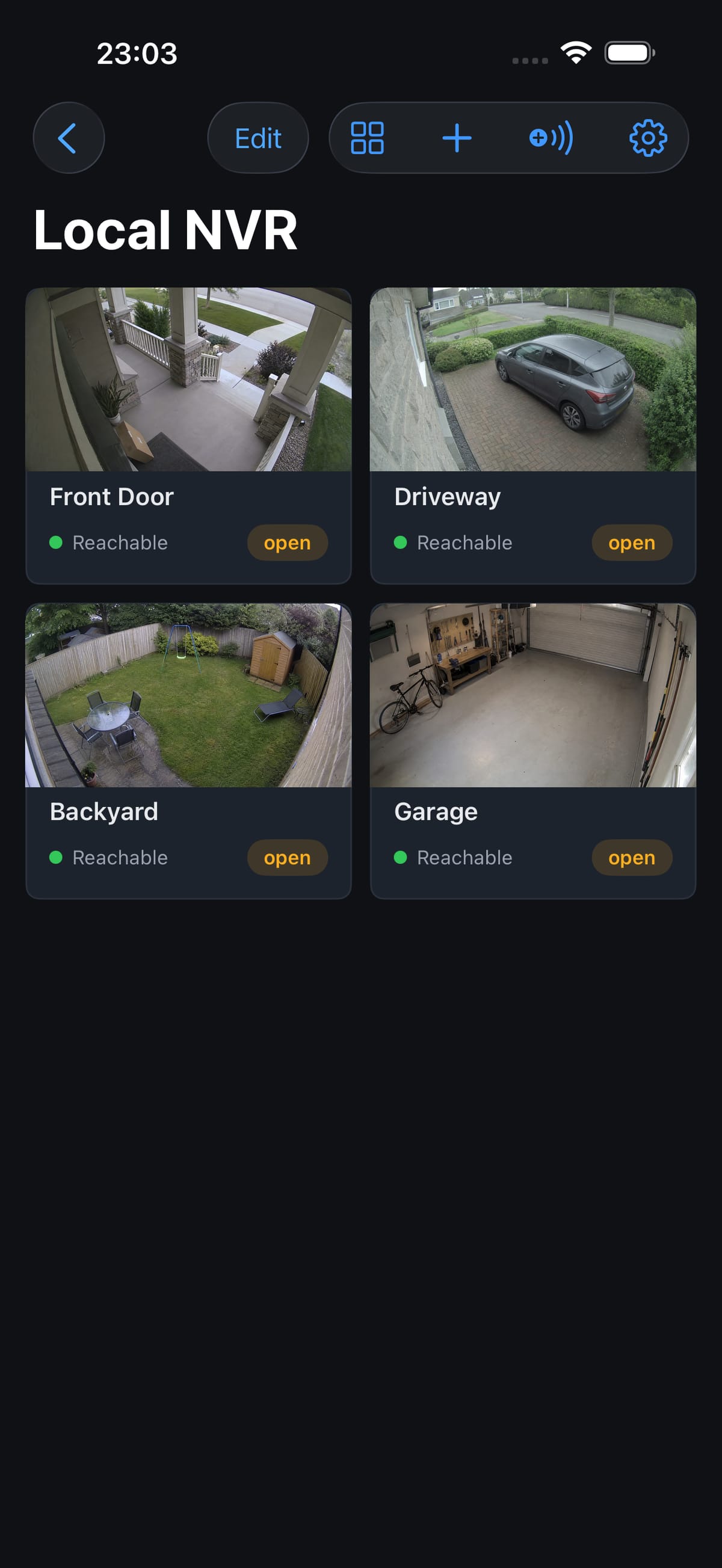
Add a camera by address or let Find Cameras sweep your Wi-Fi. ONVIF fills in the stream paths, a real RTSP test proves the password, and your cameras land in a grid with reachability at a glance. Passwords stay in the iPhone's Keychain and never leave the phone.

  • 2×2 live grid, and full screen with pinch to zoom
  • Mute, snapshot to Photos, main or sub stream
  • Reconnects by itself when a camera drops
The Local NVR screen: four camera tiles — Front Door, Driveway, Backyard and Garage — each marked reachable.
The app's first screen: the NetMagen Vision mark and two cards, Local NVR and Remote NVR.

Account tier

Remote NVR: live from anywhere

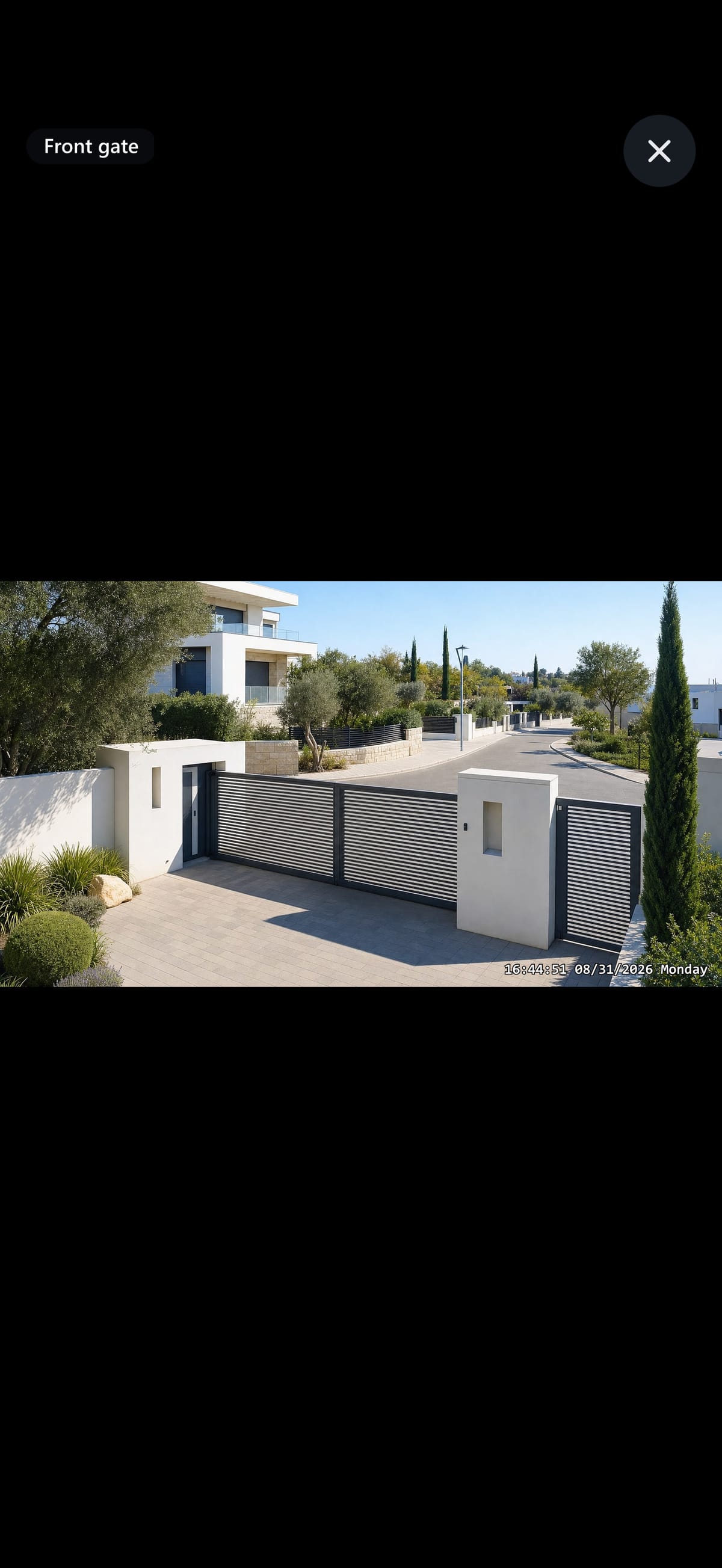
Sign in and your recorder's cameras appear — posters refreshed every 30 seconds, one tap for full-screen live with sound when the stream has it. Every byte travels through the NetMagen relay on a pinned, signed connection; your PC only ever connects outward.

  • HLS by default, WebRTC when you want lower latency
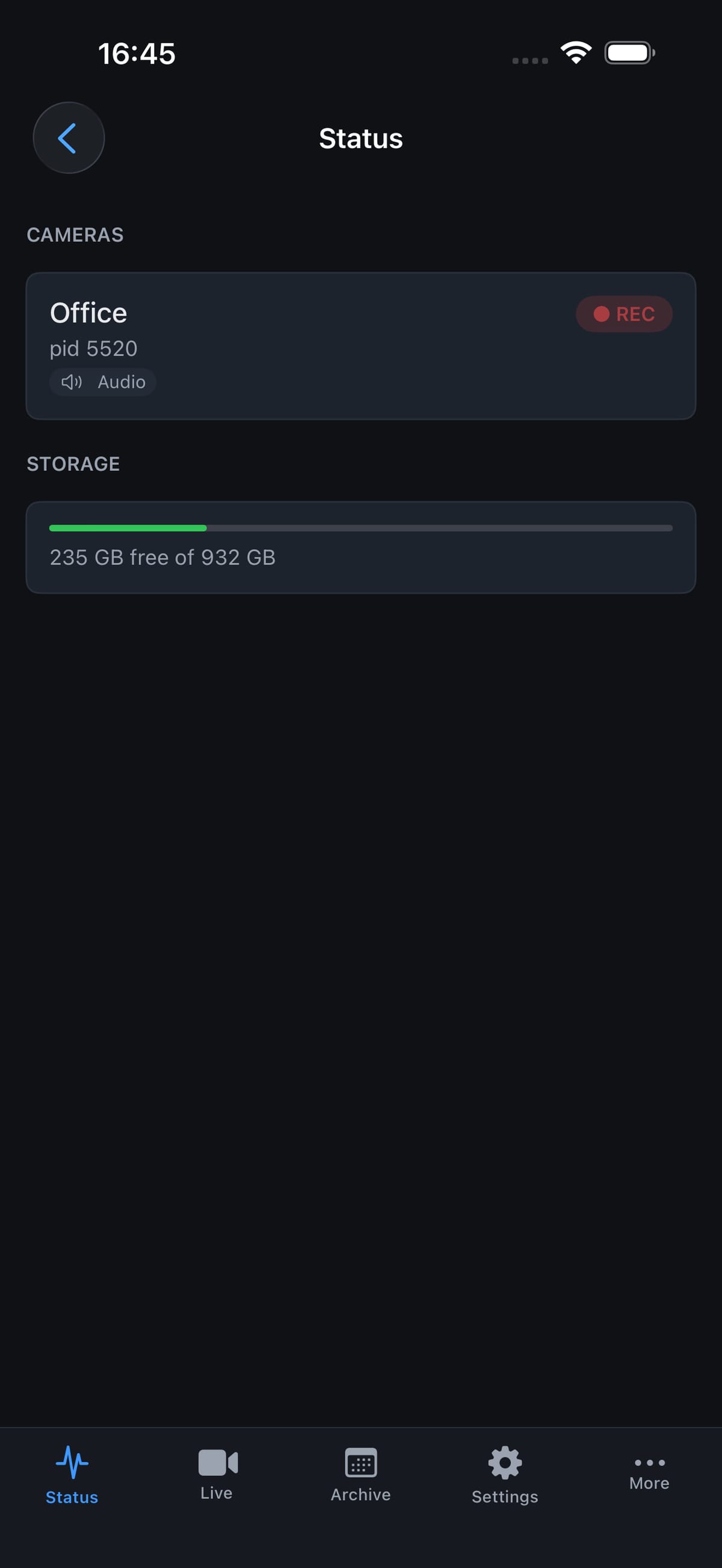
  • Status tab: recording state per camera, storage, who is watching
  • Reconnects once silently, then tells you what happened
Full-screen live view of the Front gate camera, with the camera name and a close button.
The Status tab: a camera card with a REC pill and an audio badge, and the storage gauge.

Account tier

The archive, in your hand

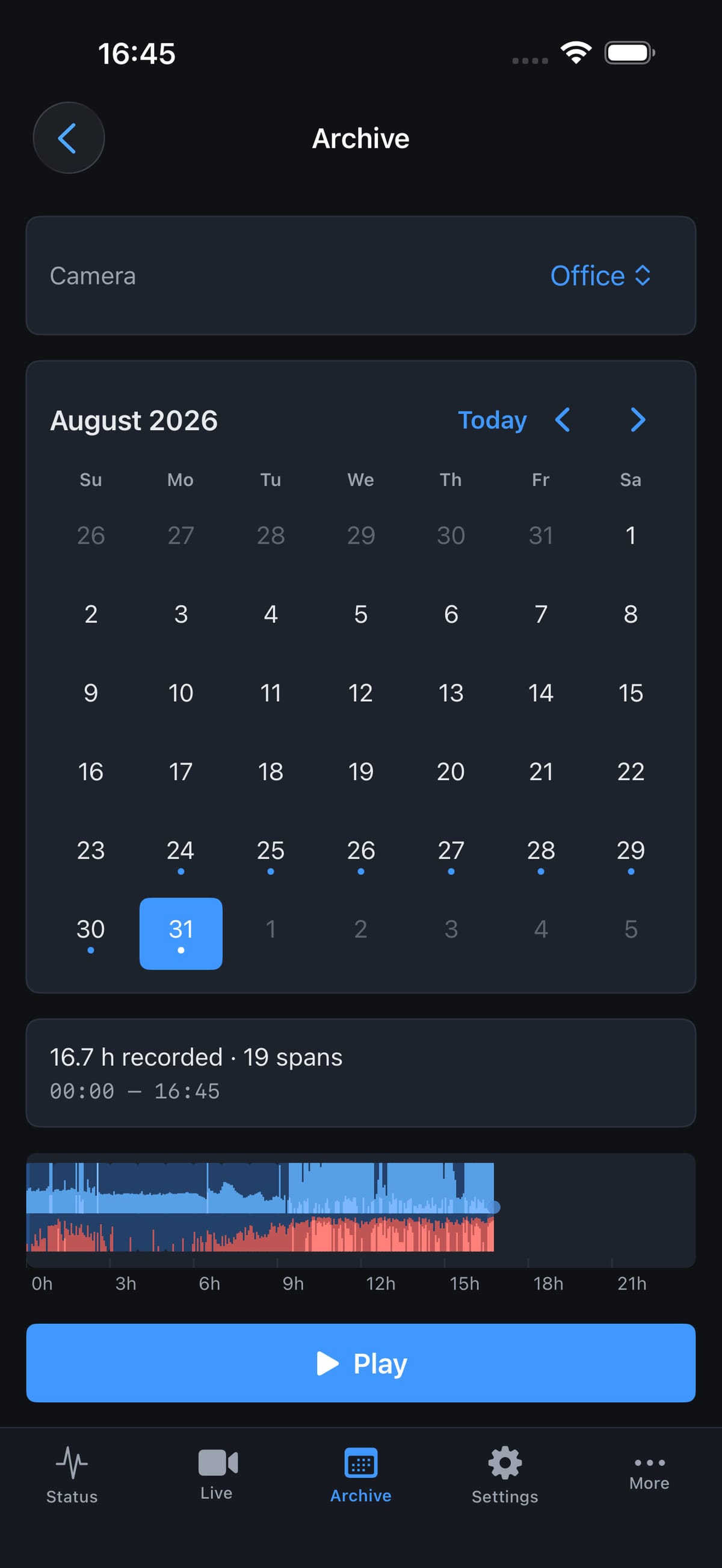
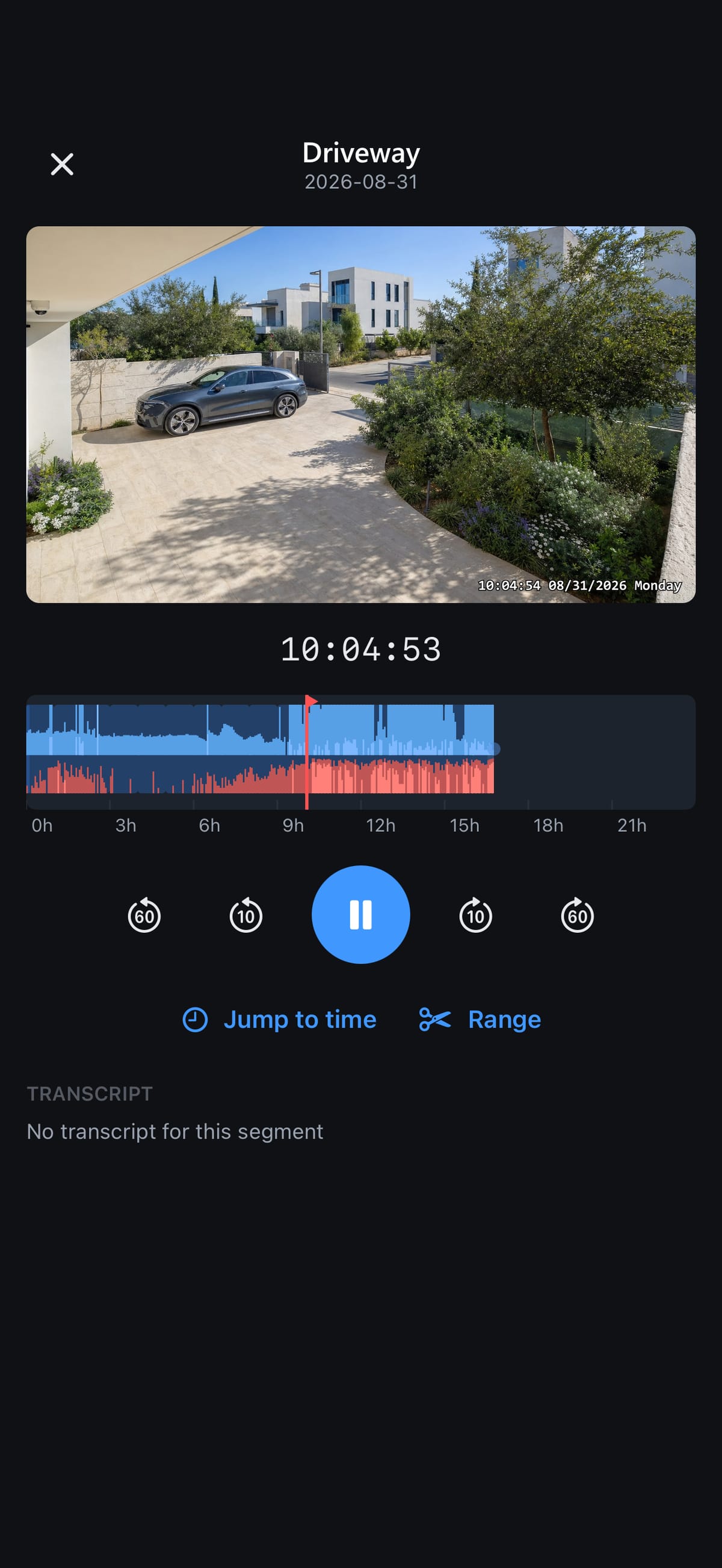
A calendar with a dot on every recorded day, a day summary, and the same 24-hour timeline as the desktop: motion in blue, sound in red. Drag to scrub, pinch to zoom in on a quarter hour, jump to a time, read the speech transcript and tap a line to seek.

  • Cut a range and save it as an MP4 — no re-encoding
  • Exported clips: play, share, save to Photos
  • The playhead clock runs on your recorder's own time
The Archive tab with a day selected: the calendar, the day summary, the motion and audio timeline and a Play button.
The archive player: the Driveway footage, the house-time clock, the timeline with its playhead, transport controls, Jump to time and Range.

Account tier

Vision AI: faces and plates, by name

The people and licence plates your recorder recognises, on your phone: name them, watch the ones that matter, merge duplicates, clear the review queue with ranked matches, and jump from a sighting straight into the recording.

  • Play every appearance of a person, back to back
  • Review: confirm, assign, or ignore and block a spot
  • Plates: labels, a watch list, every sighting

A representation of the app's Vision screen; the faces are AI-generated, not real people.

9:41
Vision
  • Delivery driver3 faces · 12 sightings
  • Neighbour5 faces · 31 sightings
  • Gardener2 faces · 9 sightings
  • Unknown #121 faces · 1 sightings
Unassigned faceFront gate · 09:41 · 92% match

Share access, keep control

Invite family or staff from your NetMagen account and give each member exactly the cameras and features they need. On their phone, anything outside their access is disabled with a reason — never hidden, never a surprise. And you see who is watching what, live.

  • Session and camera passwords live in the iPhone's Keychain
  • Certificate-pinned relay connection — fails closed on any mismatch
  • Every request is signed: nothing to replay, nothing to forge
  • Your PC connects outward — no port forwarding, nothing listening at home
  • Members see only their cameras and their features
  • No ads, no analytics, no tracking — your video is not our product

How it works

Watching in three steps, either way

Local NVR

  1. 01

    Install

    Get the app from the App Store. No account, nothing to sign.

  2. 02

    Find cameras

    Let the app sweep your Wi-Fi, or type a camera's address. Enter its password once.

  3. 03

    Watch

    Tap a tile. Full screen, sound, snapshot — on the spot.

Remote NVR

  1. 01

    Install

    Get the app, and NetMagen Vision for Windows on the PC that records.

  2. 02

    Sign in

    Use your NetMagen account. The relay details arrive by themselves — nothing to type, nothing to open on your router.

  3. 03

    Watch anywhere

    Live, the archive, your clips and Vision AI — wherever you are.

Get the app

NetMagen Vision for iPhone

Free to download. Local NVR is free forever; Remote NVR and Vision AI use your NetMagen account.

Coming to the App Store

The iPhone app signs in with the same email and password as your NetMagen account. Create it today and you're ready on day one.

Create your account

For iPhone · English interface · Remote NVR needs NetMagen Vision for Windows on your PC

The app contains no advertising, no analytics and no tracking. The relay forwards your video and keeps none of it; your recordings stay on your recorder.

Also on Windows: the desktop recorder
NetMagen Visionby NetMagenFreeFor iPhone

Questions

Frequently asked

Do I need an account?

Not for Local NVR — it works with your cameras alone. Remote NVR and Vision AI sign in with your NetMagen account; Remote NVR also needs Remote Access on that account, which you add on netmagen.com.

Which cameras work in Local mode?

Any camera with an RTSP stream — practically every IP camera. The app's ONVIF detection reads the stream paths from the camera, and a built-in test tells you honestly whether the password was accepted.

Does Local NVR work away from home?

No — by design. Local cameras are only reachable on their own network, so the app asks you to join the same Wi-Fi. For everywhere else, Remote NVR reaches your recorder through the relay.

Will the app alert me?

The app does not send push notifications. Alerts come from the recorder itself: draw a zone in NetMagen Vision for Windows and it sends a Telegram message with a snapshot when someone crosses it.

Does NetMagen see or store my video?

No. In Local mode nothing leaves your phone. In Remote mode the relay forwards the encrypted stream between your PC and your phone and keeps no copy; your recordings stay on your PC. Vision AI receives only the face and plate crops your recorder sends when you switch it on.

Which devices and languages?

An iPhone. The interface is in English, in the same dark theme as the desktop recorder.