On this page
A CCTV privacy mask can conceal a neighbouring window while a fixed security camera continues to show a shared apartment entrance or garden gate. The selected area is hidden in live view and, when configured correctly, in recorded footage. The practical decision is simple: use masking when the wider camera angle remains valuable; re-aim when the unwanted view can be removed without losing coverage you need.
That distinction matters in Israel, where useful and unwanted views often sit close together. An apartment entrance may share a frame with a private doorway. A camera covering a front garden may also catch part of the next balcony. On street-facing business premises, the entrance and an unrelated upper-floor window may be separated by only a small part of the image.
Neither choice is automatically better. The right one depends on what the camera needs to show, how large the excluded area is, and whether the masking remains attached to the correct part of the scene.
What a CCTV Privacy Mask Actually Does
Privacy masking places a digital privacy zone over selected pixels in the image. The zone is usually an opaque shape. Everything outside it remains visible, subject to the camera’s normal field of view, focus, lighting and image quality.
A properly applied mask appears over the chosen area during live viewing. Depending on where the feature is implemented, the same mask may also be written into the video stored by an NVR (network video recorder). That behaviour must be tested rather than assumed. A mask visible in one viewing application is not necessarily present in every recording or export path.
How do you block part of a camera view?
The usual method is to draw a privacy zone in the camera or recording system, then verify its position against recognisable physical boundaries. The zone might follow a window frame, balcony edge or doorway. Use a clear boundary rather than estimating against open sky, foliage or a shadow that changes through the day.
Trying to physically block part of the camera view with tape, paint or an object over the lens is not equivalent. It can affect focus, cause reflections, interfere with infrared illumination and obscure more of the image than intended. A defined digital zone is easier to inspect and adjust.
Camera privacy masking is also different from cropping. Cropping changes the portion of the image displayed or exported, while the original stream may still contain the wider view. Access controls are different again: they decide who can open a stream, but they do not remove part of the picture for an authorised viewer. A mask is intended to conceal a selected image area while retaining the surrounding scene.
When Is Masking Better Than Re-Aiming?
When is privacy masking better than re-aiming a camera?
Masking is better when the camera composition already serves its purpose and the unwanted area is limited and well defined. Re-aiming changes the entire frame. Moving the view away from a neighbouring window might also remove the edge of a gate, the approach to a shop entrance or the point where visitors enter a shared lobby.
The strongest masking cases usually have three features: the important subject occupies most of the frame, the private area is near an edge, and the boundary between them is stable. A neighbouring window with a clear frame is easier to mask precisely than an open garden area with moving plants and no fixed reference.
A shared apartment entrance is a common example. The security camera may need to record the entrance door, intercom area and immediate approach, while a private doorway appears in one corner. A small mask can retain the shared route without requiring a camera angle that points away from the entrance. Any decisions about shared building equipment should be coordinated with the va'ad bayit and the people who use the space.
The same reasoning applies to a private home. If a camera shows the garden gate, path and parcel area but includes a narrow section of the neighbouring balcony, a carefully placed mask may preserve the useful composition. The mask should follow the actual boundary closely rather than covering a broad rectangle for convenience.
| Consideration | Privacy mask | Re-aiming |
|---|---|---|
| Useful existing coverage | Retained outside the masked area | May change or be lost |
| Unwanted area | Small and digitally concealed | Removed from the composition |
| Visible frame | Contains an obstruction | Cleaner overall image |
| Dependence on settings | Requires verified configuration | Relies mainly on physical alignment |
| Best fit | Stable boundary near frame edge | Unwanted view removable without compromise |
A mask should not be used merely because adjusting the camera is inconvenient. It is appropriate when retaining the current field of view is an intentional design decision.
When Re-Aiming Is the Better Choice
Re-aiming is usually better when the unwanted view can be excluded while the intended subject remains properly framed. The result is a cleaner image without a digital block covering part of the scene. It also reduces dependence on configuration surviving recorder changes, camera resets or later adjustments.
Composition matters. A fixed-lens camera pointed too broadly may devote much of its pixels-per-frame resolution to walls, sky or neighbouring property. Turning it towards the actual entrance can make the intended subject occupy more of the image. A digital mask hides unwanted pixels, but it does not reassign those pixels to the gate or doorway.
Consider re-aiming when any of the following applies:
- The private area occupies a large part of the frame.
- The mask would cover part of the approach route as people move through the scene.
- The intended subject sits near the edge because the camera was poorly positioned.
- A clear view of the gate or entrance can be retained from a slightly different angle.
- The masked shape would need to be unusually wide or complicated.
- The installation must remain understandable with minimal configuration dependence.
The trade-off should be assessed using the actual task of the camera. A better view of the doorway may mean less coverage of the garden gate. A tighter angle on a shop entrance may omit part of the pavement approach. Those are not technical defects; they are design choices that should be made deliberately.
Re-aiming also cannot solve every image problem. If strong backlight, weak night illumination, poor focus or an unsuitable mounting height is the real issue, changing direction may only move the problem. The camera position, lens coverage and lighting need to be considered together.
Where the Mask Is Applied
A privacy zone may be created inside the security camera, in the recorder, or within VMS (video management software). Those locations are not interchangeable. The point at which the mask enters the video path determines which viewers and recordings receive the concealed image.
A camera-level mask is generally the most direct arrangement because the camera applies it before sending the stream onward. It can therefore appear in live view and in footage received by the recorder. Even then, every stream used by the installation should be checked. Main and secondary streams may not always share identical settings.
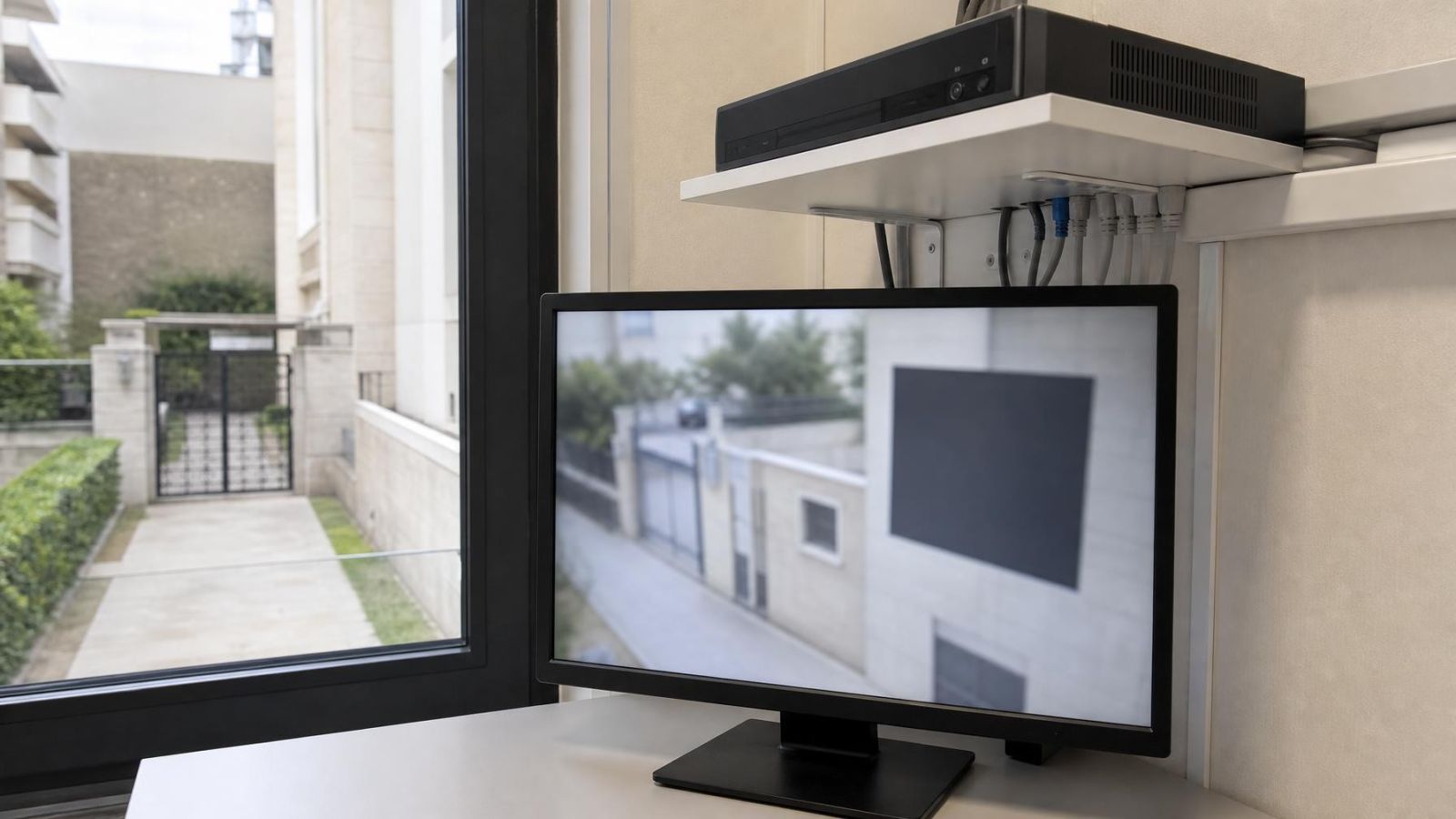
A recorder-level mask may affect the recorder interface and its playback, while a direct connection to the camera shows a different result. A display overlay can be more limited still: it may cover an area on a monitor without altering the underlying recorded video. The menu label alone does not establish where masking occurs.
Does a privacy mask appear in recorded video?
It appears in recorded video only when the installed system applies the mask to the stream being stored. Confirm this by making a short test recording, opening it in playback and exporting a clip through the normal export process. The concealed area should remain covered in all three places: live view, recorded playback and the exported file.
User permissions should also be tested. Restricting access to a camera is useful operationally, but access control is not a substitute for image masking. An administrator, ordinary operator and remote property owner may use different applications or viewing paths. A direct camera interface, NVR application and VMS workstation can expose different versions of the stream if the system is not configured consistently.
What Commonly Goes Wrong
The most common practical problem is movement after configuration. A privacy zone is usually tied to coordinates in the image, not to the physical window or doorway. If someone loosens the mount, turns the camera or removes it for maintenance, the digital shape can remain in the same pixel position while the real-world scene shifts underneath it.
Can a privacy zone move out of position?
Yes. On a fixed security camera, even a modest physical change can make the zone cover the wrong object or leave part of the intended area visible. The mask itself may not have moved in the software; the camera alignment moved relative to the building. The image should be compared with the intended boundary after cleaning, cable work, building maintenance or any contact with the mount.
Day and night images create another source of error. Strong Israeli sunlight can produce bright façades beside deep shade. At night, IR or other illumination may reveal edges that were difficult to see during the day. Reflections from glass, pale walls or nearby surfaces can also change which details are recognisable. WDR (wide dynamic range) may improve the balance between bright and dark areas, but it does not define the privacy boundary.
A mask cannot correct glare, weak lighting, poor focus or unsuitable placement. Making the zone larger may hide an image defect along with the private area, but it also removes context. A wide block over an entrance can conceal whether a person approached from the gate, stairs or lift area.
Moving cameras require additional care. A privacy zone may behave differently at different presets, depending on how the system implements it. A mask aligned at one position must not be assumed to follow the same physical window when the camera turns, tilts or changes zoom. Each operational preset and viewing route needs its own verification.
Choose, Configure, and Verify
Start by defining what the camera must continue to show. Use operational language: the full width of the garden gate, the shared entrance door and intercom, or the shop doorway and immediate approach. A broad instruction such as “cover the front” is not precise enough to decide between masking and re-aiming.
Then identify the area that should not appear. If moving the camera removes that area without weakening the intended view, re-aiming is the cleaner choice. If movement sacrifices useful coverage, define the smallest practical mask around a stable physical boundary.
Should privacy masking be checked during the day and at night?
Yes. Check both because illumination and image processing change the visible detail around the boundary. A dark window that seems featureless in daylight may show interior light at night. Bright sun may make a balcony edge difficult to distinguish, while the night image may reveal it clearly. The mask must remain correctly positioned under both conditions.
A reliable configuration process follows a short sequence:
- Confirm the camera’s purpose and the parts of the scene that must remain visible.
- Adjust the physical camera angle before adding a digital zone.
- Draw the smallest practical mask against stable architectural features.
- Inspect the live view in daylight and under the normal night-vision mode.
- Record a test and review it through the system’s ordinary playback path.
- Export a test clip and open the file separately.
- Check each user role, stream and alternate viewing path that will actually be used.
- Save a reference frame showing the final alignment and mask boundaries.
For a remote property owner, the reference frame is particularly useful. It gives the person visiting the property a clear way to identify whether the camera has shifted, without asking them to interpret configuration menus. The reference should show enough unmasked architecture to make alignment obvious.
Keep a record of which device applies the privacy zone and which viewing routes were tested. A label such as “masked” is too vague. The useful record states whether the mask is applied in the camera, recorder or VMS, and confirms how it behaves in live view, playback and export.
The final choice is not between privacy and useful video. It is between two ways of composing the image. Masking retains a valuable wider frame while concealing a limited area. Re-aiming removes the unwanted view physically and gives the intended subject more of the frame. The better option is the one that remains clear, verifiable and easy to maintain.
Key takeaways
- Privacy masking preserves useful framing while concealing a limited and clearly defined area.
- Re-aiming is preferable when the unwanted view can be excluded without sacrificing the camera’s intended coverage.
- Privacy masking must be verified in live view, recorded playback and exported footage.
- Camera alignment and privacy zones should be checked again after any physical movement.
- A privacy mask cannot compensate for poor placement, glare, weak lighting or poor focus.