On this page
A security camera system may depend on a cloud account, an NVR (network video recorder), a recovery email account, an authenticator app and at least one administrator account. Camera account recovery decides who can regain control when normal sign-in fails—and whether a strong camera password actually protects the whole system.
The important point is that recovery is not an emergency feature sitting outside normal security. It is another route into the account. If that route relies on an old email address, a shared phone or an installer-controlled login, the strength of the main password becomes much less important.
Where Camera Account Recovery Trust Lives
First identify what the account controls. A cloud account may provide live viewing, notifications, recorded clips, user management and remote configuration. Local recorder credentials control the NVR itself and may also govern cameras connected directly to it. The two sets of credentials can be independent.
| Access layer | What it may control | Typical recovery dependency |
|---|---|---|
| Cloud account | Remote viewing, notifications and shared users | Email address, mobile account, trusted device or backup code |
| Local recorder account | Local viewing, recording and configuration | Recorder administrator credentials or local reset process |
| Recovery email account | Reset links and account-change messages | Email password, authenticator app and email recovery options |
| Shared user account | Assigned camera views and features | The shared user’s own email or mobile account |
This separation explains a common source of confusion. A factory reset and a cloud password reset affect different parts of the system. A factory reset changes local device configuration. It does not necessarily change ownership or credentials held by a cloud service. A cloud reset changes the online account but does not necessarily replace the local administrator password on an NVR.
The recovery email and any linked mobile account deserve particular attention. A reset message sent to email gives that mailbox influence over camera access. If the email provider allows recovery through a phone number, trusted browser or another mailbox, those dependencies become part of the chain as well.
Administrator privileges enlarge the effect of a successful recovery. An administrator may be able to change remote access, add users, remove users or alter account settings. A viewing-only family member or employee should not normally need that authority.
Installer-created accounts and family-shared credentials often remain because they are convenient during setup. They are harder to manage later. When several people use one administrator login, the owner cannot easily tell who changed a setting or remove one person without changing access for everyone.
How Recovery Bypasses Strong Passwords
How does a security camera password reset work?
A security camera password reset normally uses an alternative proof of identity. The service may send a password reset link to the recovery address, approve the request through a trusted device, accept a backup code or require a local reset procedure. The exact route depends on whether the user is recovering a cloud account, an NVR login or an individual camera.
That alternative path can be easier to use than the main login. A long, unique camera password does little to protect the account if a reset link goes to an email inbox protected by a reused password. In practical terms, the recovery mailbox is part of the camera system’s security boundary.
Backup codes create another route around the usual authentication step. This is their purpose: they allow entry when the authenticator app or normal second factor is unavailable. A code stored in an email draft, an unprotected note or a screenshot on the same phone does not provide meaningful separation from the device it is meant to replace.
Trusted sessions also matter. A phone, tablet, browser or viewing station may remain signed in after the main password changes. Some systems offer a separate command to revoke sessions or remove connected devices. Without that step, old device access may continue even though new sign-ins require the new password.
A strong password protects one entrance. Recovery security determines how many other entrances remain open.
Who Can Reset Your Camera Account?
Who controls the camera recovery email?
The person who controls the camera recovery email can often initiate or approve a reset. That person may be the property owner, a family member, an office administrator, an installer or whoever controls a shared inbox. The displayed account name is less important than actual access to the mailbox and its recovery methods.
Account roles should be reviewed separately. An owner role may control ownership transfer and recovery details, while an administrator account may manage users, cameras and remote access. A household member or employee who only needs to view selected cameras should have a named account with limited privileges where the system supports it.
- Check whether the primary owner account belongs to the property owner or business, rather than to the person who performed the initial setup.
- List every administrator, shared user and invited viewer, including accounts that appear inactive.
- Identify shared inboxes and establish who can currently read them or reset their passwords.
- Review phones, tablets and browsers used by former employees, previous property contacts or service providers.
- Confirm whether installer access remains enabled after system handover and whether it is still needed.
An installer may need temporary administrator access for commissioning, troubleshooting or handover. That does not mean access should remain indefinitely. Once the owner has confirmed that local and remote administration work correctly, installer accounts, shared passwords and trusted devices should be reviewed. Future service access can be granted deliberately when needed.
Departed staff require the same attention. Removing access to a business mailbox does not automatically revoke a separate camera session on a personal phone. Likewise, changing a shared administrator password may not remove a trusted device. Each layer needs its own check.
What Should You Check After Recovery?
Regaining access is only the first task. Recovery may leave old sessions, users or settings untouched. Treat the event as an account review rather than stopping when the new password works.
- Open the active sessions or connected devices page. Sign out sessions you do not recognise and use a sign-out-all option if appropriate.
- Review the owner, administrator and shared-user lists. Remove obsolete accounts and reduce privileges that are no longer required.
- Confirm the recovery address, linked mobile account and authentication method. Make sure each belongs to the intended owner.
- Check remote access settings on both the cloud account and the local recorder. Confirm that only the required routes are enabled.
- Turn on available login notifications and account-change notifications, then verify that they reach an inbox or device that is regularly monitored.
Also examine the devices that were used during recovery. A borrowed laptop, shared office browser or family tablet may have been marked as trusted. Signing out after the reset is not always the same as removing trust from the account, so check the connected-device list directly.
If a local recorder was factory-reset, review recording, time, notifications, user permissions and remote connectivity. A factory reset affects configuration rather than merely replacing a forgotten password. Do not assume that previous recording behaviour has returned until the relevant settings have been checked.
Recovery Planning for Israeli Properties
The right account structure depends on who owns the equipment and who needs access. In an Israeli apartment, the cameras inside the flat may belong to the resident, while entrance, lobby or parking cameras may be managed as a shared building system. These should not depend on one resident’s personal email address.
For a building managed through the va’ad bayit, continuity matters. Committee members change, volunteers rotate and technical work may be handled by an outside provider. The owner account should therefore use a mailbox controlled for the building’s ongoing administration, with named administrator access for the people currently responsible. Credentials should not disappear with one person’s private phone or email account.
A street-front business has a different pattern. Managers may need broader access, while other employees may only need a live view or selected notifications. Named accounts make staff turnover manageable. A shared password used at the counter is difficult to revoke from one former employee and difficult to attribute when settings change.
Remote property owners need a clear division between ownership and local assistance. The remote owner should retain control of the recovery address and primary account. A local property contact can have a separate account for routine viewing or access, without controlling the owner’s email or backup codes.
Family access also deserves planning. Parents, adult children and carers may use different interface languages and may not be comfortable with the same authentication method. The account structure should remain simple enough to explain clearly: who owns the system, who can administer it, who can only view it and who receives recovery messages.
The mamad can affect connectivity because its reinforced construction may reduce wireless reliability. That is primarily a network-design issue, but it can become a recovery problem if the only trusted phone or authenticator is difficult to connect where it is normally kept. Recovery instructions should not depend on unexplained network behaviour inside the property.
Build a Safer Recovery Setup
Start with an owner-controlled mailbox used for property or business infrastructure. It should not belong to an installer, a temporary employee or a family member who may later stop managing the system. Protect that mailbox with a unique password and two-factor authentication, preferably through an authenticator app where practical.
Use separate named administrator accounts instead of sharing the owner credentials. Named accounts make it possible to remove one person, reduce one person’s privileges and understand which login changed a setting. Reserve the primary owner account for ownership and recovery tasks rather than everyday viewing on several devices.
How should you store camera recovery codes?
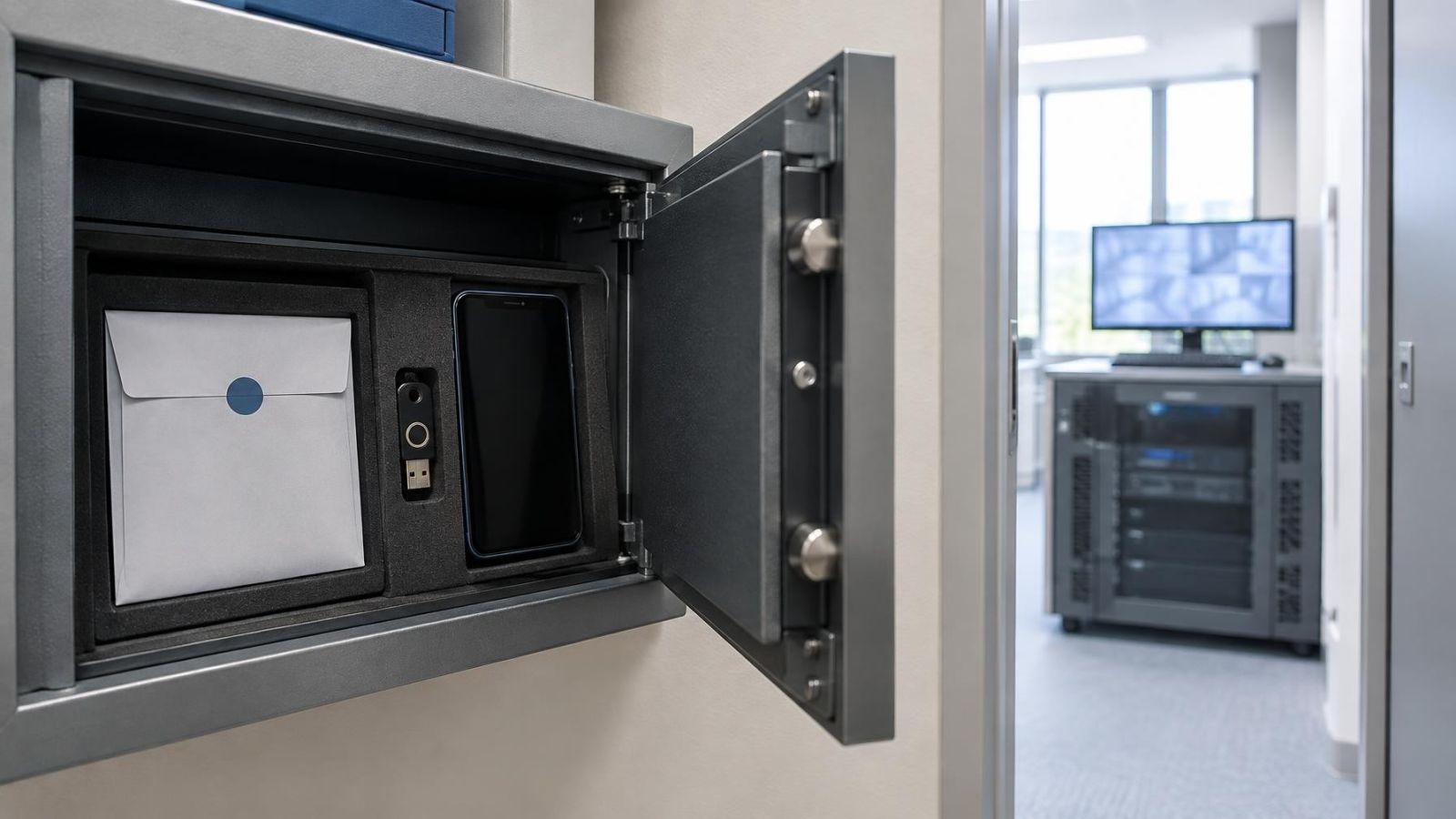
Store camera recovery codes offline, separate from the phone and mailbox used for normal sign-in. A clearly labelled paper copy in secure property records is often easier to recover than a screenshot buried on a phone. If a protected offline password manager is used, make sure access does not depend entirely on the same email account being recovered.
Recovery information needs maintenance without becoming part of everyday clutter. Keep a concise record of the owner account, recovery address, authentication method, location of backup codes and process for granting service access. Do not place passwords or codes in a handover document that is routinely shared.
- Remove obsolete phones, tablets, browsers and viewing stations from the trusted-device list.
- Delete former users rather than leaving accounts disabled only in another business system.
- Review recovery options whenever the responsible family member, employee, building representative or property contact changes.
- Complete installer handover by confirming owner access, changing shared credentials and reviewing any remaining service account.
- Keep local recorder credentials distinct from cloud credentials, even when the interfaces make them appear closely connected.
A good handover ends with the owner able to sign in, recover the account and administer the recorder without relying on the installer’s personal credentials. The installer may document the system and retain access only when the owner has chosen a clear reason for it. Recovery then becomes a controlled part of the design, rather than an undocumented shortcut around it.
Key takeaways
- Recovery channels require the same level of protection as the main camera credentials.
- The recovery mailbox forms part of the security boundary around a connected camera system.
- A password change should be followed by a review of active sessions and connected devices.
- Named administrator accounts make access easier to attribute, transfer and remove.
- Camera recovery codes should be stored away from everyday connected devices.