On this page
When a security camera remains powered but loses contact with its NVR (network video recorder), video does not necessarily have to stop. A secure surveillance camera design can use a memory card or other edge storage to keep recording while the recorder or local network is unavailable. The important question is what happens next: whether the footage stays only inside the camera, transfers automatically to the recorder, or leaves a gap that is visible only when someone reviews the timeline.
What secure surveillance camera buffering does
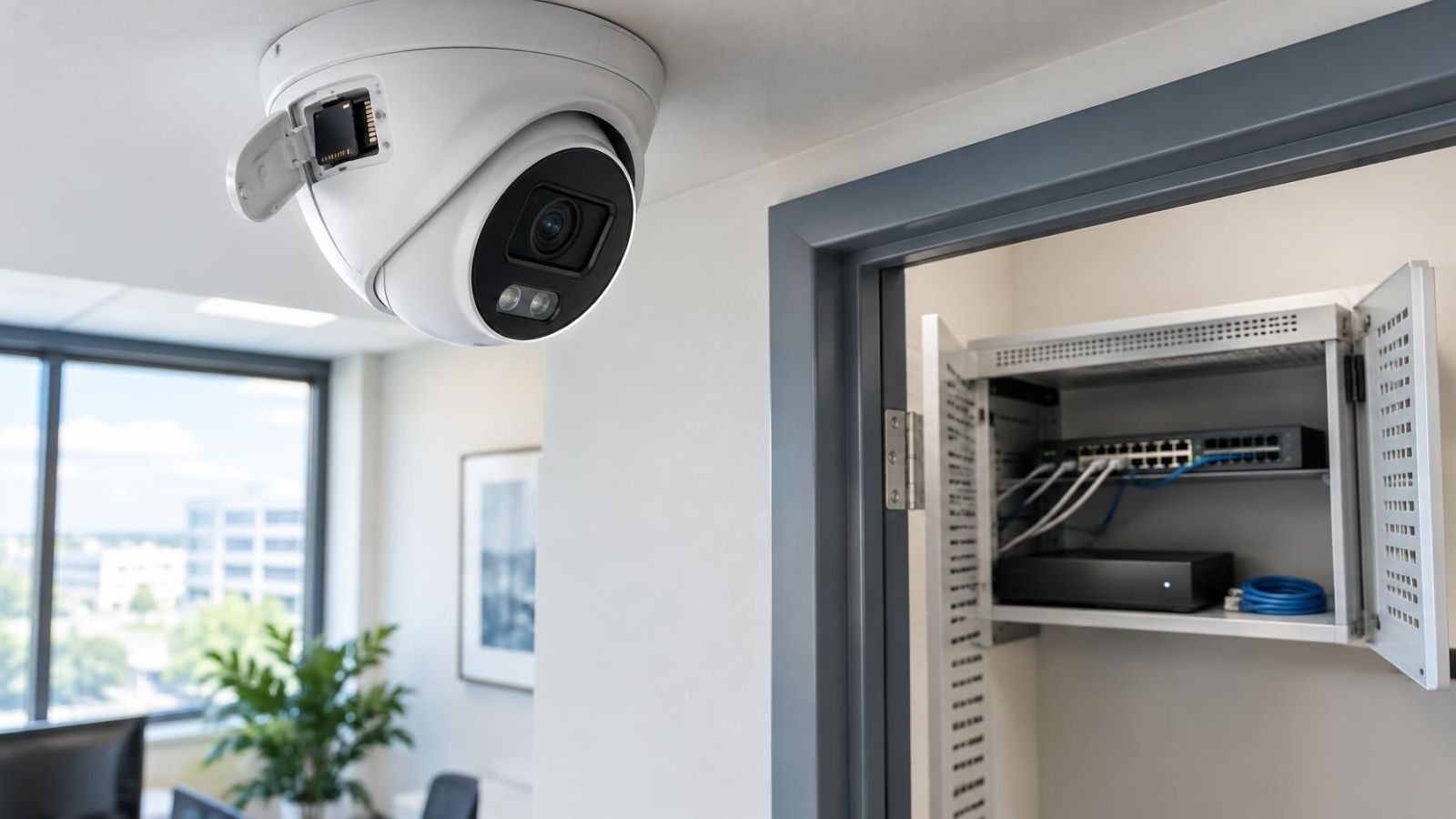
Camera-side buffering stores video at the camera when the normal recording destination cannot be reached. In many systems, the local destination is a removable memory card. Some cameras have built-in storage instead. Both arrangements are forms of edge storage because recording happens at the edge of the network rather than only at a central recorder.
The camera becomes temporarily independent of the recorder, but not independent of everything else. It still needs power. Its storage must be present, recognised, writable and healthy. The camera must also be configured to use that storage under the relevant failure condition. A card slot by itself does not establish a working failover path.
In this context, buffering is not the same as using the camera as the primary archive. A camera may record locally all the time, only during a communication failure, or in parallel with the recorder. These modes create different retention and recovery behaviour. A small temporary store may bridge an interruption, while a camera used as the main recorder needs storage and playback planning of its own.
Within a wider security camera system, edge recording removes one point of dependency from the video path. It does not make the system failure-proof. Its practical value is narrower and more useful: it gives the camera somewhere to write video while the central destination is unavailable, then provides a possible source for archive recovery.
Which outages can it cover?
Buffering can cover an outage only when the camera remains able to capture and write video. The clearest case is a recorder that is offline while the cameras and network switches remain powered. The camera detects that its recording connection has failed and directs video to local storage according to its configuration.
It may also cover an interrupted network path. A cable fault, an unavailable switch port, a restarting network device or a broken route between separate network segments can isolate the camera from the recorder. If the camera still receives power independently, local recording can continue. If it receives PoE (power over Ethernet) through the failed device, however, the same network event may also remove its power.
- Recorder unavailable, camera powered: local recording can operate if failure recording is enabled.
- Network route unavailable, camera powered: edge storage can hold video until communication returns.
- Camera loses power: recording stops because neither the camera nor its storage can operate.
- Memory card missing, full under a non-overwrite policy, worn or unreadable: the camera may have nowhere usable to write footage.
- Camera restarts during the event: startup time and storage checks can create an additional recording gap.
Camera power loss is therefore a hard limit. A memory card is not a backup power source, and video not captured by the camera cannot be reconstructed later. Local storage faults are another hard limit. Some interfaces report these faults clearly; others require the storage status and recording calendar to be checked directly.
The recording and backfill sequence
A complete recovery path has several stages. Each stage matters. Recording successfully at the edge does not prove that the footage will later appear in the recorder archive.
- The camera detects that its normal recording destination or session is unavailable. Detection may be immediate, or it may wait for retries and a connection timeout.
- The camera writes incoming video to edge storage. The recording mode, schedule, image settings and available capacity determine what is retained.
- The recorder or network path becomes available again. The camera re-establishes communication and resumes the normal live stream.
- If both ends support compatible automatic backfill, the missing time range is identified and stored footage is transferred from the camera to the recorder.
- The recorder indexes the restored video by its timestamps so that playback can place it in the intended position on the archive timeline.
Backfill may run while the camera is also sending live video. That creates two flows: the current stream and the older stored footage. Depending on the equipment and network design, recovery may be gradual rather than immediate. A camera with a long local archive can take time to transfer everything, especially when several cameras reconnect together.
The timestamps normally matter more than the arrival order. Footage created during the outage reaches the recorder later, but it belongs in the earlier missing period. Accurate time synchronization helps the recorder index it correctly and helps an operator understand the sequence across several cameras.
Why gaps can still remain
Local storage is finite. When cyclic recording is enabled, the camera eventually overwrites its oldest files with newer video. If an interruption lasts longer than the available recording depth, early footage may disappear before the recorder can retrieve it. If cyclic recording is disabled, recording may instead stop when the storage is full. Neither behaviour should be assumed without checking the configuration.
A gap can also appear before local recording begins. The camera may need time to decide that the recorder is unavailable. Connection retries, session timeouts and storage activation delays can leave a short period that is handled differently from the rest of the outage.
Recording mode changes the shape of the archive. Continuous local recording aims to preserve the whole period, subject to capacity. Motion detection records only when the camera decides that an event meets its configured conditions. It can therefore leave intentional spaces between clips, and it may miss activity that does not trigger the configured detection rule. This is different from a technical transfer failure, although both can look like an empty timeline.
- The outage exceeds available edge storage and older files are overwritten.
- The camera recognises the failure only after a delay.
- The local schedule or motion detection rule does not call for recording at that moment.
- The camera reconnects, but the transfer is interrupted before all stored footage arrives.
- The recorder accepts some restored files but does not index every segment correctly.
- The camera and recorder clocks differ, placing footage under an unexpected time or causing apparent overlaps.
Clock drift deserves attention because it can imitate data loss. A clip may exist but appear earlier or later than expected. Across several cameras, inconsistent clocks can also make the event order misleading. Time synchronization should be configured, and the displayed camera time should be checked during commissioning and maintenance rather than assumed to be correct.
Does every recorder accept backfill?
No. Automatic backfill requires compatible support from both the camera and the recorder. A restored network connection proves only that communication has returned. It does not prove that the recorder knows how to request older files, receive them, add them to its database and expose them through normal playback.
Backfill or a separate camera archive?
Some combinations provide true backfill: video held by the camera is copied into the recorder archive and appears on the recorder timeline. Other combinations leave the local files on the camera. An operator must then use the camera app or a direct camera interface to review them. Both approaches preserve local footage, but only the first repairs the central archive.
There can also be partial compatibility. A recorder may show the camera normally and record its live stream, yet lack the recovery function. It may transfer clips without placing them correctly on the timeline, or expose edge recordings through a separate playback route. Compatibility therefore includes transport, indexing and playback, not merely camera discovery.
What should be verified?
- Whether edge recording starts when the recorder becomes unreachable.
- Whether recovery is initiated by the camera, requested by the recorder or started manually.
- Whether restored footage enters the main recorder archive or remains accessible only at the camera.
- Whether the recorder indexes footage under its original capture time.
- Whether playback is available through the recorder interface, the camera app or both.
- Whether interrupted backfill resumes without losing or duplicating files.
Specification sheets can indicate that a recovery feature exists, but they cannot prove that a particular configuration completes the full path. Recorder software, camera settings, recording schedules and storage state all affect the result. A controlled test is the dependable way to confirm behaviour.
Storage and network planning
Storage depth depends on what the camera writes. Continuous recording consumes space steadily. Motion-triggered recording varies with scene activity and detection settings. Image detail, frame rate, compression behaviour, audio and the number of active streams also change how long a given storage device can retain footage. The useful planning question is not simply how large the card is, but how much recording time the configured camera actually holds before overwrite.
The target retention should be longer than the interruption the system is expected to bridge, with room for uncertainty. A busy scene may use storage differently from a quiet test scene. If the camera stores several stream types or changes image behaviour between bright and dark conditions, retention can vary further.
Reconnection also needs network capacity. Live video resumes immediately, while buffered files may begin moving at the same time. When many cameras backfill together, the recorder, switch links and storage system receive both current and recovery traffic. Sensible systems limit or schedule recovery traffic where the equipment provides that control, rather than allowing archive restoration to disrupt live recording.
The storage medium must suit repeated video writes. General-purpose removable storage may work initially but degrade under continuous overwrite. Write endurance, operating temperature and the camera's supported storage limits matter. Outdoor cameras add heat, cold, damp and repeated temperature changes to the problem, even when the card sits inside the camera housing.
Test the complete failure path
A useful test begins with a known timeline. Confirm that the camera and recorder show matching time, that normal recording is visible, and that the local storage reports a healthy writable state. If motion detection controls local recording, create ordinary movement in the camera view during each part of the test.
- Check normal live view and playback on the recorder. Note a recognisable point on the timeline before the interruption.
- Disconnect only the recorder path while keeping the camera powered. This may mean stopping the recorder connection or isolating the relevant network path without removing PoE from the camera.
- Leave the connection unavailable long enough to cross several recording segments. Confirm through the camera interface that local files are being created.
- Restore the connection and allow enough time for any automatic transfer to run. Watch for recovery status, storage activity or archive updates if the interfaces expose them.
- Review the recorder timeline across the full interruption. Check the beginning, middle and end rather than sampling a single clip.
- Compare recorder playback with the camera's local playback. Look for gaps, duplicated intervals, incorrect timestamps and footage that remains available only at the edge.
- Interrupt the connection again during backfill, then restore it. Confirm whether the transfer resumes and whether already restored material is handled cleanly.
Repeat the test after meaningful configuration changes, such as replacing local storage, changing recording mode, adjusting stream settings or moving cameras to another network segment or VLAN. The purpose is not to demonstrate that a feature name appears in a menu. It is to verify the complete behaviour from outage detection to final playback.
A recording path is only as reliable as the failure condition that has actually been tested.
The final review should answer four practical questions: Did the camera keep recording? Did all expected footage survive locally? Did it enter the recorder archive after reconnection? Can a person find and play it from the interface used during normal operation? If any answer is unclear, the system still has an unverified recording path.
Key takeaways
- Camera-side buffering requires the camera to remain powered and its local storage to remain usable.
- Automatic backfill works only when the camera and recorder support a compatible recovery process.
- Edge storage capacity should cover the expected interruption without overwriting footage that has not yet been transferred.
- A controlled recorder and network outage test reveals whether local recording, reconnection and archive recovery work as expected.
- Accurate time synchronization helps restored footage appear in the correct position on the recorder timeline.