On this page
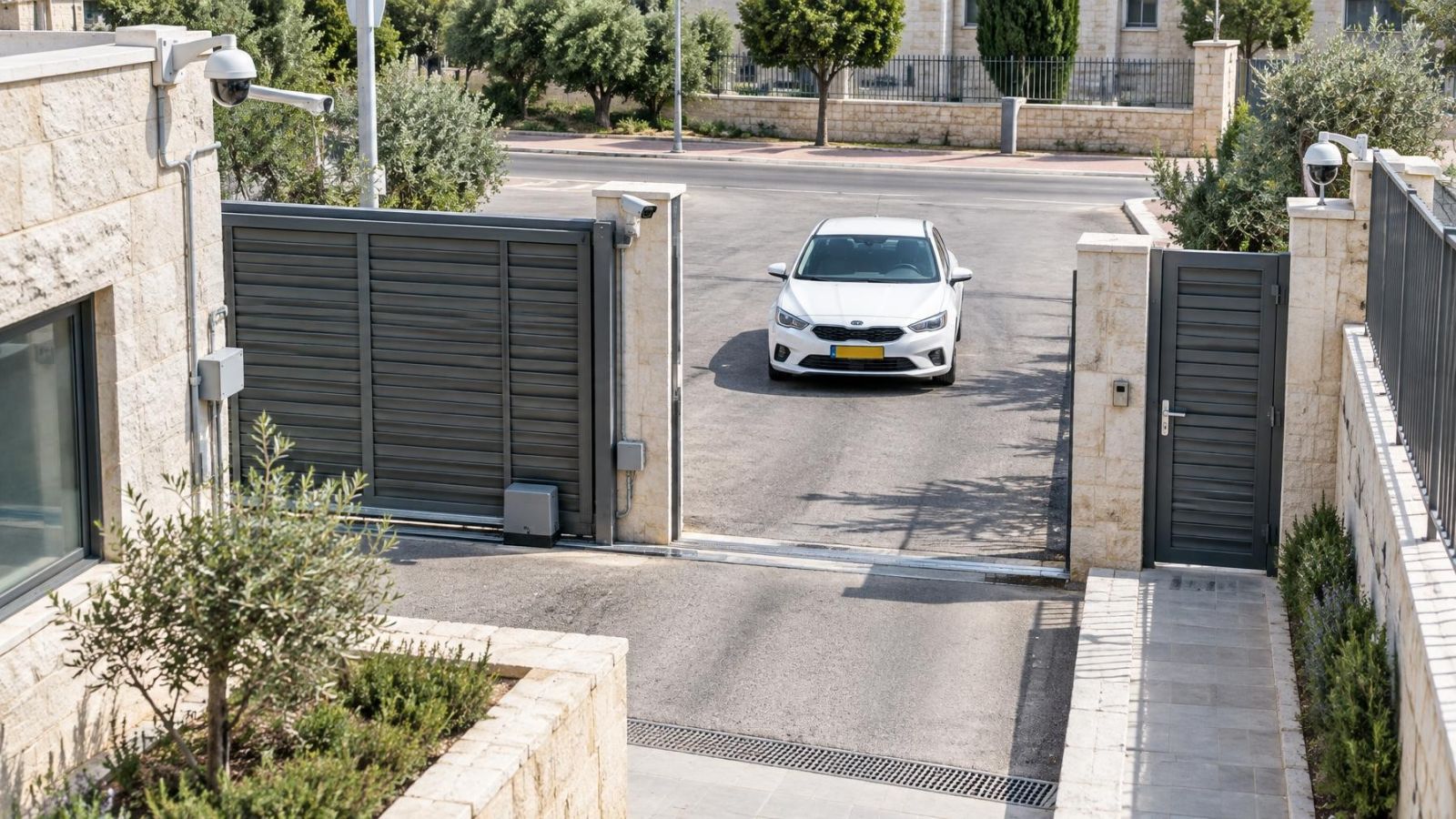
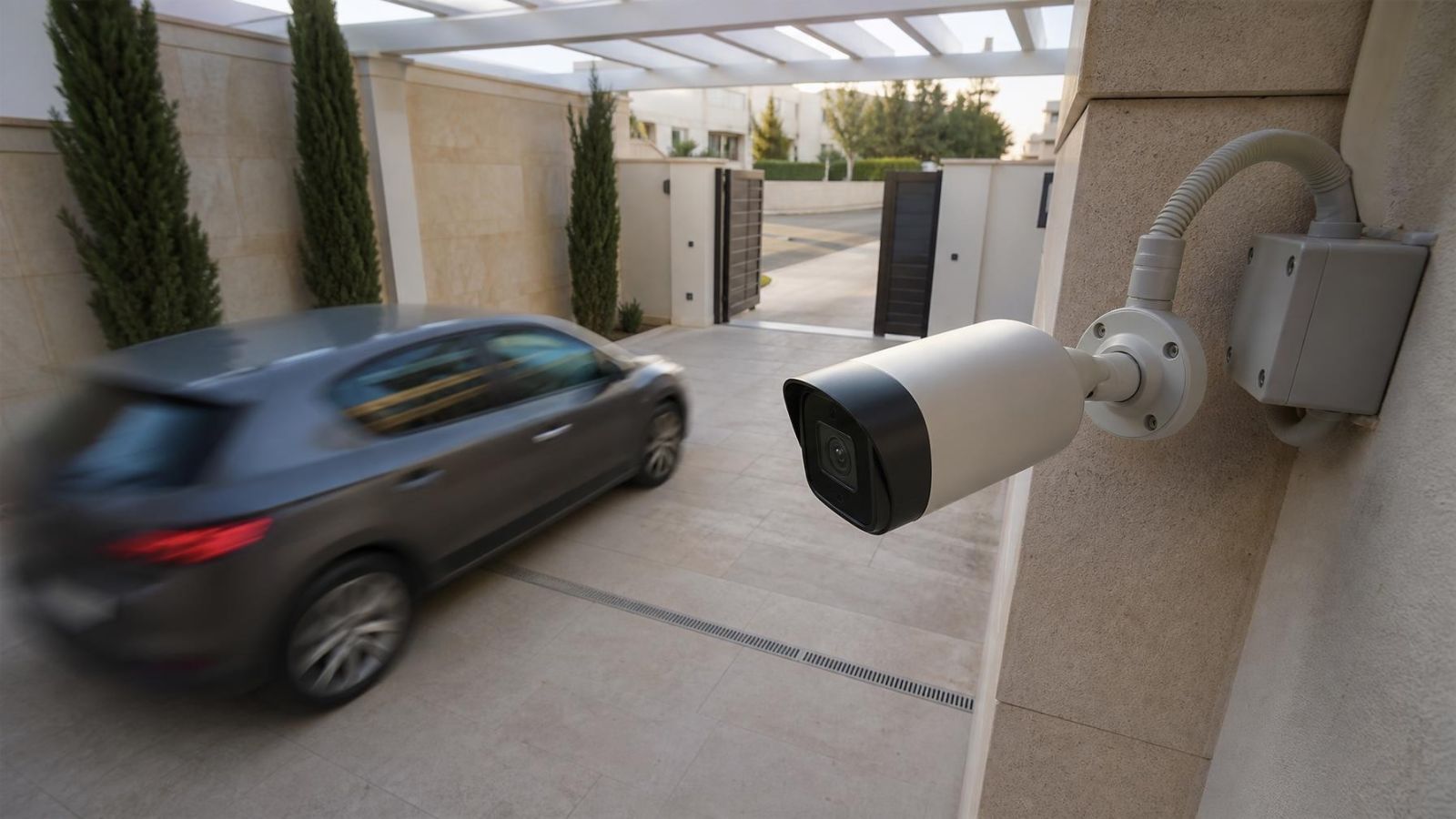
At an Israeli home entrance, a security camera may show the gate, wall and parked car clearly while a moving person becomes a soft streak. The camera shutter, video recorder and infrared illumination can all affect what you see, but they do not perform the same job. This article settles the central question behind security camera motion blur: why the background stays sharp, why the person does not, and which settings or site conditions are responsible.
What Security Camera Motion Blur Looks Like
Motion blur has a recognisable pattern. Fixed details remain well defined. You can see the texture of a wall, the edge of a door frame or lettering on a stationary sign. A person walking through the same area appears soft, doubled or stretched in the direction of travel. An arm may form a faint trail while the torso looks less affected because different parts of the body move at different speeds.
The direction of the blur is useful evidence. Someone crossing from one side of the frame to the other often produces a horizontal smear. A hand moving downwards can leave a vertical trail. This directional softness points to movement during exposure rather than a general failure of focus.
Whole-frame softness looks different. If the gate, paving, plants and people are all unclear, check focus, a dirty camera cover, condensation, glare or excessive digital processing. Motion blur is selective: it follows whatever changed position while the frame was being captured.
Why Is a Moving Person Blurry?
A video frame is not captured at a single mathematical instant. The sensor gathers light for a short exposure. If a person changes position during that interval, light from the person reaches several neighbouring image locations. The recorded result is a blurred path rather than one sharply defined position.
A faster shutter means a shorter exposure and less movement within the frame. A slow shutter gathers light for longer, which can make a dim scene brighter but allows the subject to travel farther during the exposure. A blurry moving person can therefore appear in footage whose stationary detail and pixel resolution look entirely satisfactory.
Automatic exposure makes the effect variable. In bright daylight, the camera has ample light and can use a short exposure. Under a covered entrance, in a garden after dark or inside a dim corridor, it may lengthen the exposure automatically. The same walking pace can then look sharp at one time and blurred at another.
Direction also matters. Movement across the view shifts a subject rapidly across the sensor. A person walking directly towards the camera changes size but may move less between adjacent image positions. Running, swinging arms and turning the head add local movement, so some parts of the person can be sharper than others.
Shutter Speed or Frame Rate?
CCTV shutter speed or camera frame rate for motion?
Use shutter speed to control blur inside an individual frame. Use frame rate to control how frequently the scene is sampled. These settings interact, but one cannot substitute for the other.
| Control | What it changes | What it does not solve by itself |
|---|---|---|
| Faster shutter | Shortens exposure and reduces movement recorded within each frame | Does not increase the number of captured moments |
| Higher frame rate | Captures movement at more frequent intervals | Does not make each frame sharp if every exposure is long |
| More available light | Supports shorter exposures without relying as heavily on electronic brightening | Does not correct poor camera angle or excessive distance |
A modest frame rate can produce distinct, sharp frames when each exposure is short. Motion may advance in larger steps between frames, but the individual images can still be clear. Conversely, a high frame rate can produce a smooth sequence of blurred frames if the exposure within each frame remains too long.
The recorder does not normally remove blur that is already present in the camera's frames. An NVR (network video recorder), DVR or VMS (video management software) can store, display and export the stream it receives. Compression and playback settings can affect visible quality, but they cannot reconstruct reliable detail that was smeared during exposure.
Why Night Makes Blur Worse
Night scenes provide less light, so automatic exposure commonly keeps the sensor active for longer. That helps the camera produce a usable overall brightness, but it also increases the distance a moving subject travels during each frame. A scene can look impressively clean while empty and still lose important detail as soon as someone walks through it.
Infrared illumination helps only where enough IR reaches the subject and returns to the camera. Its useful effect falls with distance and depends on surfaces, camera direction and the subject's position. A nearby wall may reflect strongly while a person farther along the approach path remains weakly illuminated. The camera then exposes for the darker subject or brightens the signal, producing blur or image noise.
Entrances are particularly demanding because they often combine dark foreground areas with bright exterior light. A person at an open gate may be backlit by the street. At a small street-front business, headlights, illuminated signs, interior lighting and a dark pavement can create abrupt transitions as someone enters. WDR (wide dynamic range) can balance bright and dark areas, but it does not cancel subject movement during exposure.
Aggressive electronic brightening introduces another problem. Image noise can cover fine features, and noise reduction may smooth them further. The resulting face or clothing can appear waxy or indistinct even when the underlying issue is not focus. More processing can make a still scene look tidier while reducing useful detail in movement.
Focus, Compression, or Motion Blur
Before changing shutter settings, identify the type of degradation. Use fixed objects at roughly the same distance as the person. If bricks, gate bars or printed lettering are sharp until someone moves past them, focus is probably not the main problem. If those fixed references are also soft, inspect focus and the optical path first.
- Motion blur: softness or streaking follows the direction and speed of movement while fixed objects remain clear.
- Poor focus: subjects and fixed references at the affected distance remain consistently soft.
- Compression loss: moving edges break into blocks, patches or brief areas of missing texture.
- Low bitrate: quality falls most visibly when many leaves, people, reflections or other details change at once.
- Dirty cover or reflection: the frame shows haze, flare, rings or a milky area that remains in a similar position.
- Digital noise: grain or crawling texture appears in dark areas and may be smeared by noise reduction.
Video compression often makes genuine motion blur look worse without causing the original smear. A busy scene requires the encoder to describe many changes. If the available bitrate is limited, detail around moving edges may become blocky. The diagnostic clue is shape: exposure blur tends to form a directional trail, while compression tends to form unstable blocks or patches.
At night, also check for infrared reflections. Dust, a spider web, moisture or a cover close to the lens can reflect IR directly back into the camera. The result can resemble poor focus across part of the view. Clean optics and a clear optical path should be confirmed before compensating with software settings.
Placement and Lighting Matter
Settings cannot be separated from camera position. A person moving across the frame covers more image distance during an exposure than someone approaching more directly. Where practical, a view along the approach path is usually easier to record clearly than a view in which every person crosses close to the camera from side to side.
Israeli entrances commonly combine strong sunlight with deep architectural shade. A gate may be in full sun while the doorway sits beneath a balcony. In an apartment building, the shared lobby may be dim compared with the exterior entrance. A private-home path can alternate between garden shade and reflected light from pale stone. The camera must handle the place where the person is, not merely the average brightness of the whole scene.
Useful light should fall on the face and approach path rather than shining directly into the lens. At night, avoid placing the subject between the camera and the brightest source. With IR, keep nearby walls, soffits, railings and foliage out of the strongest part of the beam where possible. Bright reflections can dominate exposure while the area of interest remains underlit.
Height and distance shape the result as well. A very high camera can provide a broad overview but record less facial detail and more head-down views. Greater subject distance means the person occupies fewer pixels in the frame. No shutter adjustment can replace detail that was never represented clearly because the view was too wide or distant.
Choose the Right Trade-Off
Reducing exposure time normally costs light. The camera must receive more illumination, amplify the sensor signal more strongly or produce a darker image. Signal amplification increases noise, while heavy noise reduction can erase texture. There is no single setting that simultaneously maximises brightness, minimises noise and freezes all movement.
Added light is often more useful than stronger image processing because it changes the information reaching the sensor. The light does not need to make the site look unnaturally bright. It needs to illuminate the relevant path and faces evenly enough for the camera to use a shorter exposure. Careful direction matters because glare, hard backlighting and reflections can cancel much of the benefit.
Testing should use the recording path that will matter later. A live view may use a different stream, bitrate or display quality from stored footage. Review files from the NVR, DVR or VMS at normal playback speed, then pause on frames containing movement. Check whether export settings preserve the same detail.
- Record a person standing still at the intended identification point to establish focus and available detail.
- Record the same person walking towards the camera and then across the frame at a normal pace.
- Repeat the check in full daylight, deep shade, night conditions and a backlit entrance scene.
- Inspect fixed edges, facial areas, clothing texture and movement trails in the stored footage.
- Adjust exposure, lighting, camera direction or stream settings one variable at a time, then repeat the same scene.
The right balance depends on the purpose of the view. An overview camera may favour scene brightness and continuity. A camera covering a gate, counter or controlled approach may place greater value on sharp individual frames. The decision should come from recorded evidence at the actual site, not from how clean an empty live view looks on a bright afternoon.
A sharp empty scene does not prove that a camera is recording movement clearly; only a realistic movement test can show that.
Key takeaways
- Motion blur is primarily an exposure-time problem, not a resolution problem.
- Shutter speed controls blur within each frame, while frame rate controls how often frames are captured.
- Low light often pushes a camera towards longer exposures and greater blur on moving subjects.
- Camera position, movement direction and lighting determine how much useful motion detail is recorded.
- Image settings should be accepted only after recorded footage has been checked in real day, night and backlit conditions.