On this page
An alarm control panel sends an event to an alarm app, but the homeowner, family member and small-business manager may not all need the same message. Their responsibilities may also change between different alarm zones. A sensible plan for alarm alerts by user answers one practical question: who is expected to notice, check and act on each kind of event?
The aim is not to send more notifications. It is to make each one useful. When everyone receives everything, routine messages are easily ignored. When only one person receives an important alert, illness, travel or a silent phone can leave the event unchecked. The recipient plan needs both focus and backup.
Alarm Alerts by User: Start With People and Responsibilities
Begin with people, not app menus. Write down the roles around the property and the decisions each role is expected to make. In a home, those roles might include an owner, another adult resident, an older family member who helps with daily routines, and a remote owner or property manager. In a small business, they may include the manager, opening staff, closing staff and the person responsible for building systems.
A role is more useful than a general label such as “user”. The person who opens a shop may need to know whether it was disarmed on time. The person responsible for maintenance needs to see a low battery or communication problem. A remote property owner may need serious events and unresolved faults, but not every ordinary entry and exit.
- Choose a primary recipient for each important event type.
- Name a backup who can perform the same check when the primary person is unavailable.
- Include a property manager only for events within that person’s actual responsibility.
- Review shared family duties instead of assuming one household member will always respond.
- Keep routine users off technical messages unless they are expected to arrange follow-up.
Notification permissions and system control permissions are separate decisions. Someone may need to receive an alert without being allowed to arm, disarm or change settings. Another person may need control for an agreed task without receiving every event. Treating those permissions separately limits unnecessary access while preserving useful communication.
Which Alerts Should Each Person Receive?
Intrusion events
Intrusion events should go to people who know how to check them and follow the agreed response process. That may involve reviewing the event details, checking an associated security camera view, contacting someone already at the property or escalating through the household or business procedure. The recipient should not be chosen merely because that person installed the app first.
Important intrusion events normally need a backup recipient. The backup should understand when to step in rather than assuming the primary person has already dealt with the message. If the system supports acknowledgement or event history, agree how the users will show that an alert has been checked.
Oversight and routine events
Arming and disarming notifications are mainly useful to people responsible for oversight. A homeowner may want confirmation that a remote property has been armed. A shop manager may need opening and closing events. Staff who simply use the premises during their shift may not need a notification every time another authorised person operates the system.
Low-priority events should be selected more narrowly. Routine reminders, bypass notices or activity from a frequently used area can be useful to a caretaker and distracting to everyone else. Alarm app notifications should reflect a real task: checking an event, supervising a routine or arranging maintenance.
Zone-specific delivery adds another layer. A person responsible for a stock room may need alerts from that room but not from an office. A family member using a separate entrance may need messages related to that entrance without receiving garden activity. The available filtering depends on the system, so confirm whether recipient rules can be assigned by event, zone, schedule or a combination.
Match Notifications to Daily Routines
A technically correct recipient list can still be impractical if it ignores daily life. Home, work and sleep schedules change who is able to check an event. A person who handles alerts during the working day may be a poor overnight recipient. A remote owner may take over during travel, while a local family member or manager handles ordinary periods.
Shabbat and quiet-time preferences should be discussed explicitly rather than assumed. Some households want routine notifications suppressed while retaining selected important events. Others prefer the app to continue sending everything while the phone controls how those messages appear. The right arrangement depends on household practice and on what the alarm system and phone can schedule separately.
For a street-front small business, opening and closing routines provide a useful framework. The opening role may receive unexpected armed-state or access messages near the start of work. The closing role may need confirmation that relevant areas were armed. The manager may receive exceptions rather than every routine operation.
Travel needs its own temporary plan. Decide whether a remote owner, property manager or local contact becomes the primary recipient. Avoid simply adding another person to every existing rule; doing so often creates duplicates without transferring responsibility. State who is primary during the absence and when the ordinary arrangement resumes.
Shared family responsibility also needs clarity. Two people can both receive an alert, but one should still own the first check for each period. Alarm notification settings can support the routine, but they cannot decide who is responsible when everyone assumes someone else will look.
Use Zones to Reduce Notification Noise
Zones describe where an event began. Used carefully, they let the system notify the people connected with that area instead of broadcasting every event to every user. Good zone names matter because recipients must be able to understand an alert quickly without remembering installer abbreviations.
- For a private home, separate the garden, vehicle gate, pedestrian gate and main entrance where the system design permits.
- For an apartment, distinguish the private apartment boundary from any shared building entrance or shared system.
- For a shop, separate the shopfront, customer area, office, stock area and back entrance according to staff responsibility.
- Treat the mamad as a defined room within the floor plan and assign its events according to how the room is used.
- For a remotely managed property, send local operational zones to the caretaker and selected exception events to the owner.
Israeli properties often place private and shared space close together. An apartment resident may control the alarm inside the apartment but not the building entrance. A business may have a private back room behind a customer-facing area. A house may have a gate that is used by family, deliveries and maintenance workers. Recipient rules should follow those practical boundaries.
The mamad should not automatically receive a special notification rule simply because it is a mamad. Consider its everyday use. If it serves as a bedroom, office or storage room, assign it in the same way as another room with that function. Where wireless devices are used, test communication from the room in the completed installation rather than assuming coverage from the floor plan.
Who Should Receive Alarm Fault Notifications?
Technical faults should go to people who can assess them and arrange the next step. Those recipients are not always the same people who receive an intrusion alert. A family member may be the right person to check an unexpected entrance event but not the right person to manage a detector battery, control-panel fault or communication problem.
Battery and power events
A low battery message needs an owner. The responsible person should identify the affected component, decide whether local access is needed and arrange the follow-up. Power events may include loss and restoration messages. Sending both to every user can create noise, while sending neither to the caretaker can hide useful system information.
Communication and device faults
A communication loss may concern the control panel’s connection, a path used for notifications or communication with an individual sensor. The wording available in the app varies, so recipients should know which details they are expected to capture before escalating. Sensor faults and control-panel faults should likewise be assigned to the person responsible for system care.
Escalation should be simple. A caretaker or manager performs the first check that falls within their role. If the message remains unresolved or requires technical work, the agreed person contacts the installer. The remote owner may need confirmation that follow-up is underway, but does not necessarily need every intermediate fault message.
A fault alert without a named owner is only information; a fault alert with an assigned follow-up task becomes manageable.
Build and Test the Recipient Plan
Turn the decisions into a recipient matrix before configuring the app. Use one row for each event category and record the relevant zones, schedule, primary recipient, backup and expected action. A simple document is easier to review than settings spread across several phones.
| Event category | Primary recipient | Backup | Expected check |
|---|---|---|---|
| Intrusion event | Responsible responder | Named alternate | Review event and follow agreed process |
| Low battery or device fault | System caretaker | Property owner or manager | Identify device and arrange follow-up |
| Arming or disarming | Oversight role | Optional alternate | Confirm expected operation |
| Zone-specific activity | Person responsible for area | Relevant manager | Check activity for that area |
| Communication loss | System caretaker | Named technical contact | Check connection status and escalate if needed |
Then configure the system and inspect the result for duplicates. The same event can sometimes reach one person through more than one route, such as an individual rule and a group rule. It may also appear as separate system and app messages. Keep multiple routes only when they serve a deliberate backup purpose.
- Confirm that each user has the correct notification categories and zones.
- Check that the named backup receives important events independently of the primary recipient.
- Review push permissions in the phone settings as well as settings inside the alarm app.
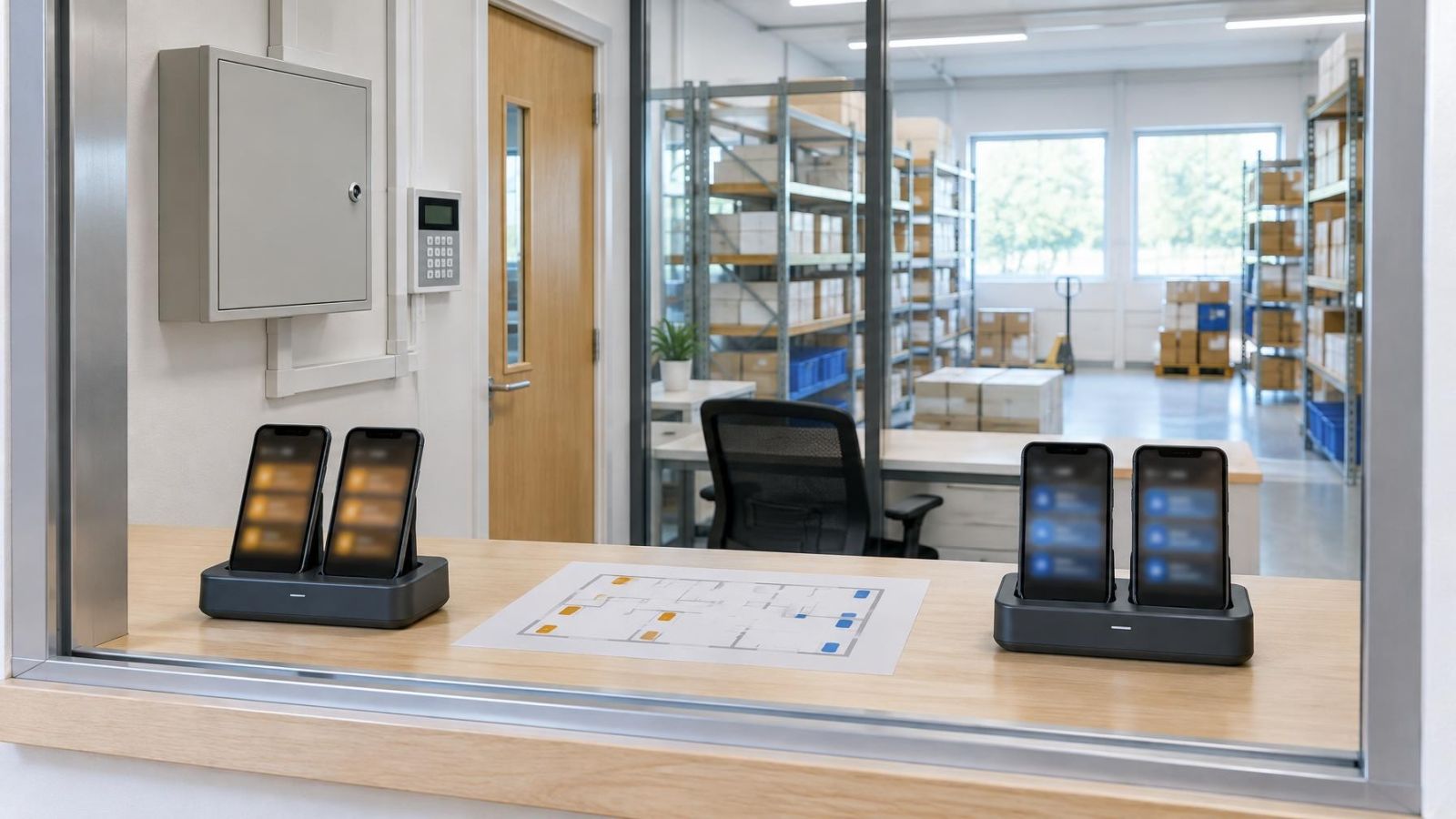
- Test with each phone locked, with the app closed and under the user’s normal silent or focus settings.
- Ask every recipient to explain what they would do with each test message.
- Record any change, then repeat the affected tests.
Phone settings can silence, delay or hide a push notification even when the alarm system sends it correctly. App-level permission is only part of the path. The phone may restrict notifications, hide lock-screen content, apply a quiet schedule or limit background activity. Testing should therefore use the person’s actual phone, not only the event log in the control panel.
Review the matrix whenever responsibilities or routines change. Relevant changes include a family member moving in or out, a new property manager, a staff member changing role, a different opening routine or a long absence. Remove recipients who no longer have a task. Add new users only after deciding what they need to receive and what they are expected to do.
The finished plan should be easy to explain: each important event has a responsible person, each critical task has a backup, and each recipient sees only the zones and schedules connected with their role. That clarity is more valuable than giving every user every possible message.
Key takeaways
- Alarm recipients should be chosen according to responsibility rather than convenience.
- Intrusion alerts and technical faults need separate recipients and follow-up procedures.
- Zone and schedule filters should reflect the way people actually use the property.
- Every important event needs a primary recipient and a named backup.
- Alarm app and phone notification settings should be tested together for every user.