On this page
IP cameras, a network recorder, a router and a network switch can appear straightforward until a device needs replacing or remote access stops working. A DHCP reservation may be stored in the router, while the recorder manages a separate camera network that the router cannot see. A useful camera network map makes those relationships explicit. The question settled here is how to build a camera IP address plan and naming system that remains understandable after equipment, routers or installers change.
Map the camera network and IP address plan first
Begin with connections, not addresses. Identify where each camera cable ends, which switch carries the traffic, how the recorder connects, and which device acts as the router. The physical path determines who can see and manage each camera.
An NVR (network video recorder) may have its own PoE (power over Ethernet) camera ports. Cameras connected to those ports often sit on an internal network controlled by the recorder. They may not appear in the router’s device list and may not be directly reachable from a computer on the main local network. Cameras connected to a separate network switch usually sit on the main network unless the installation has been deliberately segmented.
| Connection arrangement | Where addresses are managed | What to record |
|---|---|---|
| Cameras connected to recorder PoE ports | Usually on the recorder’s internal camera network | Recorder camera port, internal address and physical cable label |
| Cameras connected to a main network switch | Usually by the router, a network service or the device itself | IP address, switch port, gateway and recorder channel |
| Cameras on a dedicated network segment | By the router or network equipment serving that segment | Subnet, connection path, switch port and route to the recorder |
Next, record the existing subnet and the address range already in use. Each active device on the same network needs a unique IP address. Do not select a new camera range merely because its numbers look tidy. It must fit the actual subnet and must not overlap addresses already assigned manually or through DHCP.
The property layout changes the map. In an apartment, the router may be inside the unit while cameras near a shared entrance depend on building infrastructure and decisions coordinated through the va’ad bayit. A private home may have long cable routes to a gate, garden or parking area. A street-front shop may have cameras divided between the sales area, stock area, entrance and exterior frontage. A mamad can also affect cable routes and wireless coverage, so it should be shown where relevant.
Choose a dedicated address range
Reserve a defined part of the subnet for cameras and related network equipment. Separation does not necessarily mean a different physical network. It can simply mean that camera addresses come from a clearly documented part of the local range, while phones, laptops, televisions and guest devices receive addresses elsewhere.
Allow room for likely additions. A gate camera, an extra stockroom view or a replacement recorder should not force the whole plan to be rearranged. Keep addresses aside for infrastructure such as the recorder, managed switches or other devices that support the camera system. The goal is not to fill every address in sequence; it is to make ownership clear.
- Define which addresses the router may assign automatically.
- Define which addresses are reserved for cameras, the recorder and network equipment.
- Record any address used by a device configured manually.
- Leave unused addresses inside the planned range for additions and temporary replacement equipment.
- Check that no secondary router, wireless access point or other DHCP service is assigning from an overlapping range.
A written boundary matters because a device-configured static IP address is invisible to the router’s DHCP process unless someone records it or excludes it from automatic assignment. Without that exclusion, the router may later give the same address to another device, creating an IP conflict.
Static IP or DHCP reservation?
Both approaches can provide a predictable address. The difference is where the assignment is controlled.
A DHCP reservation is stored centrally in the router or another DHCP server. The device asks for an address and receives the same one based on its network identity. This is often easier to review because the assignments are visible in one place. It also avoids opening every camera interface when an address plan changes.
A static IP address is entered directly into the camera, recorder or switch. It can be appropriate when the device must retain its address without relying on the router’s reservation list. However, the address must sit outside the automatic DHCP pool or be explicitly excluded from other assignments. The device’s subnet mask and gateway must also match the network design.
Recorder-controlled cameras are a separate case. If an NVR assigns addresses on its internal network, do not duplicate those assignments in the main router. Record them under the recorder in the inventory, because the path to those cameras passes through the recorder rather than directly through the main local network.
| Method | Main advantage | Main caution |
|---|---|---|
| DHCP reservation | Address assignments are managed centrally | Router replacement may remove the reservations unless they are copied or rebuilt |
| Device-configured static address | The device retains its configured address independently | The address can conflict with DHCP or another manual assignment |
| Recorder-controlled addressing | The recorder manages cameras on its internal network | The cameras may not be visible or reachable from the main network |
Router replacement deserves specific planning. A new router may use a different subnet, a different DHCP pool and an empty reservation table. Remote viewing settings and local access paths may also change. Keep a note stating whether the preferred approach is to configure the new router to match the existing network or to readdress the camera equipment. Neither choice should be improvised during the replacement.
How should cameras be named?
Name each camera for the place it observes, not for its brand, model, address or recorder channel. Hardware changes. Physical locations usually remain. A camera called GATE-IN can keep the same name after replacement, while CAM-07 tells the next person very little.
What makes CCTV network naming clear?
Put the location before the viewing direction or detail. Examples include GATE-IN, GATE-OUT, GARDEN-WEST, SHOP-ENTRANCE and STOCKROOM-REAR. The exact words matter less than consistency. Avoid using both “front door” and “main entrance” for the same place.
Gate, garden and entrance labels should be distinct. In a private home, “entrance” might mean the pedestrian gate, the front door or the driveway. In an apartment building, it might mean the street entrance, lobby door, lift lobby or apartment door. State which one. Shared-building cameras should also make the shared area clear, such as LOBBY-STREET-DOOR, rather than appearing to belong to one apartment.
Keep names short enough to remain readable on recorder screens and mobile layouts. Long descriptions are often cut off at exactly the point where two cameras differ. Put extra detail in the inventory rather than forcing it into the displayed name.
A camera name should tell a person where to look, even if the camera, address and recorder channel have all changed.
Build the device inventory
The inventory is the working record behind the diagram. One row should represent one device. It should connect the logical network information to the physical installation, so a person can move from an offline camera alert to the correct cable and port without guessing.
| Inventory field | What to enter |
|---|---|
| Device name | The stable location-based name shown in the recorder or VMS |
| Physical location | Where the device is mounted and what area it observes |
| IP information | Current address, subnet and gateway where applicable |
| Connection path | Recorder PoE port, network switch or other connection point |
| Port or channel | Physical switch port and recorder channel |
| Cable label | The same identifier printed at both accessible ends of the cable |
| Installation notes | Junction location, unusual route, power arrangement or access detail |
| Credential ownership | Who controls the account and where the protected credential record is held |
Do not place exposed passwords in the general network document. Record who owns the credentials, whether the account belongs to the property or business, and where the protected credential record is stored. This is particularly important for remote property owners and businesses where staff, installers and property managers may have different responsibilities.
Cable labels and switch-port records are more valuable than they first appear. A recorder can report that a camera is disconnected, but it cannot identify an unlabelled cable in a cabinet. Label both ends where accessible, and make the inventory wording match the physical label exactly.
Prevent conflicts and lost devices
Use one source of truth for address assignments. It may be the router’s reservation list, a managed network record or a controlled inventory, but competing lists quickly become unreliable. The source should show which addresses are active, reserved, available or deliberately unused.
How should IP camera addressing be checked?
- Review the planned address range and confirm that the proposed address is not already assigned.
- Check the router, recorder and current inventory before connecting a replacement device.
- Connect the device in a controlled way and identify any factory-default or automatically assigned address.
- Set or reserve the intended address, then verify the subnet mask and gateway.
- Confirm that the recorder or VMS can reach the device through the documented path.
- Update the inventory, network map, port record and cable notes before considering the change complete.
Default-address discovery requires care. A new or reset camera may request an address by DHCP, use a preconfigured address or appear only through the recorder that controls it. Start with the router’s client list and the recorder’s camera-management screen. A network discovery tool can help on the main subnet, but it will not necessarily see devices behind an NVR’s internal network.
Subnet and gateway errors can resemble a failed device. A camera may be powered and visible from one computer yet unavailable to the recorder because its subnet information is wrong. Check the full network configuration rather than changing only the final part of the IP address.
Create the handover document
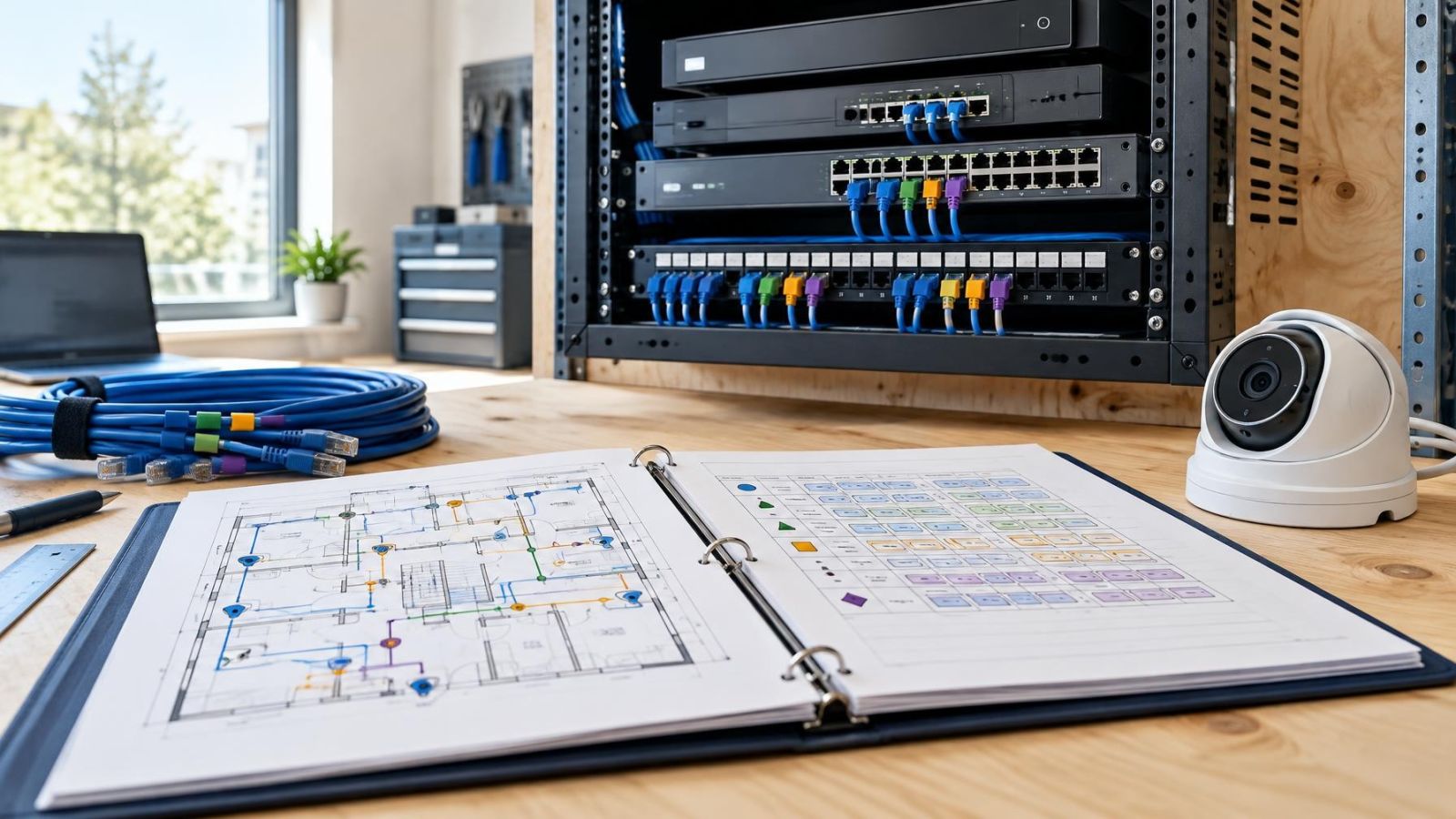
A good handover does not need to be a large technical manual. It needs to be current, readable and stored where the responsible person can find it. Include a simple diagram showing the router, recorder, switches, camera groups and any separate internal network.
- A camera network map showing the physical and logical connection paths.
- A current table of device names, addresses, locations, switch ports, recorder channels and cable labels.
- A note explaining whether cameras use DHCP reservations, device-configured static addresses or recorder-controlled addressing.
- Router replacement notes covering the subnet, DHCP pool, reservations and expected access path.
- A short process for adding, resetting or replacing a device without creating a duplicate address.
- The name or role of the document owner and the approved storage location for the current copy.
Treat documentation changes as part of the technical work. Moving a cable to another switch port, changing a camera name or replacing a router is not complete until the record matches the installation. Network documentation becomes unreliable when small changes are postponed, because the next person cannot tell which entries are still accurate.
For a remote property owner, the handover should be understandable without standing beside the equipment. For a shop, it should allow an authorised person to identify the correct device without interrupting normal work. For a shared building, it should distinguish common infrastructure from equipment belonging to an individual apartment. The same principle applies in every setting: the document should describe the network that exists, not the network someone remembers.
Key takeaways
- A reserved address range keeps camera equipment separate from addresses assigned to everyday devices.
- Location-based camera names remain meaningful when the hardware is replaced.
- A useful device inventory links each IP address to a physical location, cable label, switch port and recorder channel.
- The correct addressing method depends on whether cameras sit on the main network or behind the recorder.
- Network documentation must be updated whenever a device, cable, port or address changes.
Frequently asked questions
How can I find the IP address of a camera?
What is a 192.168 IP address?
Can an IP camera work without internet?
Should cameras use static IP addresses or DHCP reservations?
How should security cameras be named?
GATE-IN and SHOP-ENTRANCE remain useful after hardware replacement. Avoid names based only on model, channel or IP address. Keep displayed names short, and place longer mounting or access notes in the inventory.