On this page
An alarm control panel, keypad and backup battery may be part of the same system, but they should not automatically share one location. The panel may belong in a service cupboard near stable power and the router, while the keypad remains convenient for daily use. A mamad can complicate wireless and cellular communication. The practical question is where to place each part so that the system is discreet, serviceable and able to communicate reliably.
Panel, keypad and siren roles
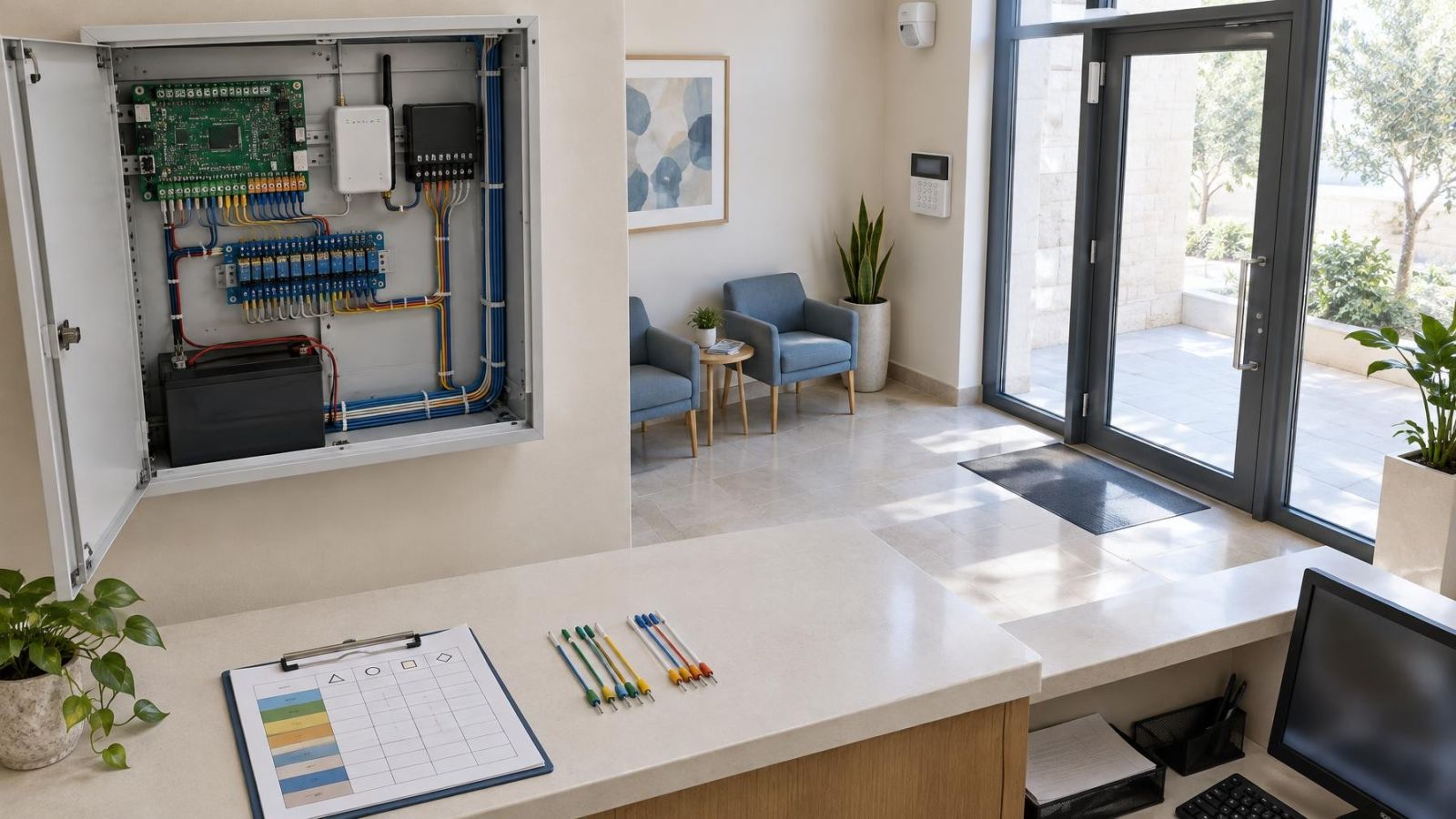
The alarm control panel is the system hub. It receives information from sensors and detectors, applies the programmed response, controls outputs and may handle communication with an app or monitoring service. In a wired system, many sensor cables return to its enclosure. The backup battery and communication hardware may also sit inside or beside it.
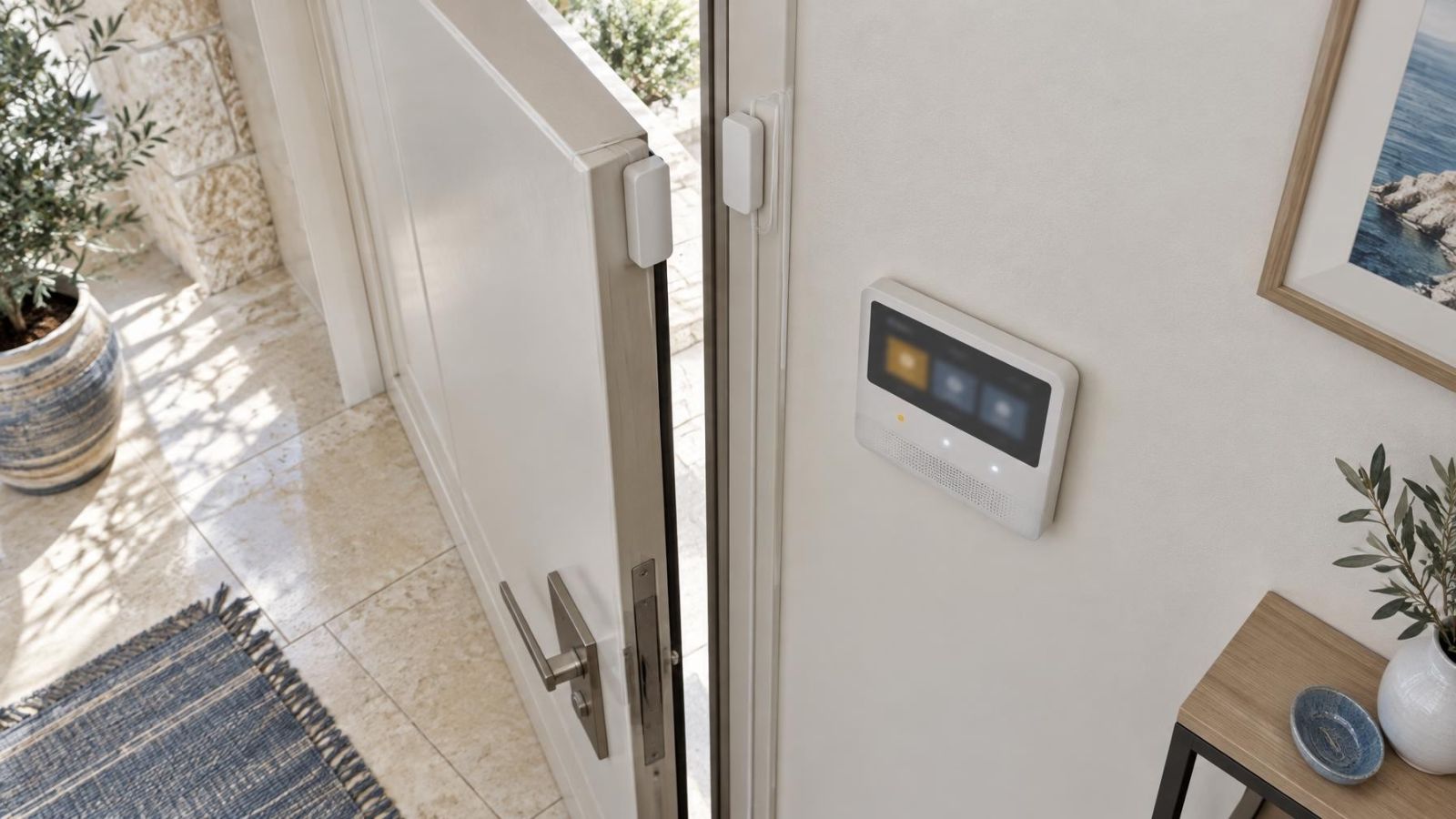
The keypad is the daily interface. People use it when entering, leaving, checking system status or responding to a message. It therefore belongs on a natural route through the property. In an apartment, that is often near the main internal entrance. In a private home, a second keypad may be useful near another regularly used door. In a small business, staff flow matters more than the shortest cable route.
The siren is an output, not the control centre. It can be positioned separately according to where its sound needs to be heard and where its wiring or wireless connection works properly. Placing the panel, keypad and siren together may be convenient during installation, but it rarely gives every component its best position.
| Component | Main role | Location priority |
|---|---|---|
| Control panel | Processes system inputs and controls responses | Concealed, dry, accessible and connected |
| Keypad | Provides the everyday user interface | Convenient, visible to users and easy to reach |
| Siren | Produces an audible system output | Suitable sound coverage and reliable connection |
| Backup battery | Supplies temporary power when the main supply is unavailable | Accessible, ventilated and protected from heat |
Where should the alarm control panel go?
What makes a good alarm panel location?
A suitable alarm panel location is normally inside the protected premises, away from casual view but not buried behind the building fabric. An interior utility area, communications cupboard or sensibly arranged service cupboard can work well. The surroundings should stay dry, shaded and reasonably ventilated during normal use.
The position must also support the system around it. Check that a stable power source is nearby, sensor cables can reach the enclosure without exposed or fragile runs, and the selected communications method works at the exact mounting point. If the panel connects through a router, consider the full route between them rather than assuming that a short straight-line distance means a reliable connection.
- Choose an internal wall or service area that is not prominent to visitors.
- Keep the enclosure away from direct sunlight and surfaces that become hot during the day.
- Allow practical routes for power, sensor wiring and communication cables.
- Confirm that the enclosure door can open fully after shelves and other fittings are installed.
- Leave enough working room for testing, cable termination and backup battery replacement.
Good alarm panel installation is not simply a matter of finding an empty patch of wall. A central position can simplify wired cable routing, but centrality is only useful if the location also provides acceptable heat, moisture, access and communications conditions.
Can the alarm panel be hidden?
Can a hidden alarm panel remain serviceable?
Yes. A concealed panel is often preferable because the enclosure does not need to be part of the room visually. Concealment should mean out of casual view, not inaccessible. An installer still needs to open the enclosure, inspect connections, test the power supply, replace the backup battery and work on cables without dismantling furniture.
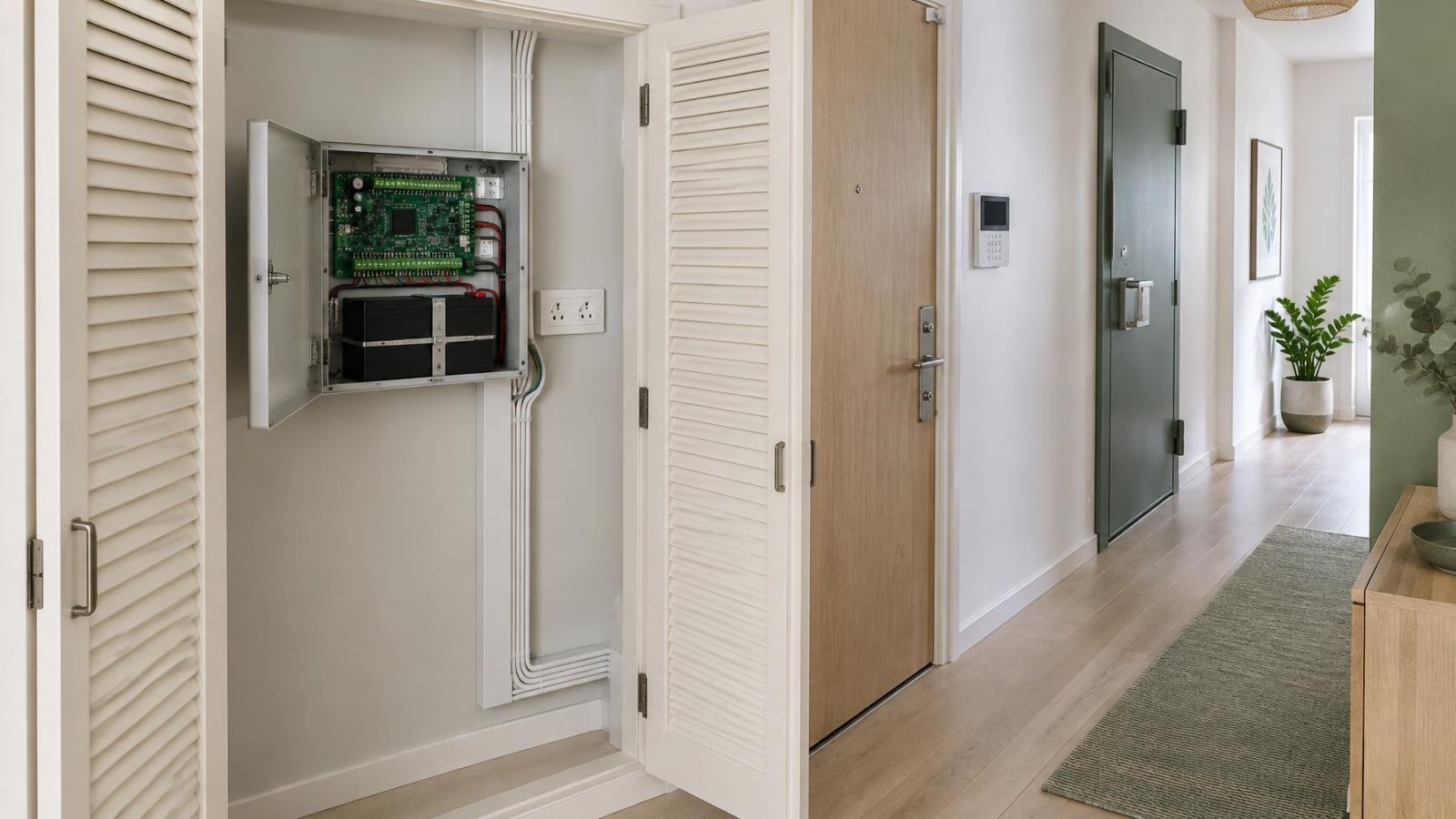
A cupboard can be suitable if it has enough internal volume and is used in a controlled way. The panel should not be squeezed tightly between stored items. Its door needs clearance, and the enclosure needs space around it so heat does not remain trapped. Avoid a cupboard that is routinely packed with coats, paper goods, cleaning supplies or equipment.
Sealed storage is a poor choice. Even when the surrounding room feels comfortable, an enclosed space containing power and communication equipment may become noticeably warmer. Cutting an opening or adding ventilation should be considered as part of the cupboard design, not improvised after the panel is mounted.
The keypad does not need to be hidden with the panel. Separating them usually improves both positions: the panel can stay discreet and serviceable, while the keypad remains where occupants can operate it without walking to a utility area.
Locations that cause problems
Some positions look convenient during a short survey but perform poorly over the life of the system. Entrance halls are a common example. They are easy to reach and close to a keypad, yet the panel enclosure may be visible whenever the door opens. The keypad can stay near the entrance while the control panel moves farther inside.
- Hot roof spaces: temperatures can become hard on panel electronics and backup batteries, while access is often uncomfortable and restricted.
- Sunlit external walls: direct sunlight and heat absorbed by the wall can raise the enclosure temperature even when the room itself feels acceptable.
- Bathrooms and damp service areas: humidity and condensation are unsuitable companions for terminals, batteries and communication hardware.
- Dusty workshops: airborne dust can enter an enclosure during servicing and settle around components and connectors.
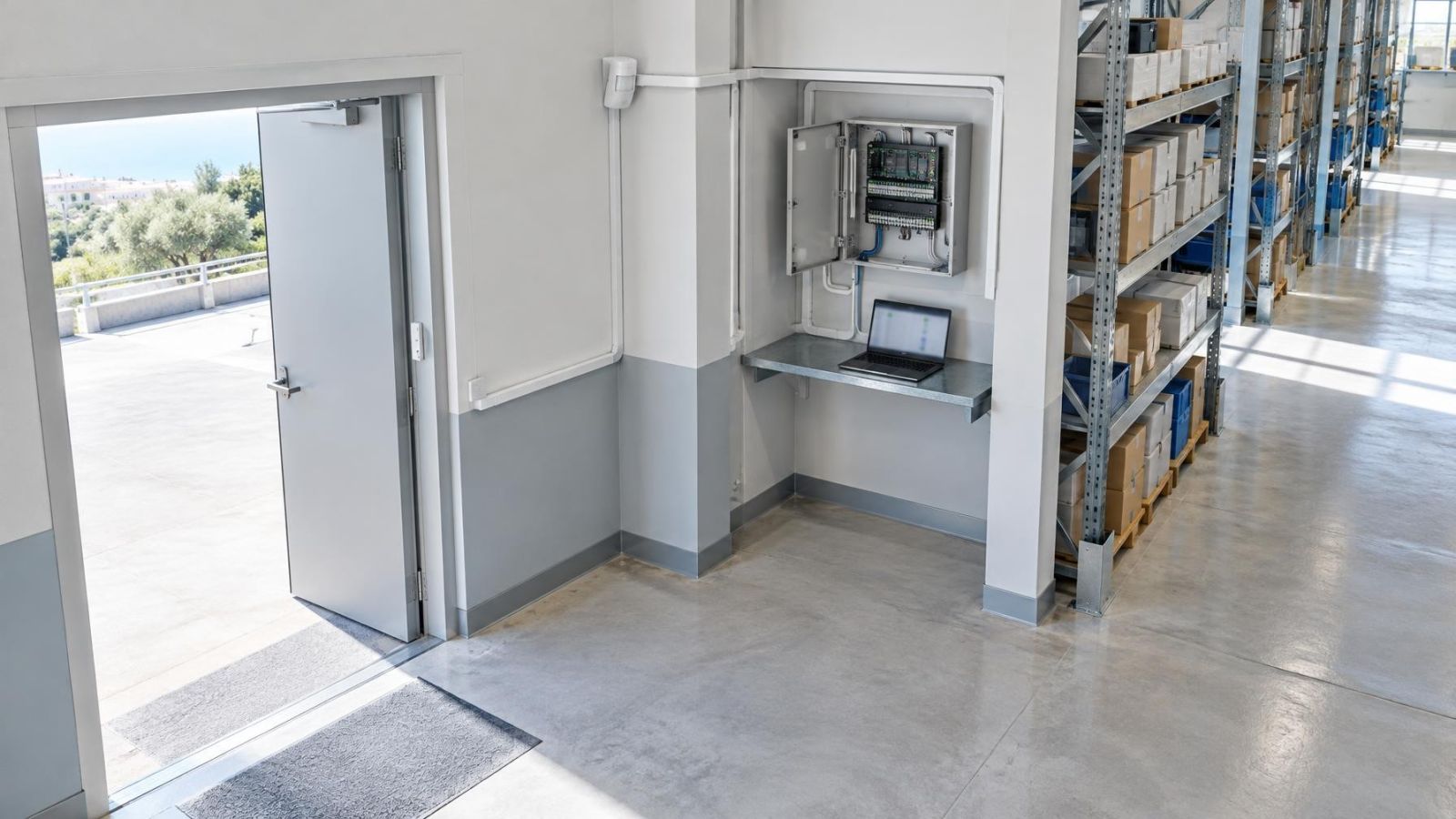
- Active stockrooms: changing stacks of goods can block access, strike exposed cables or cover ventilation openings.
- Crowded electrical cupboards: limited working space, trapped heat and tightly packed cabling make future diagnosis unnecessarily difficult.
A cupboard below a sink is also best avoided. It may offer hidden wall space, but nearby plumbing introduces moisture risk and usually leaves poor access. Likewise, a high position above fixed cabinets may keep the panel out of sight but make routine testing and battery work needlessly difficult.
The best concealed position is one that disappears during daily life but remains straightforward when the enclosure must be opened.
Power, signal and cable planning
Panel location affects several parts of the installation at once. The main power supply needs a suitable nearby source, and the backup battery must be removable without disconnecting unrelated equipment. Long, exposed or improvised power routing makes the finished system harder to inspect and maintain.
For wired sensors and detectors, trace the cable paths before settling on the panel position. Consider door contacts, motion detectors, external gates and other zones. In an Israeli apartment, routes may need to pass through compact service areas or around reinforced parts of the floor plan. In a private home, garden gates and separate entrances can make the direction of cable entry important.
Protect cable routes from predictable physical damage. Avoid places where storage boxes press against wiring, where shop stock is moved repeatedly, or where a cupboard door rubs across a cable bundle. Labels should be visible at the panel end and leave enough cable length for orderly termination and later work.
How does a mamad affect panel communication?
A mamad is a reinforced safe room commonly included in Israeli homes and workplaces. Its construction can weaken wireless communication between system components and can also affect cellular service. The amount varies by property, equipment position and surrounding construction, so assumptions are not enough. Test the actual communication method with the panel at the proposed mounting point.
Installing the panel inside a mamad may still be workable when suitable wired connections are available and all required signals have been checked. However, convenience, ventilation and service access still apply. The mamad should not be chosen merely because it has an unused cupboard.
Router location also deserves attention. A panel may be physically close to the router but separated by reinforced walls or dense service infrastructure. If communication relies on a cable, confirm the route before decorating or closing joinery. If it relies on wireless or cellular service, test it with doors closed and the surrounding space in its normal arrangement.
Maintenance access matters later
The panel may need little attention during ordinary use, but the work required later is physical. The enclosure door must open. Terminals must be visible. The backup battery must come out through the available opening. Communication modules and cable labels must be reachable without moving heavy shelving or emptying a storeroom.
Allow working space in front of the enclosure as well as around it. A panel mounted neatly at the back of a deep cupboard can be difficult to reach once shelves are filled. Mounting it on the side wall near the front may provide better access while keeping it concealed when the cupboard door is closed.
- Keep the full swing of the enclosure door clear.
- Leave room to disconnect and lift out the backup battery safely.
- Arrange cables so labels can be read without pulling bundles apart.
- Keep communication hardware accessible for inspection and restarting.
- Avoid locations that require a ladder over furniture or the removal of heavy stock.
- Do not use the clear area around the panel as general storage space.
Remote property owners should also think about access for an authorised local person. A technically excellent position is less useful if nobody can identify the correct cupboard or reach the enclosure when a battery or communication check is needed. Clear internal documentation can describe the location without making the panel prominent to everyday visitors.
Confirm the location before installation
How should you install an alarm control panel?
Confirm the environment and routes before drilling or bringing cables into the enclosure. A short inspection at the proposed position can expose heat from a nearby appliance, moisture from plumbing, dust from workshop activity or a cupboard layout that will soon block access.
- Inspect the proposed area for direct sunlight, heat, humidity, dust and signs of water exposure.
- Check the nearby power source and confirm how the power cable will reach the panel without an exposed, vulnerable run.
- Trace the routes for wired sensors, detectors, keypads, sirens, gates and communication cables.
- Test wireless, router and cellular communication at the exact panel position, particularly around a mamad.
- Open the enclosure in position and confirm clearance for tools, terminals and backup battery removal.
- Walk the normal entry and exit routes to make sure the separate keypad position is convenient for daily use.
- Reserve the space around the panel and record its location for future maintenance.
The final decision should balance concealment with service access. Dry and shaded surroundings matter. So do power, cabling and signal performance. When those conditions are checked together, the panel can remain unobtrusive without becoming difficult to maintain.
Key takeaways
- A concealed alarm control panel must remain accessible for testing, battery replacement and cable work.
- Dry, shaded and ventilated surroundings support the useful life of panel electronics and the backup battery.
- Reliable power, practical cable routes and a tested communications signal should be confirmed before installation.
- The alarm control panel and keypad can be installed in separate locations because they serve different purposes.
- Wireless and cellular performance should be tested at any proposed location in or near a mamad.