On this page
A small business owner may be offered an alarm system, security cameras, a local video recorder, connection to an alarm monitoring centre and cloud video storage as one neat package. The equipment is visible; the continuing obligations are not. Before accepting the proposal, the practical question is whether the security system running costs, maintenance duties, accounts and service dependencies remain manageable after installation.
This matters particularly in Israel, where a business may operate from street-front premises, an office in a shared building or a property managed remotely by an owner abroad. Internet service, cellular connectivity, dust, strong sunlight and access to shared areas can all affect how the system is operated. A useful comparison therefore looks beyond the initial equipment list.
Map Security System Running Costs and Ongoing Commitments
Start by listing everything the system needs after commissioning. Separate payments made to a service provider from maintenance performed by the owner, installer or staff. A service with no recurring fee may still depend on someone checking batteries, cleaning lenses and managing user accounts.
- Monitoring and storage: Identify any alarm monitoring, cloud video storage, event review or notification service that requires an active subscription.
- Connectivity: Record which functions use the premises internet connection, a dedicated data plan or cellular backup. Confirm who supplies and manages each connection.
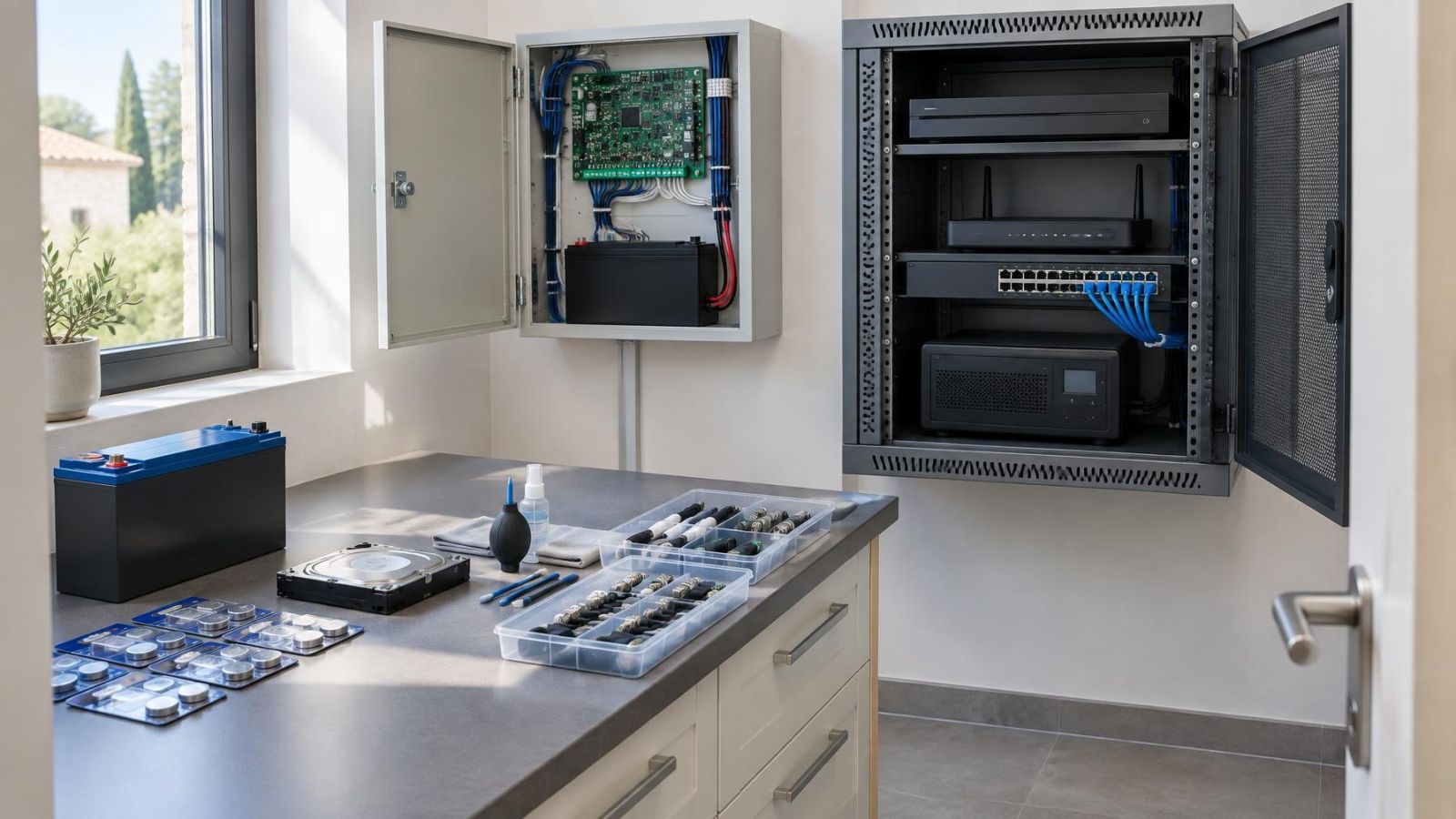
- Maintenance: Note the expected attention required by alarm sensor batteries, backup power components, camera housings, lenses and the local recorder.
- Support: Distinguish routine technical support from chargeable on-site work, equipment replacement and assistance outside normal support channels.
- Internal work: Include the time needed to add or remove users, review faults, export recordings and respond to low-battery or storage warnings.
Ask for this list in writing and attach a responsible party to every item. For a remotely owned property, “the site manager will handle it” is not enough unless that person has the necessary access, instructions and authority to arrange service.
Separate Essential From Optional Services
A well-designed proposal makes clear which services are required for core operation and which add convenience or resilience. Without that distinction, cancelling one feature can have unexpected effects elsewhere.
| Service or function | Typical role | Question to settle |
|---|---|---|
| Local alarm operation | Core operation | Can the alarm arm, detect events and sound locally without an external service? |
| Local video recording | Core operation when configured locally | Does recording continue on the premises if cloud storage or internet access stops? |
| Remote app access | Convenience and remote management | Which connection, account and continuing app service does it require? |
| Alarm monitoring centre | External event handling | Which alerts are sent, and what stops if monitoring is cancelled? |
| Cloud video storage | Off-site access or additional retention | Can recordings still be made and retrieved locally without it? |
| Cellular backup | Connectivity resilience | Which functions use it, and does it require a separate active data service? |
Resilience services are not merely conveniences, but they are not always essential to basic local operation. A cellular path may keep selected communications available when the main internet connection is down. It does not automatically keep every camera, recorder and remote feature working. The proposal should state exactly what uses that path.
Is a Security System Subscription Necessary?
A security system subscription is not always necessary for local operation. An alarm can operate on site, and a local recorder can continue recording, when both are configured for that purpose. A subscription becomes necessary when the required service itself is subscription-based, such as alarm monitoring, cloud video storage or certain remote features.
Cloud storage depends on an active service and working connectivity. Remote access has a wider chain of dependencies: the site network must work, the account credentials must remain available, and the app or remote platform must continue to support the installed system. Losing any part of that chain can remove off-site viewing even while local recording continues.
For a remote property owner, remote access may be operationally essential even if the equipment can function without it. For a staffed shop, local controls and a local recorder may carry more of the daily workload. The correct answer therefore depends on which behaviour the owner genuinely needs, not on whether a subscription is presented as standard.
Confirm Equipment and Recording Control
Equipment ownership and system control are separate questions. Hardware may remain installed at the premises while important functions depend on an account controlled by a service provider. Before installation, identify who controls the administrator account, the recorder login, the encryption or recovery credentials, and each user profile.
Administrator access is essential for managing users, settings and recorded footage. The business should be able to remove former employees, change notification recipients and provide controlled access to a replacement installer. A shared everyday login is not a substitute for a documented administrator account.
- Confirm whether the cameras, alarm equipment and recorder are owned, supplied temporarily or tied to an active service arrangement.
- Confirm direct local access to the NVR (network video recorder) or other recorder, not only access through a remote app.
- Test how an authorised user searches, exports and deletes recordings, and identify any credentials required for each action.
- Ask whether exported footage uses a common playable format or requires dedicated VMS (video management software).
- Check whether another competent installer can obtain service access without replacing otherwise usable equipment.
Closed equipment and provider-controlled accounts can make a future installer change difficult. This does not automatically make the system unsuitable, but the dependency should be a deliberate choice. If an owner abroad relies on a local manager, both parties also need a clear process for credential recovery without circulating the main administrator password.
Plan for Maintenance and Connectivity
Security equipment needs modest but regular attention. Alarm sensors and backup power components require periodic battery checks and replacement. The system should report relevant faults, but someone still needs to receive the alert, understand it and arrange the work.
Security cameras in Israel face practical environmental pressures. Strong sunlight can create glare and expose poor positioning. Dust settles on lenses and housings. Coastal humidity calls for closer inspection of exterior fittings and connections. Cleaning should use suitable materials and should not disturb camera aim, seals or focus.
- Inspect camera views for dirt, glare, vegetation, signs, stock displays or building changes that now block the intended scene.
- Check the condition of recorder and network backup power, including whether warnings are being noticed.
- Keep operating software, mobile apps and supported device software maintained through a controlled update process.
- Confirm that internet equipment and any cellular backup remain active, powered and correctly connected.
- Review user accounts when staff, tenants, managers or service providers change.
Wireless performance also needs to be judged against the actual building. Reinforced walls, a mamad or safe room, metal shutters and equipment cabinets can affect radio paths. A desk test beside the control panel does not establish that a wireless detector or camera will communicate reliably from its final position.
What Does Security System Support Include?
Security system support should be defined by tasks and boundaries, not by a general promise to “support the system”. Ask what can be handled remotely, what requires an on-site visit and who is responsible when the fault belongs to the internet connection, local network, electrical supply or a third-party service.
- Remote troubleshooting: Does support include checking device status, guiding local staff, changing settings or reviewing connection problems?
- On-site service: Which visits are included, which are arranged separately, and are difficult-to-access cameras treated differently?
- Response channels: Can authorised users open a request through an app, email or service portal, and who may approve on-site work?
- Replacement process: Who diagnoses failed equipment, supplies a replacement and restores configuration and user access?
- Post-cancellation help: Is assistance available for exports, credential transfer or local reconfiguration after the managed service ends?
A security maintenance contract may cover preventive inspection, fault diagnosis, battery work or selected replacements, but the title alone proves nothing. Read the service description. In particular, confirm whether camera cleaning, network troubleshooting, recorder storage issues and user administration are included or remain the owner’s responsibility.
For businesses working mainly in English, also confirm the language used for support, account notices and technical instructions. If an on-site manager communicates in Hebrew while the owner works in English, decide who will translate technical decisions and approve changes.
Compare the Exit Conditions
The end of a service should be examined before the service begins. Cancellation can remove alarm monitoring, cloud video storage or remote features while locally owned equipment remains physically installed. The important question is whether the remaining equipment still performs the local functions the owner expects.
- List every function associated with the service being cancelled, including notifications, app access, cloud recordings, cellular communication and monitoring-centre handling.
- Export any recordings, reports or configuration information that the business needs before the account closes or stored data becomes unavailable.
- Transfer administrator credentials, recovery details and ownership of the main account to an authorised representative of the property or business.
- Remove access held by departing staff and service providers without deleting the owner’s own administrative route.
- Verify that another installer can reach the local equipment and obtain the information needed to maintain it.
Do not assume that an app login gives full control. It may permit viewing while withholding installer settings, user management or direct recorder access. The cancellation process should state which accounts remain active, which data can be retrieved and whether the system can be reconfigured for local use.
A service is easier to evaluate when the proposal explains both what it adds and what disappears when it ends.
Choose the Commitment You Can Manage
The right operating model is the one the owner can maintain consistently. A fully managed arrangement may suit a remote owner who wants a defined support route. A locally operated system may suit a staffed business with someone able to manage accounts, storage and routine checks. A mixed design can keep local recording while adding selected monitoring, cloud or connectivity services.
Before choosing, create a short operating record containing:
- Every recurring service and the function that depends on it.
- The person responsible for battery checks, camera inspection, connectivity and fault messages.
- The optional services the business can lose without disrupting core local operation.
- The owner of the equipment, administrator account and recorded footage.
- The process for changing staff, cancelling services and appointing another installer.
Treat the system as business infrastructure rather than a collection of devices. Cameras, detectors, recorders, networks, accounts and support arrangements form one operating chain. When every dependency has an owner and every exit condition is understood, the continuing commitment is visible before the equipment goes on the wall.
Key takeaways
- Security system commitments extend beyond monitoring and storage subscriptions to connectivity, maintenance, support and internal staff time.
- Local recording reduces dependence on cloud video storage, but the recorder, cameras and backup power still require maintenance.
- Administrator account control and equipment compatibility determine how easily another installer can support the system.
- Cancellation conditions matter because monitoring, cloud storage and remote features may stop while the installed equipment remains in place.
- A business should assign responsibility for battery checks, camera inspection, account management and recorded-footage handling.