On this page
A street-front shop with a glass storefront presents several connected decisions: where security cameras should look, what the alarm system should detect, where the video recorder should sit, and how to cover the cash register area without exposing screens or keypads. A useful small business security plan settles those decisions from the layout and daily routine first, rather than starting with a list of equipment.
Map the Business Before Equipment: The Small Business Security Plan
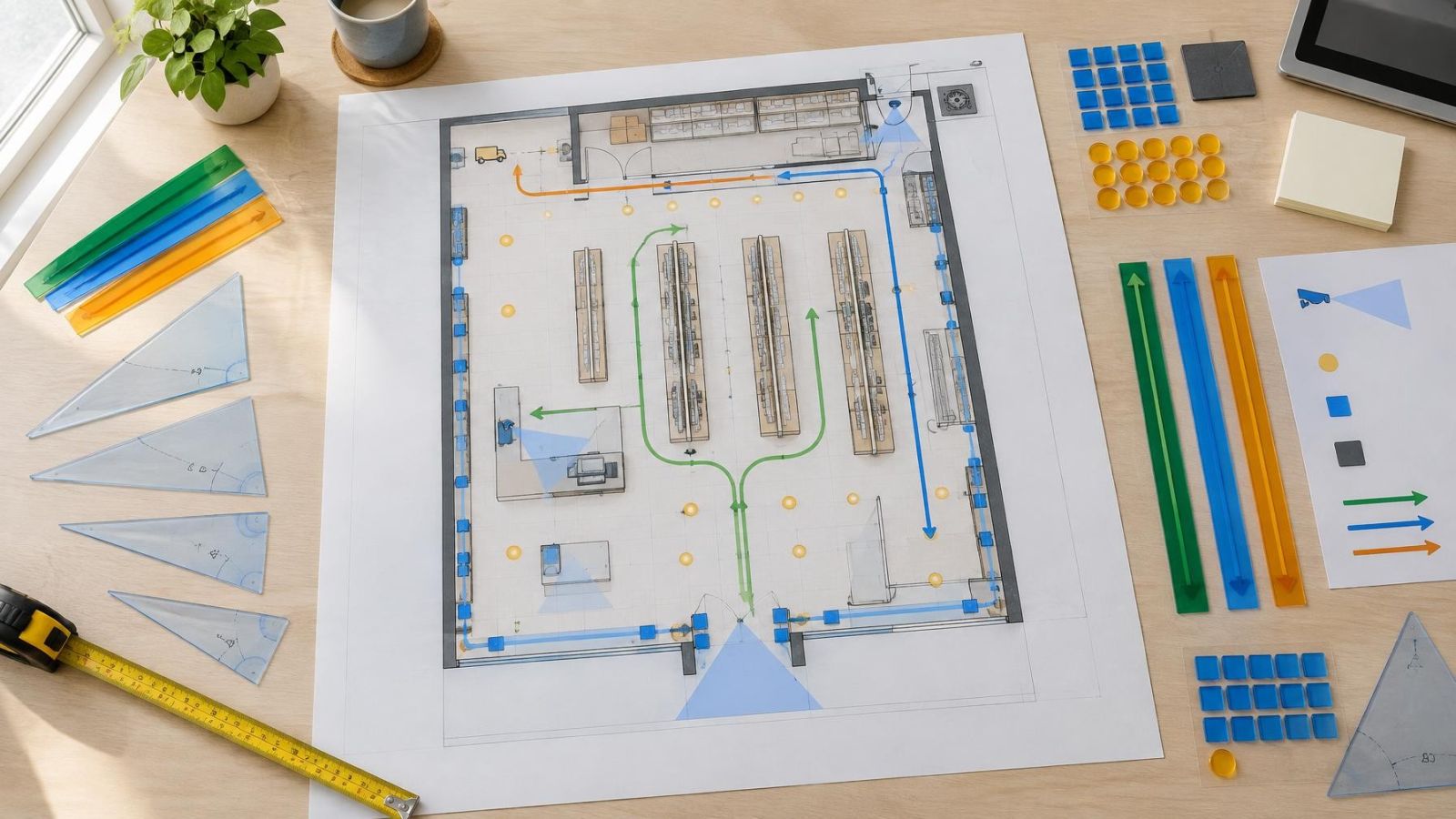
Begin with a simple floor plan. Mark the areas open to customers, the places used only by staff, and the routes taken by stock and deliveries. A narrow shop may look straightforward on paper, yet tall shelving, promotional displays and an open stockroom door can divide it into several separate viewing zones.
Then trace how the premises actually operate. Opening and closing are different from normal trading. A staff member may enter through the main entrance in the morning but leave through a rear or shared corridor. Deliveries may pause at the pavement, pass through the customer area or use a building service entrance. Street shop security should reflect these real routes, including the less frequent ones.
- Public areas: entrance, sales floor, waiting area and customer side of the counter.
- Staff areas: behind-counter space, office, preparation area and staff-only doors.
- Stock areas: receiving point, stockroom, high-value shelves and the route between storage and display.
- Access points: main entrance, rear door, internal building door, windows and any gate or shutter used in the routine.
- Infrastructure: existing power, network cabinet, cable routes and suitable places for recording equipment.
In an Israeli mixed-use building, the rear route may cross a shared lobby, stairwell or service passage. Separate the shop's own coverage from shared building space at the planning stage. Physical work affecting a common entrance or common infrastructure may also require coordination with the property owner or va'ad bayit. The practical aim is to avoid designing around a cable route or mounting point that the business does not control.
Define What Each System Does
A camera, an alarm detector and a controlled door are not interchangeable. They may share information or appear in one interface, but each has a different job. Keeping those roles clear makes the design easier to use and easier to diagnose.
| System | Primary role | Planning question |
|---|---|---|
| Video | Records activity and supports live or remote viewing | Will the view show the person, route or event clearly enough for review? |
| Alarm | Detects configured events and issues notifications | Which doors, spaces and operating states should produce an alert? |
| Exterior lighting | Illuminates entrances and exterior activity | Does the light improve the scene without shining into the lens? |
| Access control | Manages authorised use of staff-only doors | Who needs access, through which door, and during which routine? |
Video surveillance records activity. It does not replace a door contact that reports an opening, and it does not decide who should respond. An alarm system detects configured events and follows its notification path. Access control manages entry through selected doors. Lighting changes what the camera can see. These systems can operate in a coordinated way without pretending to perform the same function.
Coordination should remain simple. For example, an opening routine may disarm selected alarm areas, permit staff access and allow authorised users to view cameras. A closing routine may reverse those states. The design should still make sense to a staff member who only needs to open, work and close correctly.
Where Should Cameras Go?
Camera placement should follow movement rather than empty floor space. Start with the approach to the main entrance. An overview camera can show the general sales floor, but a more deliberate entrance view is needed to record faces as people approach or cross the threshold. Avoid aiming so widely that the doorway becomes a small, bright part of the frame.
The glass storefront usually needs an overview, especially where displays change often. That view should show activity near the frontage without relying on the glass itself as a useful background. The entrance view and storefront overview often solve different problems, even when their fields of view overlap.
- Main entrance: frame the approach and threshold, not only the backs of people already inside.
- Cash register area: show the counter interaction and staff position while excluding payment keypads, passwords and administrative screens from readable view.
- Rear access: cover the rear door and the route connecting it to the sales floor or stockroom.
- Stock route: include the receiving point and the places where goods change hands or direction.
- Sales floor: check around tall shelving, hanging signs, open doors and movable displays.
A camera mounted high can provide a useful overview, but height alone is not a design. A steep downward angle may show the top of a person's head rather than the face. At the counter, it may also hide hand movements behind the counter edge. Actual camera views matter more than neat-looking positions on a ceiling plan.
Blind spots are not fixed. Seasonal displays, stacked cartons and changing stock layouts can block a view that was clear during installation. Leave some adjustment in the design and include camera views in future layout decisions. Moving one display is often more sensible than adding another camera.
Plan for Sunlight and Glass
Strong Israeli sunlight creates a demanding contrast at a street-facing entrance. A camera inside a darker shop may expose for the bright street and lose detail on people standing just inside. If it exposes for the interior, the pavement and approaching faces may become washed out. WDR (wide dynamic range) can help balance the scene, but placement and angle still come first.
What Matters in Storefront Security Planning?
Storefront security planning needs to account for the sun moving across the frontage, reflections from parked vehicles and bright sky occupying part of the frame. A view that looks balanced in the morning may become difficult later in the trading day. Test the image at several points during normal operating hours rather than approving it from a single live view.
Glass adds another layer. Interior lights, digital displays and pale walls can appear as reflections over the street scene. At night, a camera's IR illuminator may reflect directly from the glass and obscure most of the image. Mounting the camera close to the glass does not automatically solve this; the angle, surrounding light and camera housing all affect the reflection.
- Keep bright sky out of the frame where a lower angle can still cover the approach.
- Avoid placing the lens opposite strong interior lights or illuminated displays.
- Check whether exterior lighting creates glare, hard shadows or a bright hotspot near the entrance.
- Review the image with the shop lights on and off when both conditions occur in normal use.
- Treat WDR as support for a considered view, not as a substitute for good positioning.
Dust on the lens or glass can make glare worse while the camera remains fully operational. Coastal humidity can also leave residue on exposed surfaces. Image quality therefore needs visual inspection; an online status indicator only confirms that the device is communicating.
Alarm or Video Surveillance?
The practical answer is usually based on roles, not on choosing one technology as the universal solution. Cameras record and provide views. The alarm detects configured events and sends notifications. A recorded door opening is useful for later review; a door contact is designed to report the opening as an event.
Place door contacts on access points that matter to the actual routine. The main entrance, rear door and stockroom access may need different treatment because staff use them differently. A door that is routinely left open for deliveries should not generate an unexplained stream of alerts. The operating procedure and alarm configuration need to agree.
Interior detectors should be planned around normal movement, including staff arriving early, cleaners moving after customer hours, air movement near an entrance and objects that may shift within the space. The objective is not maximum sensitivity everywhere. It is meaningful detection in defined conditions.
- Define who changes the system state when opening and closing.
- Decide how temporary access for deliveries or service work is handled.
- Give each notification path a named primary user and a backup user.
- Distinguish events that need immediate attention from events that can be reviewed later.
- Train staff on the short routine they actually perform rather than every installer setting.
Remote owners should pay particular attention to responsibility. Receiving an alert is not the same as handling it. The plan should identify who checks the event, who can view relevant cameras, and who can correct a system state when the owner is not on site.
Protect Recording and Remote Access
An NVR (network video recorder) or DVR should not sit on the public side of a counter, on an open office shelf or beside an accessible network switch. A recorder left in public view is easier to disturb, disconnect or switch off. Place it in a controlled area while preserving ventilation, cable access and enough working space for maintenance.
Hiding the recorder inside a sealed cupboard creates a different problem. Recording equipment produces heat and may need inspection or storage replacement. The position should be discreet but serviceable. Power and network connections should follow protected routes rather than crossing places where stock, furniture or routine cleaning can pull them loose.
Remote viewing depends on several links working together: mains power, local network equipment, internet access, the recorder or camera service, and a valid user account. A camera can continue recording locally during some network interruptions while remote viewing is unavailable, depending on the system design. The plan should distinguish recording status from remote-access status.
- Create individual accounts instead of sharing one login among owners, managers and installers.
- Give each user only the access needed for the person's role.
- Remove or revise access when staff responsibilities change.
- Keep account recovery details under business control rather than tied to one employee.
- Test remote access from the connection and device that the responsible user will actually use.
Notifications also need restraint. Constant motion detection alerts from passing traffic, moving reflections or customers during opening hours are likely to become background noise. Define active periods and relevant zones, then review alerts against real activity. A short list of meaningful notifications is more usable than a continuous feed of routine movement.
Finalize the Security Plan
A drawing shows intended coverage. Commissioning confirms what the installed system actually sees and does. Review each camera from its recorded image, not only from the live installation screen. Check entrance faces, the glass frontage, counter activity, rear access and stock movement under realistic conditions.
- Compare every installed view with the original coverage purpose.
- Review recordings in strong daylight, changing glare and after-dark lighting.
- Walk the customer, staff, delivery and closing routes while checking the resulting images and alarm events.
- Confirm who receives alerts, who can view footage and who manages user accounts.
- Record camera purposes, detector roles, cable routes and account responsibilities for future changes.
Routine checks should include recording playback, alarm event reporting, remote access and a visual inspection of lenses and storefront glass. A camera can be online yet produce an unhelpful image because of dust, glare, a shifted angle or a new display. Testing behaviour is more informative than checking whether a status light is on.
Finally, keep a concise system document. It should state what each camera covers, what each detector reports, where the recorder and network equipment are located, and which roles hold remote access. When shelving moves, staff responsibilities change or the shop layout is revised, that document provides a reliable starting point instead of requiring the entire design to be rediscovered.
Key takeaways
- Equipment should be selected only after entrances, movement routes, stock areas and daily operating routines have been mapped.
- Security cameras, alarms, lighting and access control perform distinct roles and work best when planned together.
- Storefront views must be checked under changing sunlight, reflections and after-dark lighting.
- Recording equipment should be protected from casual access while remaining ventilated and serviceable.
- Named users should be responsible for alerts, remote access, footage retrieval and routine system checks.