On this page
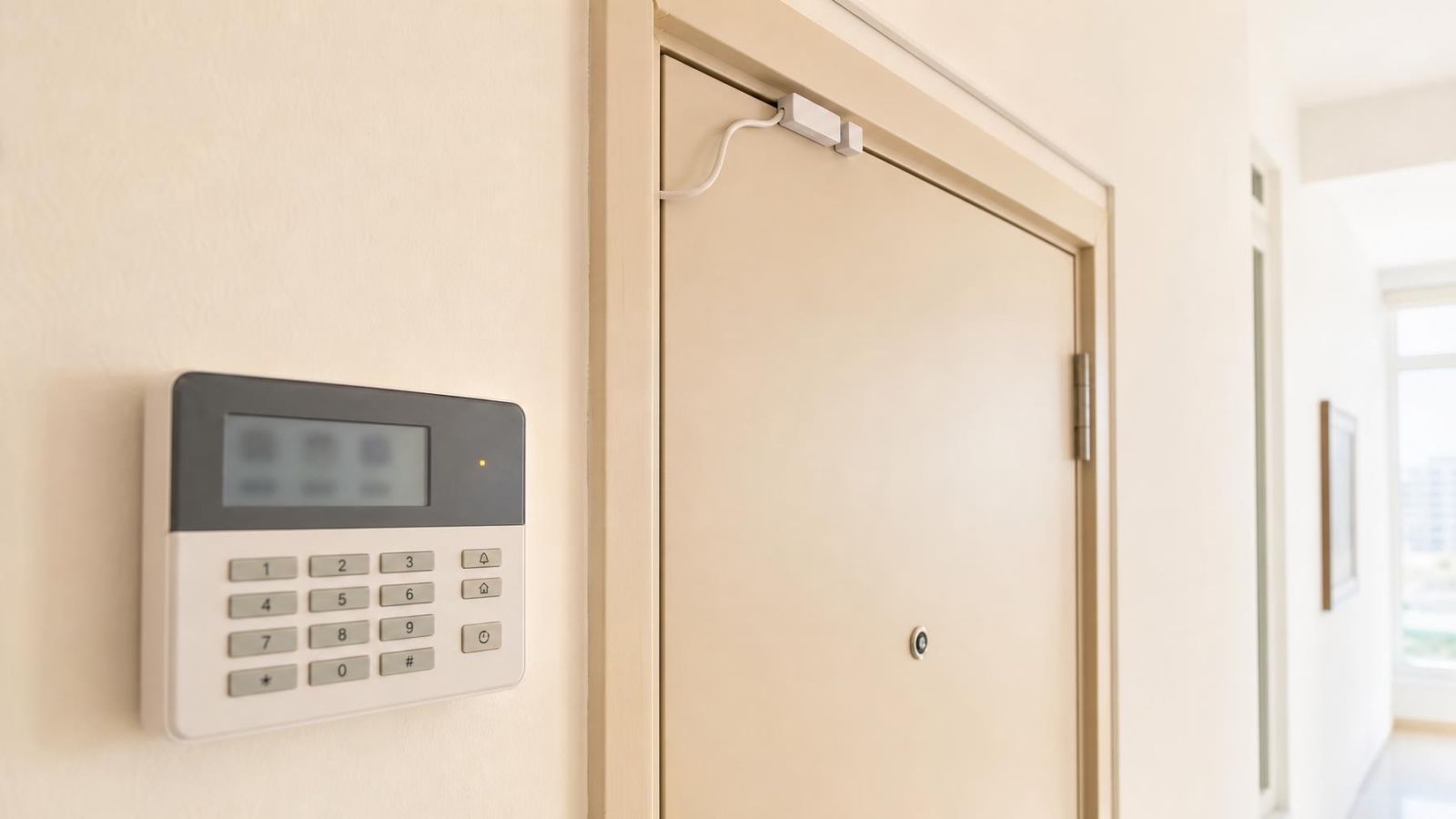
An alarm keypad that refuses to show ready is receiving information from the control panel that something is still open. The display may give a zone number even when every door contact, window sensor and magnetic contact appears closed. The practical way to find open alarm zone faults is to identify that number, connect it to the correct device, and decide whether the cause is an opening, alignment problem or equipment fault.
What an open zone means
A zone is a monitored input at the control panel. It may represent one sensor, such as a contact on the front door, or a group of devices connected on the same wired circuit. Wireless devices are often assigned individually, but the exact arrangement depends on how the system was designed and programmed.
Under normal conditions, the panel expects each zone to be in its normal state. An opening contact changes state when a door or window moves away from its frame. A motion detector changes state when it detects movement, then normally returns to rest. If the expected state is not restored, the keypad can continue to show the alarm zone open.
Open, fault and tamper do not always mean the same thing. An open indication usually refers to the monitored zone state. A fault or trouble indication can point to communication, power or another system condition. A tamper message usually means that a device cover, enclosure or dedicated tamper circuit is not properly closed. Some keypads combine these messages on one screen, so read the exact wording rather than treating every warning as an open door.
| Zone type | Normal condition | Common reason for an open display |
|---|---|---|
| Door or window contact | Opening fully closed and contacts aligned | Open frame, poor alignment or faulty contact |
| Motion detector | No active detection after the area settles | Movement, unstable mounting or device fault |
| Wired circuit | Complete monitored electrical path | Damaged cable, loose connection or open contact |
| Wireless device | Normal sensor state and reliable communication | Alignment, battery, communication or tamper issue |
The ready indicator reflects whether the panel considers the required zones suitable for arming. A missing ready indication does not by itself identify the physical cause. It tells you to look at the zone information before trying doors and windows at random.
How to find open alarm zone details on the keypad
Which alarm zone is open?
The open zone is the zone number or label shown by the keypad as not ready, open or active. Some keypads display it immediately. Others require you to scroll through a status, information or fault screen. Use the normal user controls only; there is no need to enter installer programming or open the control panel.
Write down the complete message before touching anything. A label such as entrance, office window or garden gate is more useful than a number alone, but labels are not always current. A room may have changed use while the original zone name remained in the system.
- Note every displayed zone, not only the first one. More than one opening may be active.
- Check separate fault or trouble screens for battery, communication and tamper information.
- Allow a motion detector to settle after people and pets leave its view.
- Compare multiple keypads if the property has them. One may show a short message while another provides a fuller label.
- For a remotely managed property, ask the person on site to photograph or transcribe the full display rather than reporting only that the alarm will not arm.
Different keypads present status in different ways. A flashing indicator, icon or short code may lead to another screen containing the useful detail. If the user instructions are available, follow the status-viewing procedure for that keypad. Avoid experimenting with programming menus, because zone names and behaviour can be changed there.
Match the zone to its sensor
Once you have the zone number, connect it to the physical layout. Start with the zone list, if one exists near the control panel or in the property documentation. A clear list should identify both the location and the device type: front door contact, kitchen window, shutter contact, garden gate or corridor motion detector.
Do not assume that the displayed name describes one visible device. A wired zone may include several windows on one loop. Closing one window will not restore the zone if another contact on the same circuit remains open. Conversely, a wireless sensor is commonly represented by its own zone, making the physical match more direct.
The boundary of the premises matters in Israeli buildings. An apartment alarm may monitor only the private front door, even though the building also has a shared entrance. A small business on street frontage may have separate zones for its glass door, shutter and rear access. In a private home, a pedestrian gate, vehicle gate and garden doors can all appear as different zones. Shared equipment should not be assumed to belong to the private alarm.
A mamad, or residential safe room, is also relevant to the map. Its door and window may have contacts, and its reinforced construction can affect wireless signal paths. A sensor inside or around the room may therefore need checking for both physical closure and communication status. The room itself is not proof of a signal problem; the keypad message is the starting point.
Check the opening and contact
After locating the relevant sensor, check the simple physical causes first. A door can look shut while resting against a latch rather than closing fully. A sliding window can stop short because of dust in the track. A shutter can reach its usual position while leaving its contact slightly outside the operating range.
- Open the identified door, window, shutter or gate, then close it firmly without forcing it.
- Look at the contact and its magnet. They should face each other and sit close to their normal alignment when the opening is closed.
- Check whether either part is loose, tilted or moving with the frame. Do not rely only on marks showing where it used to sit.
- Remove loose dust, paint flakes or a visible obstruction around the opening. Do not apply liquid cleaner to the sensor.
- Confirm that the sensor cover is seated correctly. A cover that is slightly open can hold a tamper circuit active.
Magnetic contacts tolerate only a limited separation. Heat, repeated use and movement in a door or window frame can change the gap without making the opening look obviously different. Metal frames, heavy gates and moving shutters also create vibration and alignment challenges. The contact and magnet should be secure, but avoid drilling, bending brackets or moving wiring unless you are responsible for the repair.
Watch the keypad while operating the opening, or ask another person to watch it. The zone should change state consistently as the door or window opens and closes. An intermittent response when the frame is pressed or moved is useful diagnostic information, even if the ready indicator briefly returns.
Why an alarm sensor stays open
Why does an alarm sensor stay open?
An alarm sensor stays open when the control panel does not receive the normal closed state from that device or circuit. The cause can be mechanical, electrical or related to wireless communication. A physically closed opening does not prove that the panel is receiving the correct signal.
- Misaligned magnetic contact: the magnet is too far from the contact, has shifted sideways or no longer follows the same path when the opening closes.
- Sticking frame: the door or window appears closed but stops before the latch or contact reaches its normal position.
- Damaged wired loop: a cable has been cut, pinched, pulled or damaged inside the frame or along its route.
- Loose connection: a terminal or splice no longer maintains the monitored circuit. This requires proper diagnosis rather than twisting exposed wires together.
- Wireless battery condition: the device cannot operate or report normally because its battery needs attention.
- Wireless communication issue: the control panel is not receiving the expected message because of distance, obstructions, device condition or radio-path changes.
- Tamper condition: the sensor cover or mounting tamper is not fully closed, sometimes after a battery check or cleaning.
- Internal device fault: the sensor, contact or transmitter no longer changes state reliably.
A battery warning and an open indication may appear together or on separate screens. Replacing a user-serviceable sensor battery can address the battery condition, but it will not correct a shifted magnet, broken cable or loose cover. After any permitted user maintenance, close the device properly and check the keypad again.
Intermittent faults deserve attention. A zone that restores when the door is pushed, when the weather changes or after several attempts is not necessarily repaired. The changing behaviour helps distinguish frame movement and poor alignment from a stable cable break or failed device.
Use bypass only as a temporary step
Bypassing a zone tells the control panel to exclude it for the relevant arming period or mode. The system may then arm, but the bypassed door, window, gate or detector is not being monitored in the normal way. Bypass changes system behaviour; it does not repair the open zone.
Use only the ordinary user bypass function and confirm the result on the keypad. The display should identify which zone has been excluded. If several zones are listed, check each one before leaving the property. Do not assume that a bypass automatically clears after disarming, because systems can be configured differently.
- Record the bypassed zone number and physical location.
- Tell other authorised users that the zone is excluded.
- Check the keypad on the next arming cycle rather than assuming normal monitoring has returned.
- Arrange diagnosis when the same zone repeatedly needs bypassing.
- Avoid using bypass to silence an unidentified tamper, communication or wiring condition.
A successful bypass confirms only that the panel can ignore the zone. It does not confirm that the sensor, opening or cable is sound.
Decide what to do next
After checking the opening, return it to its normal closed position and let motion detectors settle. Then read the keypad again. If the ready indicator returns and the zone responds consistently through several normal opening and closing movements, the issue may have been incomplete closure or a temporary obstruction. Continue to watch for recurrence.
If the indication remains, prepare a concise fault record. Note the zone number, zone label, exact displayed wording, whether the device is wired or wireless if known, and what happens when the opening is operated. Also record any separate battery, communication or tamper message. For remote owners, clear photographs of the keypad and sensor position are more useful than a general description.
| What you observe | Appropriate next step |
|---|---|
| Zone clears after firm closure | Check alignment and watch for recurrence |
| Zone changes when the frame is pressed | Arrange contact and frame inspection |
| Wireless battery or communication message | Follow permitted user checks, then arrange diagnosis if persistent |
| Visible loose cable, damaged contact or exposed conductor | Stop handling the device and arrange repair |
| Repeated need for bypass | Arrange diagnosis of the zone and its circuit |
Stop before opening the control-panel enclosure, removing fixed wiring or entering installer programming. Alarm circuits can include tamper monitoring, shared power and programmed resistance values that are not obvious from the cable itself. Randomly joining wires can hide the original symptom, create another fault or make later diagnosis harder.
The useful dividing line is recurrence. A door that was simply left ajar needs closing. A sensor that repeatedly remains open despite correct closure needs diagnosis. Good troubleshooting narrows the problem without changing the system unnecessarily: identify the zone, match the device, check its physical state, preserve the displayed information and escalate persistent faults.
Key takeaways
- Read and record the displayed zone number before moving doors, windows or sensors.
- The zone list and property layout should connect each keypad message to a physical opening or detector.
- Persistent open indications can come from closure, alignment, wiring, battery, communication or tamper problems.
- Bypassing a zone excludes it from monitoring and should be treated as a temporary measure rather than a repair.
- An installer can diagnose a recurring fault more efficiently when given the exact zone number and keypad message.