On this page
A CCTV recorder has failed, but the analogue cameras on coaxial cable and the IP cameras on network cabling may still be producing good images. The hard drive may also be separate from the fault. When you replace CCTV recorder hardware, the practical question is whether those cameras, cables and storage components can work with the new unit. Often they can. The answer depends on connection type, video format, image output, power and the features you expect to retain.
What the recorder actually does
The recorder is the centre of a conventional security camera system. It receives video, writes footage to a hard drive, provides live viewing and retrieves recordings for playback or export. It may also manage user accounts, motion detection, alerts, camera settings and remote access. A DVR (digital video recorder) normally receives analogue video. An NVR (network video recorder) receives video streams from IP cameras.
A blank monitor or missing remote view does not prove that the cameras have failed. The recorder may have a damaged output, a network configuration problem, unstable power or an operating fault. Equally, one missing image may point to a camera, connector, cable or power problem rather than the recorder.
Is the hard drive faulty, or is it the recorder?
A hard-drive fault usually affects storage behaviour. Typical signs include failed recording, gaps in playback, disk warnings or repeated attempts to initialise storage. Recorder electronics or software can fail in different ways: the unit may not start correctly, accept camera signals, show menus or remain stable. Replacing the hard drive does not repair those faults.
- Check whether live video is visible even when recording is unavailable.
- Confirm whether the recorder reaches its normal menu and recognises connected cameras.
- Review storage status, but do not assume that a reported disk error is the only problem.
- Export any needed footage before testing, resetting or removing the old drive, if the recorder still allows access.
Can you replace CCTV recorder hardware and keep old cameras?
Yes, when the replacement supports the cameras’ technology, signal format, resolution and connection method. A matching plug alone is not enough. Two analogue systems can use similar coaxial connectors while carrying different video formats. Two network systems can share Ethernet cabling while differing in discovery, authentication or stream support.
New recorder, old cameras: what has to match?
| System path | Camera connection | Power arrangement | Main checks |
|---|---|---|---|
| Analogue | Coaxial cable | Separate local or shared supply | Video format, resolution, channel support |
| Network | Ethernet network cabling | PoE or separate supply | Credentials, communication method, encoding, network capacity |
| Hybrid | Coaxial and Ethernet | Mixed supplies or PoE | Channel allocation, format support, feature limits |
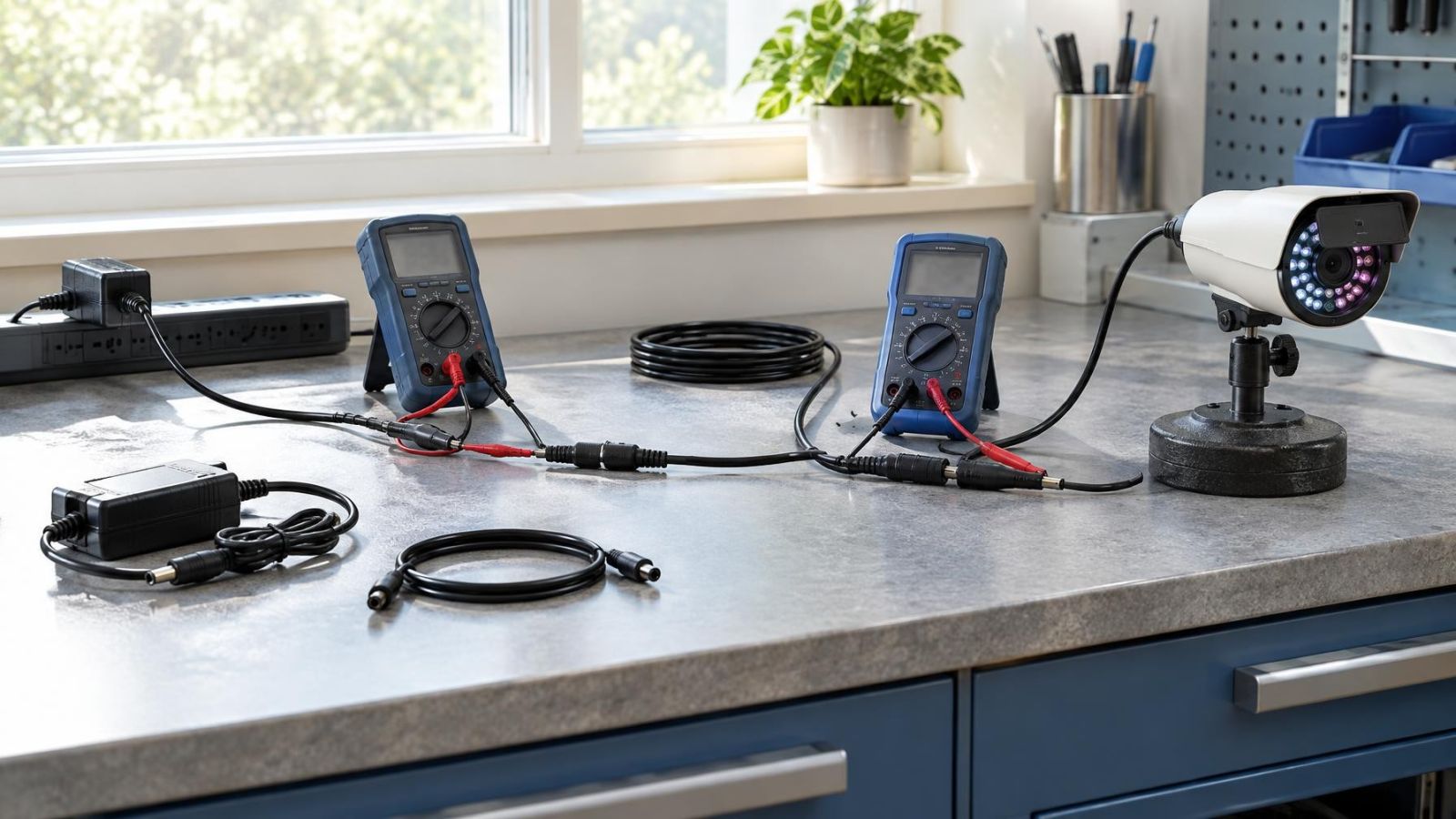
PoE (power over Ethernet) can carry network data and camera power on the same cable, but only when the switch, recorder port and camera use compatible power arrangements. Analogue cameras commonly receive power through a separate cable or paired power conductors. A replacement recorder does not correct an undersized, unstable or damaged power supply.
A hybrid recorder accepts selected analogue inputs while also adding IP cameras. It is useful when the existing camera positions remain valuable but the property needs a gradual move to network equipment. Hybrid does not mean universal; the supported formats and the allocation of analogue and network channels still need checking.
Identify your existing camera system
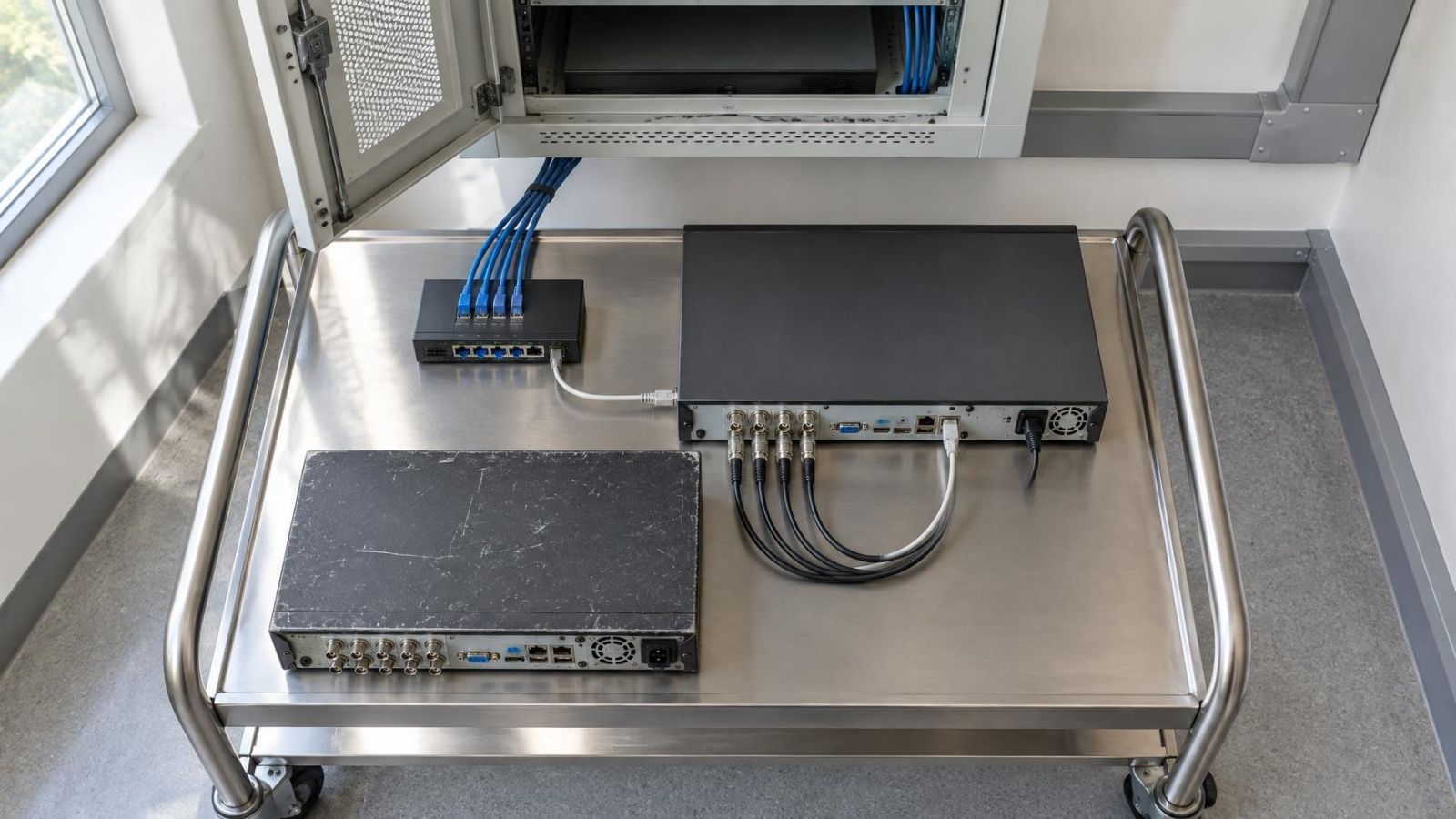
Start at the rear of the recorder rather than relying on an old invoice or a remote-viewing application. Round locking connectors with one coaxial cable per image usually indicate analogue cameras. Ethernet sockets, network switches and rectangular network plugs point towards IP cameras. A mixed group of both is a hybrid system or a system assembled through converters.
- Trace the camera cables. Note whether each run reaches the recorder directly, passes through a cabinet or switch, or disappears into shared building infrastructure.
- Read the recorder interface. Camera menus may describe physical inputs, network addresses, stream settings or a mixture of these.
- Find the power source. Look for a shared analogue power box, individual adaptors, PoE ports or an intermediate PoE switch.
- Count actual camera positions. Include disconnected cameras, door stations and spare cable runs, not only images currently visible on screen.
- Look for conversion equipment. Small adaptors near the recorder or camera can make coaxial and network cabling appear to be something else.
In an Israeli apartment building, a camera at the shared entrance may connect to equipment controlled through the va’ad bayit rather than to the recorder inside the apartment. Establish which cables and credentials belong to the private system before disconnecting anything. In a house, gate and garden cameras may have long outdoor runs with separate power joints. Street-front businesses often have a similar mix of indoor cabling and exposed entrance connections.
How camera and recorder compatibility is checked
Camera recorder compatibility: is a visible picture enough?
A visible picture proves only basic video compatibility. The replacement must support the camera’s video format, pixel dimensions per frame and encoding method. It must also have enough recording channels of the correct type. Some hybrid units reduce the number of available network channels when particular analogue modes are in use, so the total on the specification sheet may not describe every possible combination.
Network camera reuse also depends on access. The installer needs working camera credentials, suitable network addresses and a communication method understood by both camera and recorder. A camera discovered on the network may still refuse a stream because of incorrect credentials. Conversely, a manually entered stream may display video while offering little control over camera settings.
Feature compatibility deserves a separate check. Basic video may work while one or more of the following do not:
- Audio recording or two-way audio
- Camera-generated motion events and alert information
- Control of motorised movement, zoom or focus
- Configuration of IR illumination and night vision behaviour
- WDR (wide dynamic range) settings for entrances facing strong sunlight
- Camera health messages, storage status or other diagnostic information
Decide which features matter before choosing the recorder. A remote property owner may place high value on reliable alerts and remote playback. A small business may need straightforward export and separate user permissions. A camera that merely displays a picture is not fully compatible if the missing function was part of the reason for installing it.
Decide what else needs replacement
Recorder replacement is a good point to inspect the rest of the recording path. The existing hard drive may be reusable in principle, but its health, capacity, interface and suitability for continuous recording must be checked. Do not expect old recordings to become readable simply by moving the drive. Recorder file systems and storage layouts can differ.
Power supplies and network switches also carry continuous workloads. Check for unstable output, overheating, damaged ports and poor ventilation. Outdoor connectors deserve particular attention. Strong sun, dust and coastal humidity can expose weak seals, corrosion and brittle cable jackets. A connector can pass video during a brief test yet become unreliable when moved or placed under load.
Follow the full path beyond the recorder:
- The display and its cable must support the recorder’s output and menu resolution.
- The router and network configuration must still provide the required local and remote access.
- Any PoE switch must have enough suitable ports and power capacity for the connected cameras.
- Cable runs must be the right type, correctly terminated and in sound physical condition.
- Remote-viewing accounts and user permissions must be rebuilt or verified on the replacement system.
Compatibility is not the same as usefulness. An older camera may connect perfectly but still show the wrong part of a gate, suffer glare at a shop entrance or lose detail after a garden has changed. Keep cameras that provide useful images. Replace weak positions selectively rather than treating every camera as equally valuable.
Plan the changeover carefully
A recorder swap is easier when the old system is documented before it is disturbed. Screenshots of camera names, network settings and recording schedules can be useful. Credentials should be verified rather than merely copied from an old note. If access is lost after disconnection, restoring a network camera may require reaching the camera physically.
- Export recordings that still need to be retained, and confirm that the exported files open on another device.
- List every camera, cable label, power source, network address and important feature.
- Verify administrator, camera and remote-access credentials while the old equipment is still connected.
- Connect the replacement recorder on a bench or temporary shelf and test each camera before permanent mounting.
- Configure recording, playback, user access, time settings and remote viewing.
- Check daylight images, then repeat the inspection after dark with IR and other night illumination active.
What should a CCTV recorder upgrade test?
Test live view, continuous or event-based recording, search, playback and export. Then test remote access from the connection that will actually be used away from the property. For each camera, check its name, time display, audio if required and motion detection behaviour. At night, look for IR reflecting from walls, soffits, dust or nearby plants. During the day, check glare and backlighting at gates, balconies and glass-fronted shops.
Choose reuse, a hybrid upgrade or full replacement
Full camera reuse makes sense when compatibility is documented, the images remain useful and the cabling is sound. This is the simplest path, but it should still include a storage and power review. Existing coaxial cable or network cabling can often remain when its type, condition, termination and route suit the replacement equipment.
A hybrid migration is appropriate when working analogue cameras should remain while selected positions move to IP cameras. It avoids making the whole property change technology at once. Channel planning matters: reserve the correct input type for current cameras and any likely additions.
Selective replacement is often the more rational choice. Keep cameras covering straightforward indoor areas if their images and features are adequate. Prioritise replacement at entrances with difficult light, distant gates, exposed outdoor points or positions where the existing image no longer answers a useful question.
Full replacement is justified when compatibility is uncertain across most channels, cables are damaged, credentials cannot be recovered, or important features would be lost. Even then, suitable cable routes may still be reusable after inspection. The decision concerns the whole signal path, not simply the age of the camera housing.
The right upgrade keeps the parts that still do their job and replaces the parts that limit the system.
Before purchasing, obtain a written compatibility check covering camera type, video format, pixel dimensions per frame, encoding, channel allocation, audio, motion events, power and remote access. A clear list is more useful than a general claim that the recorder “supports old cameras”. It also gives the installer a practical acceptance checklist for the completed system.
Key takeaways
- A recorder can be replaced without automatically replacing every existing camera.
- Compatibility depends on camera technology, connection type, video format, resolution and supported features.
- Existing coaxial cable and network cabling can remain when their type, condition and routing suit the replacement system.
- A selective or hybrid upgrade can preserve useful cameras while replacing weak or incompatible parts.
- Live view, recording, playback, night images and remote access should be tested before installation is considered complete.