On this page
How Should You Power IP Cameras?
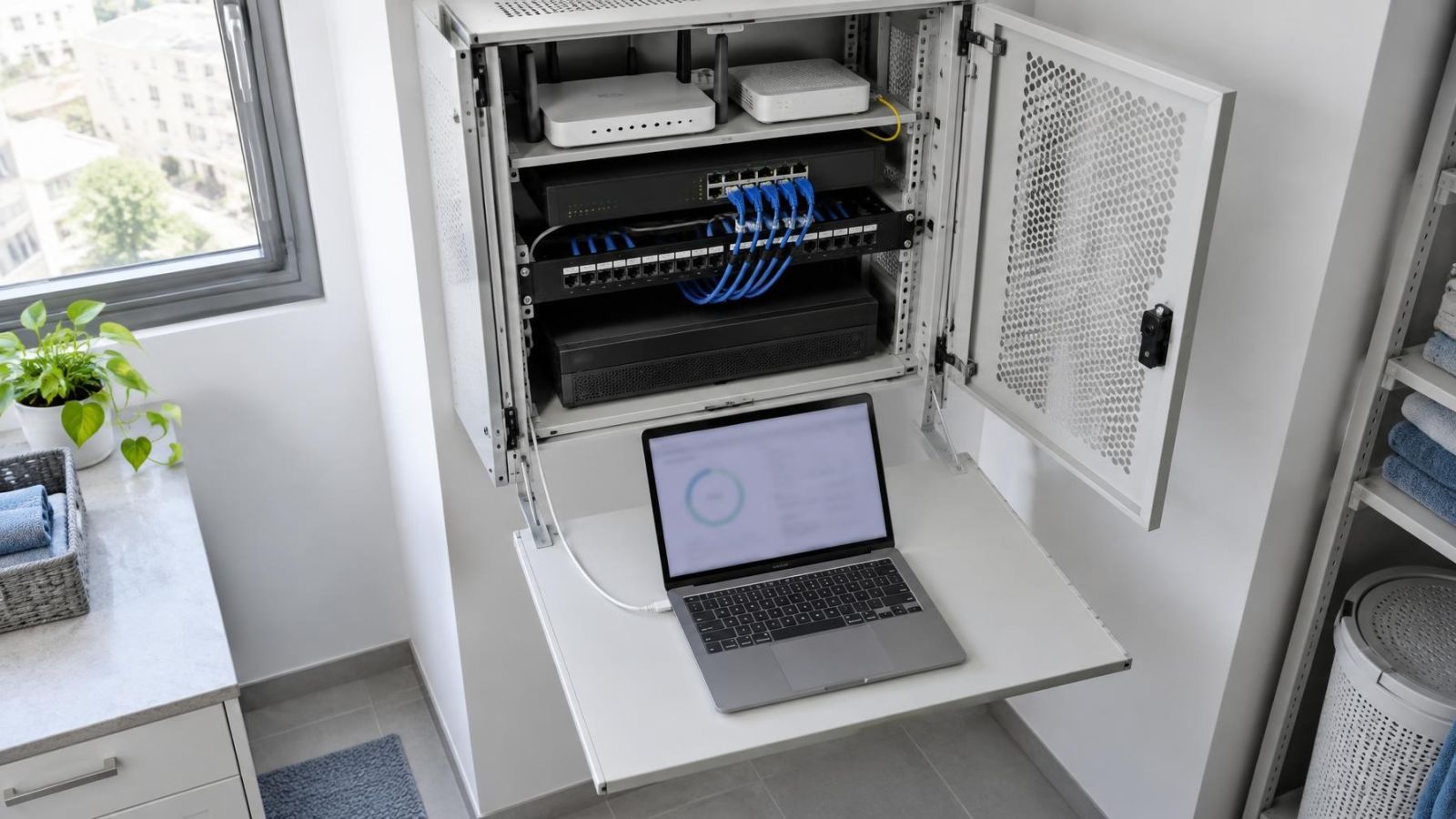
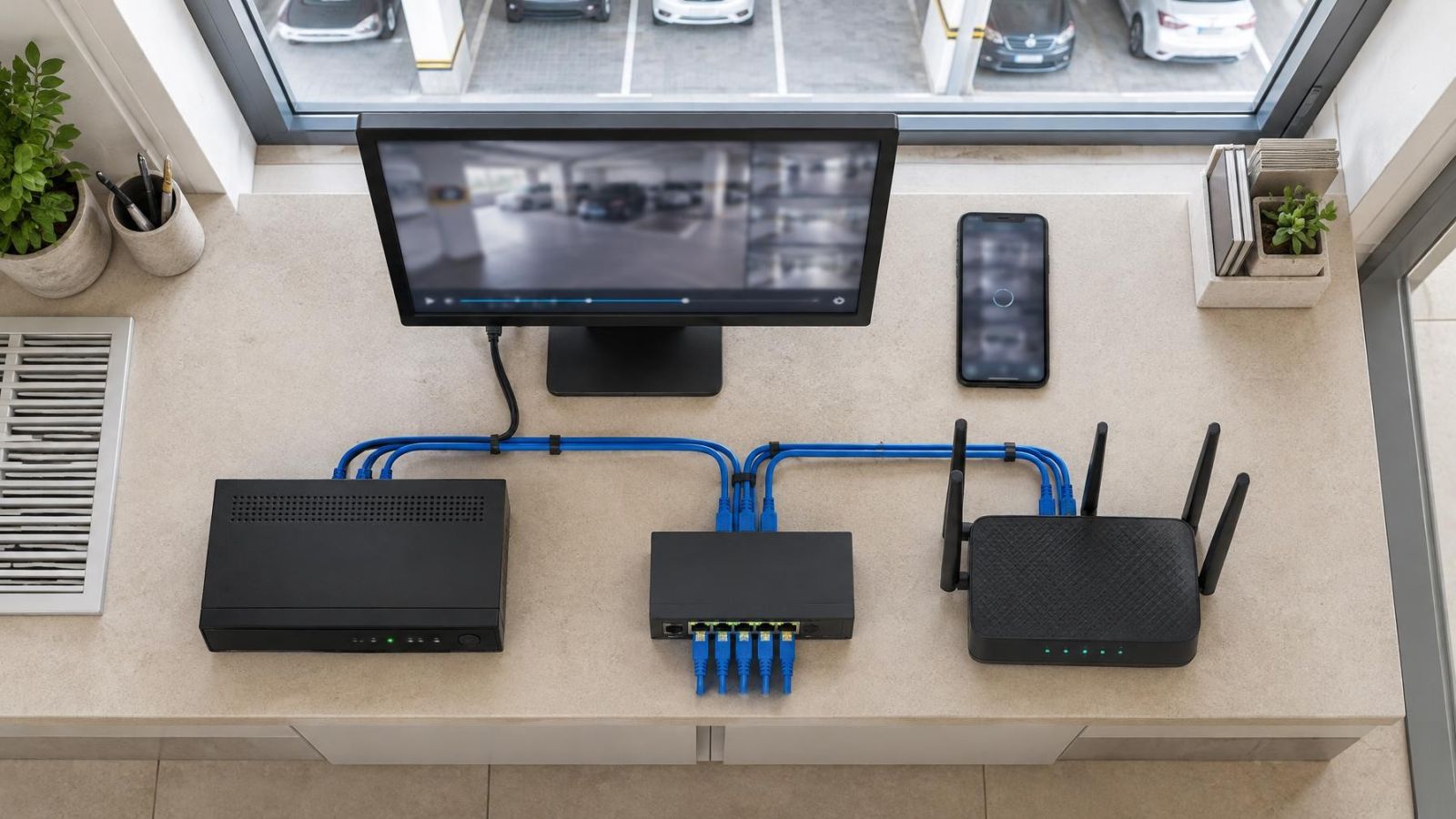
An IP camera at the end of an Ethernet cable needs both data and power. In a typical small system, those links return to a network cabinet containing a router and an NVR (network video recorder). The practical decision is whether a PoE switch or individual injectors should sit between that network equipment and each camera. The answer depends on where the cables meet, how much power the cameras require and how the system will be maintained.
How should you approach powering IP cameras?
Start with the physical cable routes, not the equipment catalogue. If most camera cables return to one cabinet, centralised power is usually the cleanest arrangement. A PoE (power over Ethernet) switch supplies network data and power through its PoE ports. One mains connection can therefore support several compatible cameras, while the cabinet becomes the main point for testing and backup power.
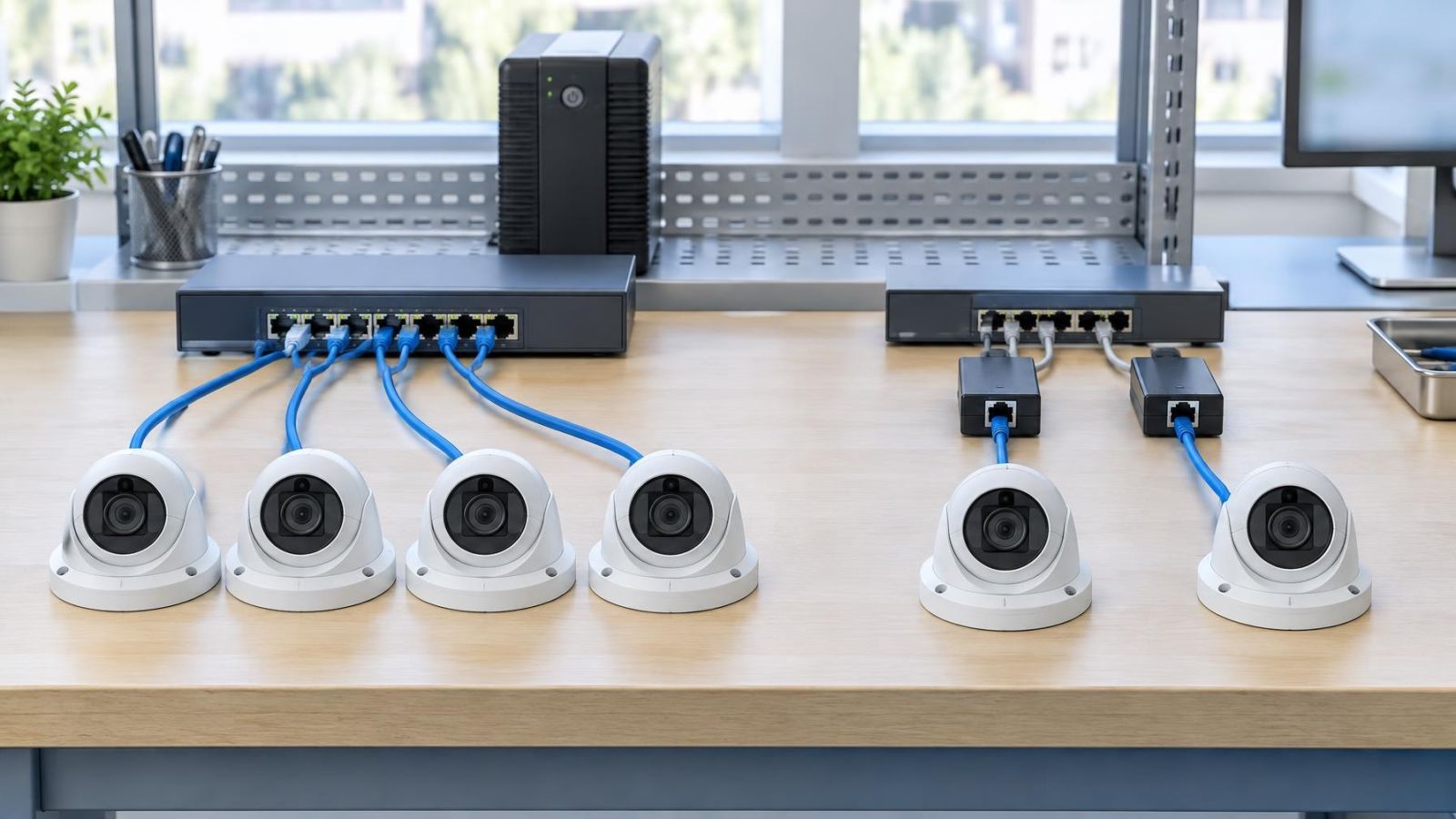
A PoE injector serves a different purpose. It sits in one Ethernet link, taking data from a router, switch or other network connection and adding power for a compatible camera. An injector is useful when a single camera needs PoE but the existing switch does not provide it. It can also suit a camera connected at a separate equipment location rather than the main cabinet.
Compatibility is not established simply because both devices use Ethernet plugs. The power available from the switch or injector must match what the camera accepts. The camera's demand may also change when its infrared illuminator operates, when a heater or other accessory is active, or while the device starts. Check the stated maximum demand rather than relying only on typical operation.
- Identify every camera and the cabinet, router, switch or NVR connection serving it.
- Confirm whether the camera accepts PoE and what power the complete camera assembly requires.
- Note whether each cable returns to one central location or ends near separate network equipment.
- Decide whether backup power should cover the complete camera system or only selected links.
PoE Switch or Injectors?
For several cameras grouped in one cabinet, a PoE switch is normally easier to organise. Camera cables occupy adjacent ports, status lights are visible in one place, and one switch can connect onwards to the NVR or main network. This reduces the collection of separate power adapters and short patch leads that otherwise accumulates around a router.
Injectors make more sense when the powered links are genuinely isolated. A shop may have one exterior camera whose cable reaches a small back-office network point. A private home may add a gate camera to an existing non-PoE link. Replacing working network equipment solely to power one compatible camera may add complexity without improving the layout.
| Decision factor | PoE switch | Individual injectors |
|---|---|---|
| Best fit | Grouped camera cables | One or a few isolated links |
| Power location | Central network cabinet | At each selected network point |
| Expansion | Spare PoE ports and power budget | Another injector for each added link |
| Backup power | One central supply arrangement | Central or separate local arrangements |
| Cabinet space | One main device | Multiple small devices and adapters |
| Fault replacement | Switch or individual port | Single injector |
Expansion changes the balance. A switch with sensible spare PoE ports gives a later camera a defined connection point, provided the switch also has unused power capacity. With injectors, every new camera needs another injector, another mains outlet and usually another pair of short Ethernet leads. That remains manageable for a very small installation, but it becomes harder to trace as the system grows.
Equipment location can outweigh camera count. A single central switch is less attractive if bringing every cable to it requires poor routes or inaccessible terminations. Conversely, several injectors are not truly distributed if they all end up crowded beside the same router. Choose the arrangement that follows the permanent cabling rather than forcing the cabling to fit a preferred device.
Compare Reliability and Maintenance
Reliability is partly about reducing unnecessary connections. Each injector adds a powered device, a mains adapter and two Ethernet connection points. None is inherently unsuitable, but every separate item must be mounted, labelled and kept accessible. A PoE switch consolidates those functions. It also creates a central dependency, so the switch itself must be appropriately selected and placed.
Good labelling matters with either layout. Mark the permanent cable, the patch-panel position if one is used, the switch port or injector, and the camera location. Labels such as “front” are often ambiguous in a property with a front door, front gate and street-facing business entrance. Use descriptions that another person can understand without having seen the installation.
Fault isolation should proceed one link at a time. Confirm whether the camera has power, check whether the network port shows a link, inspect the short patch leads, and then test the camera cable. With an injector, substitution of the injector can be a quick diagnostic step. With a managed PoE switch, the port interface may show whether power is being requested or supplied, depending on the switch's available functions.
- Keep the switch, injectors and power adapters visible rather than buried behind stored items.
- Leave enough cable slack to move equipment for testing without pulling on permanent terminations.
- Use clear labels at both ends of every camera cable.
- Mount power adapters so their weight does not pull them partly out of an outlet.
- Preserve standard Ethernet terminations so a camera, injector or switch can be replaced without rewiring the route.
An accessible network cabinet saves time during ordinary maintenance. Remote property owners should also consider what a person on site can identify while receiving instructions. A neatly labelled switch with visible ports is easier to describe than a cluster of unmarked injectors behind furniture. If injectors are the better technical choice, mounting and labelling them properly provides the same clarity.
Check Ports and Power Capacity
A switch having enough physical ports does not mean it can power every connected camera. The switch has a total power budget shared across its PoE ports, and it may also limit the power available on an individual port. Both figures matter. Compare them with the maximum requirement stated for each camera and any directly powered accessory.
Allow for operating conditions that increase demand. Integrated IR used for night vision can draw power after dark. Motorised functions, illuminators, audio hardware and environmental accessories may also affect the stated requirement. Startup is relevant as well: after power is restored, several cameras may request power at nearly the same time. The design should remain within the equipment's declared capability during that condition.
Count non-PoE connections separately. A small switch may need an uplink to the router or main network, a connection to the NVR, or a link to another switch. Depending on the equipment layout, those connections can consume ports even though they do not power cameras. An NVR with its own camera ports may create a different topology from an NVR connected through the main network switch, so draw the actual links before counting capacity.
- List each camera and its stated maximum power requirement.
- Add any accessory powered through the same camera link.
- Check that every camera fits within the available power on its individual port.
- Check that the combined demand fits within the switch's total power budget.
- Reserve the required non-PoE uplink ports and a sensible amount of capacity for later additions.
Do not treat spare ports as guaranteed expansion unless power remains available too. A later camera may use a higher-demand feature set than the existing units. It is better to preserve both kinds of headroom: a physical port and sufficient shared power. For injectors, expansion planning means available outlets, mounting space and a suitable injector for each new camera link.
A spare PoE port is useful only when the switch also has enough remaining power to operate the device connected to it.
Plan for Israeli Buildings
Powered network equipment produces heat, and Israeli service spaces can already be hot. A closed cabinet on a sunny balcony, in a roof space or inside an unventilated cupboard is a poor location for a PoE switch or a row of injectors. Choose a shaded, ventilated and reasonably clean position. Do not block ventilation openings with cable bundles, power supplies or stored household items.
Dust gradually coats vents and equipment surfaces. Near the coast, humid and salty air makes exposed locations still less suitable for ordinary indoor network devices. A cabinet should protect the equipment without trapping its heat. It should also open easily enough for inspection and cleaning; a sealed-looking box that nobody can reach is not a maintenance plan.
Apartment buildings introduce shared areas. A camera serving an apartment may need a route near a shared entrance, corridor, parking area or common communications space. Establish where the private cable route ends, which cabinet is under the apartment owner's control, and what must be coordinated with the va'ad bayit. Do not assume that a convenient shared cabinet is available for private injectors, adapters or backup equipment.
In a private home, garden and gate cameras often create the longest and most exposed cable routes. The injector or switch belongs at the network-equipment end of the Ethernet link, not outdoors simply because the camera is outdoors. Plan the route, outdoor termination and building entry as one assembly. Keep indoor powered equipment away from irrigation, damp utility spaces and places where gardening work can disturb it.
Street-front businesses have another constraint: the network cabinet may compete with stock, office furniture and customer-facing space. Placing the switch above a suspended ceiling can make routine testing difficult, while leaving injectors loose beside the till or router invites accidental disconnection. A compact, ventilated cabinet in a staff-accessible area usually supports cleaner cable management and calmer maintenance.
Choose the Practical Layout
The final choice should come from a simple connection plan. List the cameras, mark where each Ethernet cable ends, and show the router, NVR, switches, injectors and uplinks. This drawing does not need specialist software. It needs enough detail to expose where power enters each link and which device a technician would test first.
If the camera cables converge in an accessible cabinet, choose a PoE switch with suitable per-port capability, total power budget, uplink capacity and expansion room. If only one or two remote links require power and the existing network equipment remains appropriate, individual injectors can be the cleaner choice. A mixed layout is also valid: a central PoE switch for the main group and an injector for a genuinely separate camera.
Plan backup power at the same time. Centralised power allows a switch, NVR and essential network equipment to share an organised uninterruptible power supply, provided the supply is selected for the connected load. Distributed injectors may require backup at several locations. Alternatively, the design may intentionally back up only selected links. What matters is that the decision is explicit rather than discovered during a power interruption.
- List every camera, accessory and network connection point.
- Map each permanent cable route to its actual cabinet or local network point.
- Confirm camera compatibility and maximum power demand.
- Count PoE ports, uplink ports, mains outlets and available mounting space.
- Leave practical capacity for likely additions without filling the cabinet with unused equipment.
- Choose whether backup power will be central, distributed or limited to selected devices.
- Record the finished port and cable labels for future maintenance.
For most grouped small systems, the PoE switch is the more orderly foundation. Injectors are not a lesser solution; they are a focused solution for isolated links and existing non-PoE networks. The better layout is the one that keeps power capacity adequate, connections understandable and serviceable equipment in a cool, accessible location.
Key takeaways
- PoE switches suit centralised systems in which several camera cables return to the same network cabinet.
- Individual injectors remain practical for isolated cameras and existing networks without PoE ports.
- Port count alone does not confirm that a switch has enough power capacity for every connected camera.
- Cabinet ventilation and maintenance access are especially important in Israel's heat, dust and coastal humidity.
- A good power layout leaves spare capacity and allows equipment replacement without changing permanent cabling.