On this page
A point to point wireless bridge can connect a gate camera or detached building to the main network through a directional antenna at each location. The video can then reach a network recorder without digging a route for network cable or a fiber connection. The practical question is whether the site has the sightline, power, mounting positions and maintenance access needed to make that wireless link a better choice than a wired one.
What a Point to Point Wireless Bridge Actually Does
A bridge is a network link between separate locations. One outdoor radio connects to the network at the main building. The other connects to equipment at the gate, office, store room or workshop. Directional antennas concentrate the radio link along that path rather than trying to cover the whole property like an ordinary indoor access point.
For a security camera system, the bridge carries the same type of network traffic that would otherwise travel through cable. The remote end may have a small network switch serving one or more cameras. The main end feeds the router, NVR (network video recorder) or VMS (video management software), depending on how the system is arranged.
What Is a Wireless Bridge for Cameras?
A wireless bridge for cameras is the transport path, not the complete camera installation. It does not generate power at the remote location. It also does not remove the need for short local cables. Each radio requires a power supply, and every camera still needs a connection to the remote radio or switch.
PoE (power over Ethernet) can simplify those local connections. A suitable PoE switch or injector can power a radio or camera through its network cable. The gate or detached building must still have a dependable source of electricity for that equipment.
Wireless removes the cable run between locations. It does not remove the infrastructure required at either end.
Where a Bridge Makes Sense
The clearest use case is a remote gate with electricity and an unobstructed view back to the house or business. A bridge can also serve a detached office, garden room, store room or workshop where opening the finished ground would be disruptive or where no serviceable duct exists.
Israeli properties often make this decision less simple than the plan suggests. Gardens mature. Driveways carry tall vehicles. Stone walls interrupt low mounting positions. A camera at a street gate may look close to the house while the radio path passes through trees, a pergola or part of the building. The radios need their own clear path; the camera’s view does not establish it.
When Is a Gate Camera Wireless Link Appropriate?
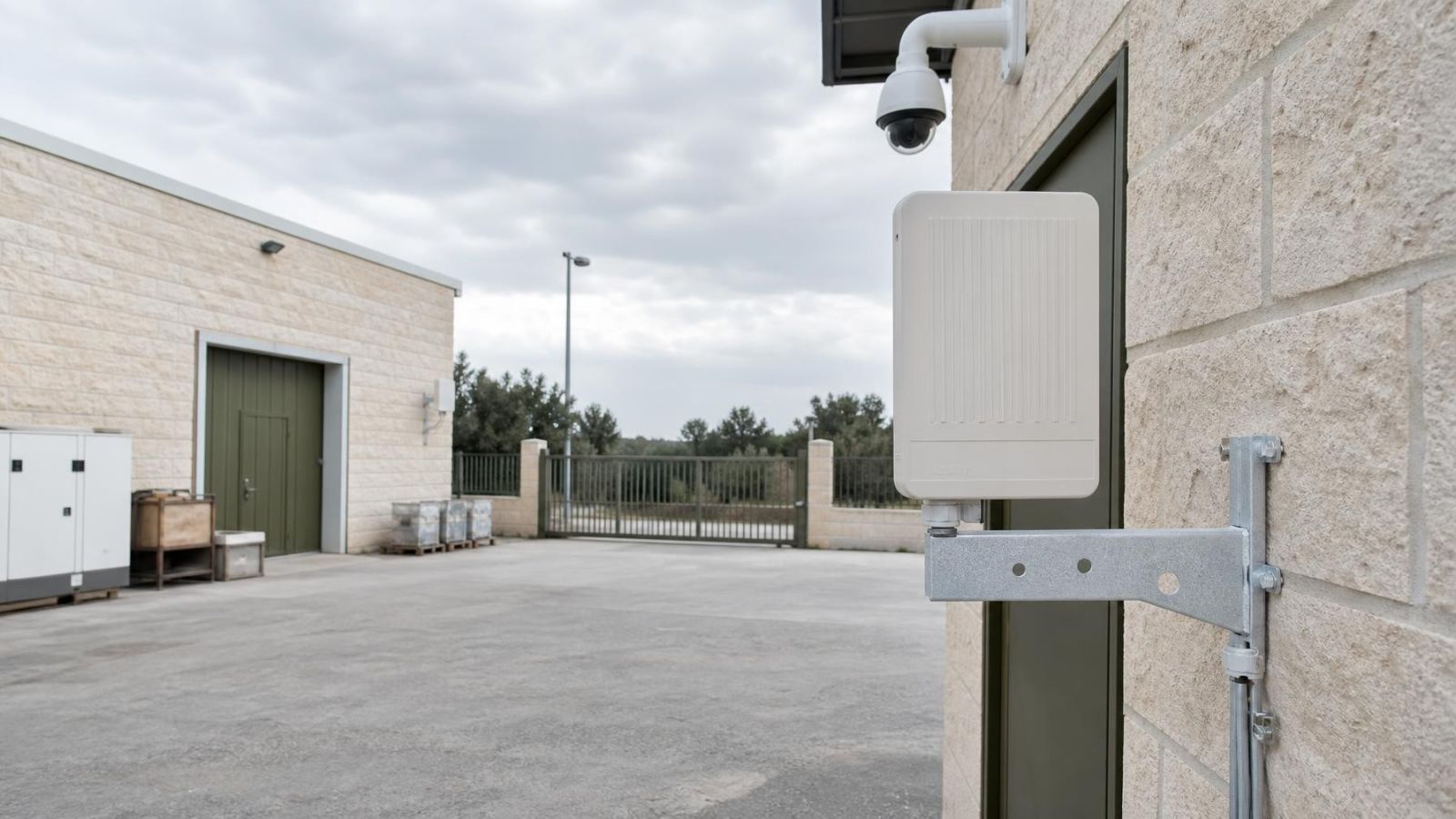
A gate camera wireless link is appropriate when the gate has local power, stable mounting and a clear radio path to the main property. The radio does not need to sit beside the camera. It can be mounted higher or slightly to one side, then connected to the camera by outdoor network cable.
Shared apartment entrances require a different kind of planning. The useful mounting point may be on common property, while the recorder and router are inside one apartment or a shared communications area. The va’ad bayit may need to coordinate the location, appearance, cable route and future access. Establish who can reach and maintain each part before equipment is fixed in place.
For a street-front business, a bridge can connect an entrance, rear store room or separate work area without relying on general customer WiFi. The equipment should still be placed where staff, signs, shutters and delivery vehicles will not block or disturb it.
Wireless Bridge, Cable or Fiber?
A wireless bridge is not automatically the best option simply because the distance is inconvenient. If a protected and accessible cable route already exists, using it is usually preferable. A physical link avoids radio alignment and signal interference, and its path is easier to understand during fault-finding.
| Option | Best fit | Main strengths | Planning concerns |
|---|---|---|---|
| Wireless bridge | Clear sightline with no practical wired route | No excavation between locations; flexible endpoint placement | Power at both ends; alignment; interference; outdoor maintenance |
| Network cable | Short, protected and serviceable existing route | Simple connection; straightforward testing; PoE support | Conductive link between buildings; distance limits; exposure to damage |
| Fiber | Separate buildings or higher future capacity needs | Electrical separation; strong capacity; no radio interference | Termination equipment; protected route; specialist repair access |
Fiber has an important advantage between separate buildings: it provides electrical separation. Conductive network cable does not. The overall power, surge protection and grounding approach should be considered as one site design rather than as isolated accessories added after installation.
Future access matters as much as the first installation. Cable buried directly under paving or landscaping may become difficult to repair. A properly planned duct can make wired service straightforward. Without one, a bridge may remain easier to inspect and replace because its active parts are visible and reachable.
Which Link Type Should Carry Camera Traffic?
- Choose a wireless bridge when the sightline is clear, local power exists and creating a serviceable physical route would be disruptive.
- Choose network cable when a protected route is already present, suitable for the distance and easy to inspect or replace.
- Choose fiber when electrical separation between buildings, immunity to radio interference or greater capacity is a priority.
- Do not choose solely from claimed range. Site geometry, access and maintenance determine whether a link remains practical.
Can the Site Support a Reliable Link?
Start with line of sight between the proposed radio positions. Walls, dense foliage and parked vehicles can weaken or interrupt a path. A mamad is particularly relevant when considering an indoor mounting point because its substantial walls can make it a poor route for a directional outdoor link. Mounting both radios outdoors with a clear path is normally easier to assess and maintain.
Trees deserve attention beyond their current shape. Leaves and branches move, and vegetation can grow into a path that looked open during the survey. Gates, delivery vehicles and shutters also move. The radio line should pass above or around ordinary activity rather than through it.
When Does Building to Building WiFi Work Well?
Building to building WiFi works well when directional radios have a clear, fixed path and secure mounting at both ends. Dense neighbourhoods can contain many competing radio networks, so an apparently open visual path does not by itself confirm a clean radio environment. A survey should assess both the physical route and local signal interference.
Israeli outdoor exposure also changes the installation. Strong sunlight heats enclosures and degrades unsuitable cable jackets. Dust enters poorly closed boxes. Coastal humidity and salt-laden air are hard on exposed connections and metalwork. Equipment selection should reflect the actual mounting position, not simply the general climate of the city.
Plan Power, Cameras and Network Capacity
The remote location needs enough power for the radio, cameras, local switch and any enclosure equipment. A gate motor supply being nearby does not automatically mean it is the right source for network equipment. Confirm the available circuit, physical route and location for power supplies before deciding where the radio and switch will sit.
Camera quantity and video settings determine how much traffic the bridge must carry. Resolution, frame rate, compression settings, continuous recording and event-driven recording all change the load. Allowing capacity for later cameras is usually easier than replacing a link selected only for the first layout.
The outbuilding camera network should also have a clear logical path. Decide whether the remote cameras connect directly to an NVR, pass through a VLAN, or are managed by a VMS. Confirm the locations of the router and recorder, because the nearest physical building is not always the correct network endpoint.
- List every camera and other network device expected at the remote end.
- Confirm whether the remote switch must provide PoE and whether it has suitable power available.
- Review recording settings and live-view requirements together rather than sizing from camera count alone.
- Decide which devices should remain powered during an outage and size backup power around those priorities.
- Keep management access to the bridge separate from casual or guest network use where the network design allows it.
Backup power requires a system view. Supporting the camera while leaving the remote radio or main network switch unpowered does not preserve the video path. The camera, both bridge radios, relevant switches and recorder all participate in the connection.
Install for Outdoor Serviceability
Directional radios need rigid mounts. A flexible pole, loose bracket or vibrating gate structure can move the antenna away from its intended alignment. The link may then vary with wind or gate movement even though every device remains powered. Mount radios to fixed structures wherever possible, then align them accurately and secure the adjustment points.
Outdoor cable entries should face down where practical and include drip loops so water does not follow the cable into an enclosure. Cable jackets, glands, connectors and boxes must be suitable for sunlight, dust and moisture. An outdoor enclosure still needs sensible placement; putting it where irrigation reaches it or where afternoon sun is concentrated adds avoidable stress.
Surge protection and grounding need a coherent approach at each location. The details depend on the building, power source, cable route and mounting structure. They should be planned with the electrical work rather than improvised around the network hardware.
Access should be possible without dismantling a gate, lifting roof tiles or entering a neighbouring private area. Installers need to inspect connectors, verify power, test the local network and check alignment. A radio mounted where nobody can safely reach it turns a routine fault into a larger job.
Choose the Link Before Buying Equipment
Begin with the property, not a hardware list. A site survey should locate the cameras, recorder, router, power sources and possible radio positions. It should also trace any existing duct or serviceable cable route. Only then is it sensible to decide between wireless, network cable and fiber.
For a wireless design, confirm the sightline from the real mounting points and identify how cable enters each building or enclosure. For a wired design, confirm the route remains accessible after paving, planting or interior finishing. For either design, allow network capacity, switch ports and power for realistic later additions.
Shared-building work needs named responsibility even when the technology is simple. Decide who controls the network connection, who can access common mounting areas and who will arrange maintenance. Remote property owners should also establish whether a local person can restart equipment, inspect an enclosure or provide access when physical diagnosis is needed.
The best choice is the link that fits the site and can still be understood, reached and repaired later. A wireless bridge is a useful infrastructure tool, but it should be selected because the path supports it—not because trenching was the first difficulty noticed.
Key takeaways
- A wireless bridge extends the network but still needs power and local cabling at each end.
- Clear line of sight, rigid mounting and accurate alignment matter more than advertised range.
- Cable or fiber is usually the stronger choice when a suitable route is already available and remains accessible for repair.
- Camera load, outdoor exposure and maintenance access should guide the choice of link equipment.
- A site survey should establish the link type, mounting positions and power routes before equipment is purchased.